
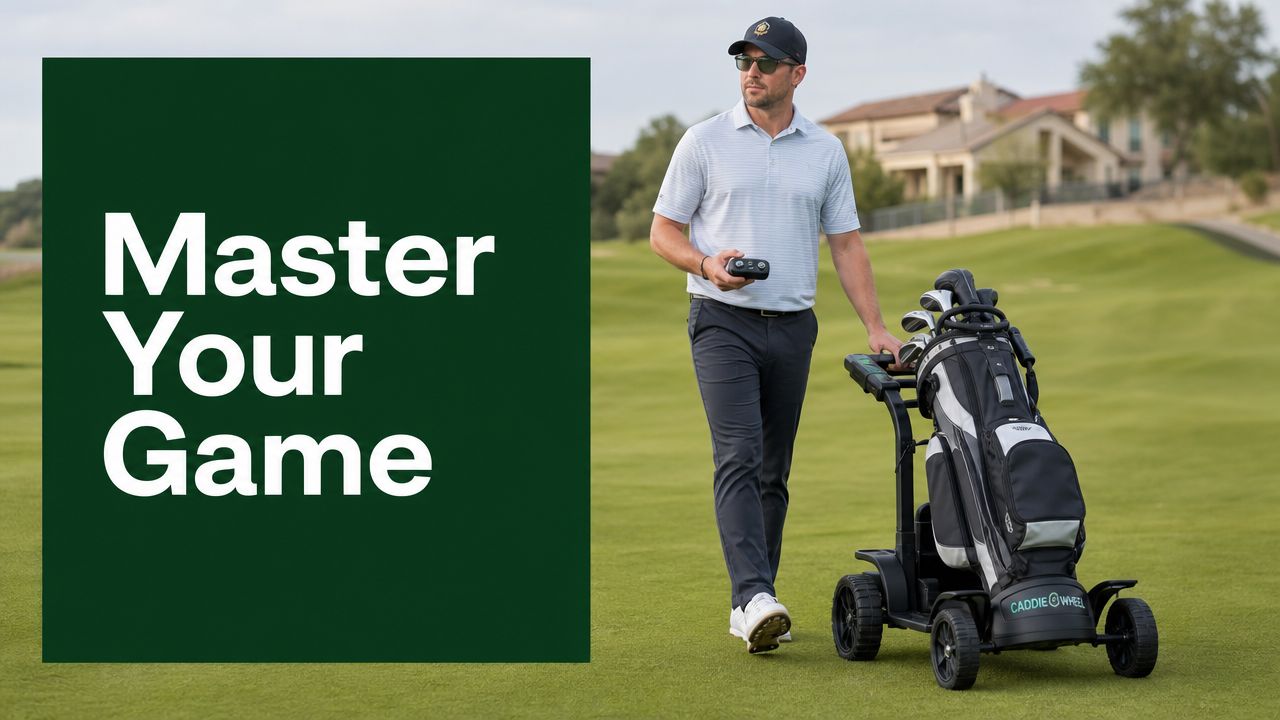
You're probably reading this after one of two rounds. Either you've just finished walking a hilly course and felt your legs get heavy by the back nine, or you're considering electric assist because pushing a loaded cart is starting to pull focus away from club selection, pace, and touch around the greens.
That's where a good quad remote control changes the experience. Instead of wrestling the cart up slopes or dragging it through awkward sidehill lies, you keep the bag moving with light inputs and save your energy for the shots that matter.
Your Guide to the Caddie Wheel Quad Remote Control
A remote for a motorized push cart isn't just a convenience item. On the course, it's a pacing tool. Used well, it helps you arrive at your ball fresher, park the cart more neatly near tees and greens, and avoid the little bursts of effort that add up over a full walking round.

Why this type of control feels so natural
The idea itself isn't new. The core concept of remote control, wirelessly commanding a device, has a surprisingly long history. In 1898, Nikola Tesla demonstrated the world's first radio-controlled vehicle, showing that one operator could manage functions like steering and propulsion remotely, a principle that still shows up in modern multi-function remotes for golf caddies, as described in this history of remote control.
What matters on the golf course is how that history translates into something useful. A handheld quad remote control lets you manage movement without breaking stride. That means less stopping, less heaving the cart into motion again, and fewer moments where the walk becomes the hardest part of the hole.
What good remote habits look like
The golfers who get the most out of this setup usually do a few things well:
- They keep the remote accessible: Clipped where the thumb can reach it quickly, not buried in a pocket.
- They use short inputs: Quick taps are usually better than long holds when you're threading around bunkers, bridges, or cart-path edges.
- They park with intention: They stop the cart before a slope gets awkward, not after.
A remote works best when it fades into the background. If you're thinking about the device more than your next shot, your setup or habits need a small adjustment.
If you ever need a backup or replacement unit, the Caddie Wheel spare remote is worth bookmarking before you need it.
Initial Setup and Pairing
The first setup is straightforward, but a clean start makes everything easier later. The biggest mistake golfers make here is rushing the placement of the holder, then realizing on the course that the remote sits where their hand naturally rests on the handle.

Mount the holder where your hand already wants to go
Before pairing anything, set up the holder on the push-cart handle in a spot that feels reachable with minimal wrist movement. Usually, that means just off your dominant hand position rather than centered in the busiest part of the handle.
A compact motorized wheel system should stay friendly to the original cart's handling. Industry design guidance for push-cart accessories suggests added weight shouldn't exceed 10–12% of the cart's loaded weight, and motorized wheel add-ons in this category commonly weigh around 3–5 kg (6.5–11 lbs), which helps preserve stability and pushability, as discussed in this overview of remote-control design history and related accessory principles.
That matters during setup because balance affects feel. If the cart already feels neutral and easy to guide, don't clutter the handle with too many accessories around the remote position.
Pair once and make it easy on yourself
Start with the basics:
- Charge the remote first: Don't try to pair it straight out of the box if the battery is low.
- Power on the wheel unit and remote: Make sure both are awake before you start the connection step.
- Enter pairing mode: Follow the pairing prompt for both devices until the indicator lights begin flashing.
- Wait for confirmation: A stable light pattern usually tells you the link has locked in.
A visual walkthrough helps if you prefer to see the sequence before trying it on your own.
Setup choices that pay off later
A few practical decisions at this stage make a real difference on the course:
- Leave room around the holder: You don't want your glove, towel clip, or scorecard mount bumping the remote loose.
- Test it with your bag loaded: A cart can feel different when it's carrying a full set, water, and outerwear.
- Walk a few yards before the round: Don't make the first live test the walk from the first tee.
Practical rule: If you can reach the remote without changing your grip on the handle, you mounted it in the right place.
Mastering On-Course Operation
Once the pairing is done, the quad remote control starts earning its place on the course. The distinction between owning one and using it well then becomes obvious.

Walking the fairway at your pace
On a flat fairway, the best move is usually to send the cart slightly ahead at a speed that matches your natural walk. Not far ahead. Just enough that you're not constantly catching up to it or waiting on it.
Commercial electric-assist systems in this category typically have button-to-motor latency of under 200 milliseconds, which is why forward, reverse, and braking feel nearly immediate at walking pace, according to this remote-control overview.
That quick response lets you drive with touch instead of overcorrecting. Tap to move. Tap again to trim speed. Brake before the cart reaches the spot where you'd normally stop it by hand.
Tight spaces near tees and greens
The remote really proves itself in cramped transitions. Think of the narrow route from cart staging to a tee box, or the approach to a green where you want the cart nearby without rolling too close to collars, sprinklers, or bunker lips.
In those spots, use a slower rhythm:
- Approach on reduced speed: Fast inputs near hard edges usually create more work.
- Use reverse as a positioning tool: Backing up a short distance is cleaner than dragging the whole cart around by hand.
- Brake early on side slopes: Don't wait for the cart to drift into the awkward angle.
I've found the best operators almost “feather” the controls. They don't command the cart like a machine. They guide it like a playing partner who knows where to stand.
Uphill, downhill, and uneven lies
Hilly courses change how you use the remote. On climbs, a little momentum helps, but long, aggressive holds can put the cart farther ahead than you want. On descents, brake becomes the most important button on the remote.
A simple course-management approach works well:
| Situation | Best remote habit | What to avoid |
|---|---|---|
| Steep uphill | Start movement before the grade bites | Waiting until the cart stalls at the slope |
| Downhill path | Use short forward taps and be ready to brake | Letting the cart free-run too far ahead |
| Sidehill lie | Park on the flattest nearby patch | Stopping with one wheel loaded awkwardly |
| Near a green | Position the cart for your next walk-off line | Parking where you'll need to double back |
For a closer look at how motorized wheel systems behave in real golf use, this piece on electric motor remote control for walking golfers adds useful context.
Good remote control is quiet golf. The cart moves where you need it, stops where you expect, and never steals attention from the next shot.
Battery Care for Peak Performance
Battery care sounds boring until the remote dies at the far end of the course. Then it becomes the only thing you care about. The good news is that a simple routine keeps the quad remote control dependable without turning it into a maintenance project.

Charge with a golfer's routine, not a technician's routine
The easiest habit is to charge after each round. Don't wait until the remote is fully drained, and don't toss it in the trunk and hope you remember later in the week.
For systems in this category, battery expectations on the course always vary with conditions. While the main system battery may support up to 36 holes, comparable setups can vary by 10–15% depending on terrain, total carried weight, and how hard the variable speed and braking functions are used, as noted in this build-focused discussion of remote-controlled vehicle power use.
The lesson for golfers is simple. Hilly rounds, soft ground, and frequent stop-start control all demand more from the system, so disciplined charging matters.
Storage habits that protect battery life
Heat is rough on small electronics. So is cold, especially if the remote sits unused for long stretches.
Use this checklist between rounds:
- Keep it out of the car trunk: Summer heat and winter cold both work against battery health.
- Store it somewhere dry: A garage shelf is fine only if it stays temperate and low-moisture.
- Top it up before long storage: Don't leave it sitting empty through the offseason.
Most important habit: Charge after the round.
Most common mistake: Leaving the remote fully drained until the next tee time.
What to do before a long day of golf
If you're playing multiple loops or practicing before and after the round, check charge status the night before. That beats trying to solve it in the parking lot.
If you want a broader primer on charging habits for electric golf equipment, this guide on how to charge a golf cart covers the mindset well.
Troubleshooting Common Remote Issues
Most remote problems on the course are small. The key is knowing whether the issue is power, pairing, or positioning. When golfers panic, they usually start pressing every button harder. That rarely fixes anything.
Remote won't respond
Symptom: You press forward or reverse and nothing happens.
Likely cause: The remote battery is low, the main unit isn't fully powered on, or the connection didn't establish cleanly.
Solution: Start with the simplest checks. Confirm both devices are powered on. If the remote has been sitting for a while, recharge it before trying to pair again.
For many golf gadget charging systems, a portable wall-plug charger can bring a small lithium-ion battery from 0 to 80% in about 60–90 minutes, which is why a between-round top-up is often enough to get back in play, according to this quick-charge video reference.
Pairing fails or drops unexpectedly
Symptom: The remote worked before, but now it won't reconnect reliably.
Likely cause: Incomplete startup order, low charge, or a pairing attempt that was interrupted.
Solution: Power both units off fully, wait a moment, then restart and repeat the pairing sequence carefully. Watch the indicator lights instead of guessing. If the lights don't confirm the link, don't head to the first tee yet.
A clean restart solves a lot of “mystery” issues.
Cart movement feels jerky
Symptom: The cart starts and stops unevenly or feels harder to place precisely.
Likely cause: Inputs are too abrupt, you're operating from an awkward angle, or the cart is on rough terrain where wheel traction changes quickly.
Solution: Use shorter button presses and stand where you can see the cart's path clearly. On bumpy ground, expect small changes in wheel load and guide the cart more patiently.
If the cart feels jumpy, slow your hands down first. A lot of rough control comes from rushed button work, not faulty hardware.
Range seems shorter than expected
Symptom: The remote works close by but feels inconsistent at distance.
Likely cause: You're sending commands with the cart too far ahead, or the line between you and the unit is partially blocked by terrain, gear, or course features.
Solution: Keep the cart within a comfortable walking gap. These systems work best when the remote supports your pace, not when the cart is sent wandering well ahead.
Golfer's FAQ for the Quad Remote Control
Can I use the remote in light rain
Usually, light moisture during a round is manageable if you're sensible about it. Keep the remote as dry as you can, wipe it down after the hole, and don't leave it exposed on the handle in steady rain longer than necessary. If conditions worsen, I'd switch to more conservative use and store it when you can.
What's the best way to carry the remote during a round
Use the holder when you want quick access and predictable placement. If you prefer a pocket, use the same pocket every time so your hand goes there automatically. The biggest issue isn't where you carry it. It's inconsistency.
How far should the cart be from me when I'm using it
Keep it at a natural walking distance where you can react easily and still guide the cart around slopes, path edges, and foot traffic. If it gets so far ahead that you need to hurry to catch up, you're losing the benefit of controlled walking golf.
Is reverse only for emergencies
Not at all. Reverse is one of the most useful buttons on the remote. It helps you reposition near tees, back out of narrow exits, and make small parking adjustments without dragging the cart by hand.
What should I do if I lose the remote
First, stop using the setup until you have control restored. Then retrace the round in the places where golfers naturally set things down: tee markers, practice green edges, bag-drop areas, and the spot where you loaded the car. A spare remote is worth having because lost accessories usually go missing at the worst time.
Why does the cart feel different on hilly courses
Grades change everything. Uphill sections ask for a little more forward input. Downhill stretches demand earlier braking. Sidehill stops also make parking more important because the cart can settle differently than it does on level ground.
Do I need to re-pair the remote every round
In normal use, no. Once paired correctly, the connection should be routine. If a reconnection issue shows up, it's usually worth checking charge level and startup sequence before assuming anything is wrong.
What's the fastest way to get better with the quad remote control
Practice before the first tee. Spend a few minutes in the parking lot or near the practice area using forward, reverse, and brake at walking pace. Most golfers get comfortable quickly once they stop trying to rush the learning curve.
If you want a lighter way to walk the course without giving up your current push cart, Caddie Wheel is built for exactly that kind of golfer. It adds electric assist with a simple drop-on approach, keeps remote operation straightforward, and helps you save energy for the swings that count.
Share:
Best Battery Operated Fan for Golf Cart: 2026 Buyer's Guide
Expert Guide: How to Use Portable Charger for Caddie Wheel