
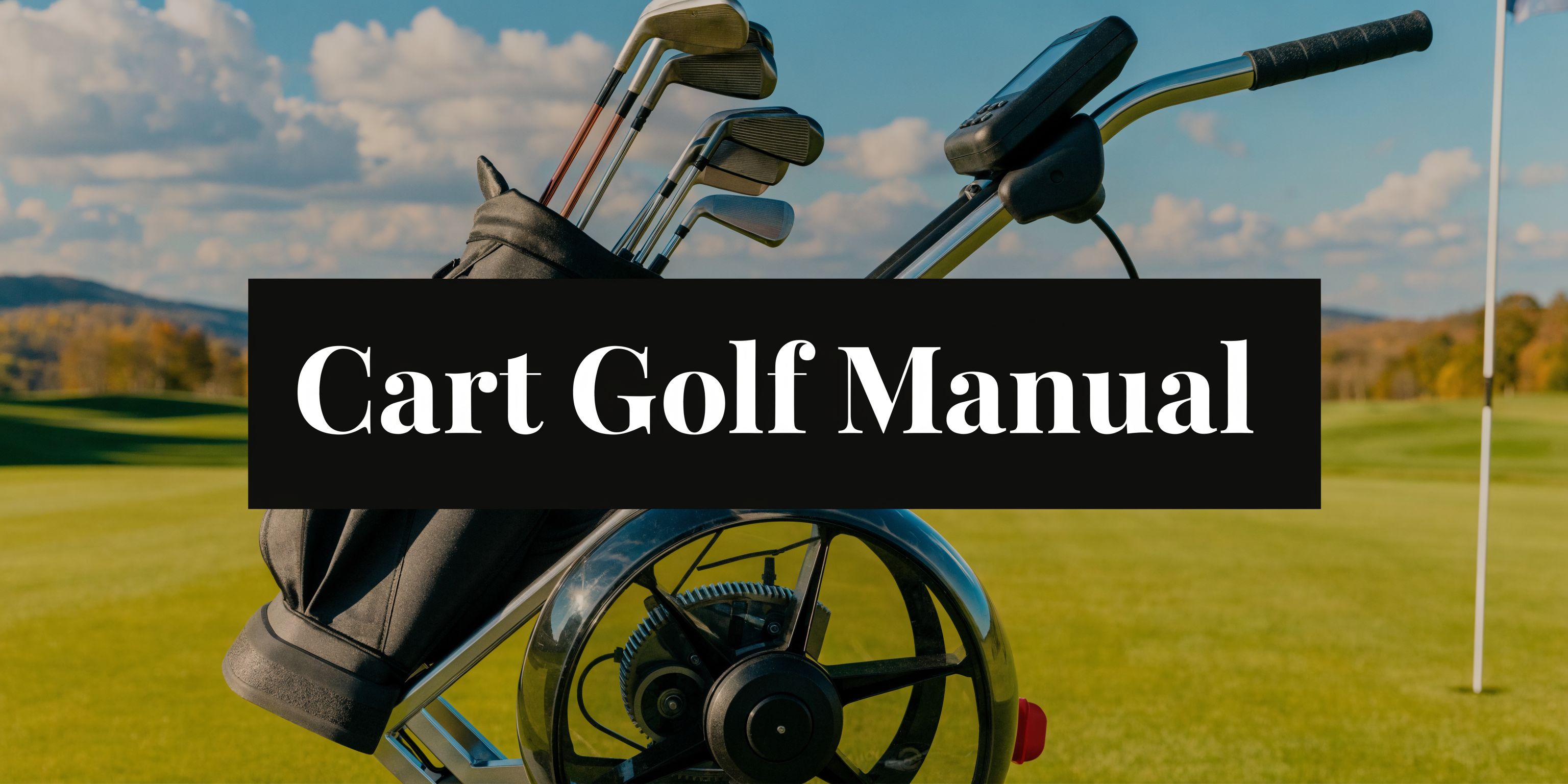
You’re probably here because your search for a cart golf manual kept landing on advice for riding carts. Alignment checks. Fairway rules. Maintenance lists for vehicles that cost far more than most walkers want to spend.
That misses the true need. A lot of golfers already own a push cart they like. They do not want a bulky replacement. They want a practical way to keep walking, protect their legs on hills, and finish a round with enough energy left to make a committed swing.
I’ve spent enough time around push cart setups to know where rounds get lost. It is not always in the swing. It is in the grind between shots. The long pull up a side hill. The cart that wants to drift downhill. The extra strain late in the back nine that makes a smooth tempo feel harder to find.
This guide is written for that golfer. Not the rider. The walker who wants modern electric assistance on an existing push cart, and wants instructions that make sense on the first read.
From Uphill Battles to Effortless Birdies
A familiar round starts well. You stripe a drive on the opening hole, settle into a steady rhythm, and enjoy the walk. By the turn, the course starts asking more of your legs than your swing. The fairways tilt. The paths climb. By the 14th, you’re not thinking about club selection as much as the next push uphill.
That is the point where walking golf can stop feeling like golf and start feeling like work.
I’ve seen this happen most often on hilly courses, especially with players who love to walk but do not want the repeated strain of pushing a loaded cart over uneven ground. The bag is manageable on flat turf. Add slopes, damp grass, or a long transition from green to tee, and the effort stacks up shot by shot.

Walking is still the best way to feel a course
Walking gives you something riding never quite does. You see the contours better. You stay looser between shots. You keep a better sense of pace.
If you travel for golf, that matters even more. A good example is the kind of terrain you’ll find among the best golf courses the Algarve has to offer. Beautiful ground, memorable routing, and enough movement in the land to remind you that a great walk can also be a tiring one if your cart setup fights you.
Why this manual is different
Most “cart golf manual” content treats the word cart as if it only means a riding vehicle. That is old thinking.
Modern walking golfers want something else:
- Keep the push cart they already trust
- Add electric help without a complicated conversion
- Use a simple remote instead of wrestling the handle all day
- Finish the round feeling like they walked, not worked
A good walking setup should disappear into the round. You should notice your golf, not the effort of moving your bag.
That is the standard worth aiming for. If your cart feels heavy, awkward on slopes, or tiring by the closing holes, the problem is usually not walking itself. It is the lack of smart assistance.
Unboxing Your Caddie Wheel and Checking Compatibility
The first job is simple. Open the box and lay every part out where you can see it. Do this on a flat floor, not in the parking lot before a tee time.
That small bit of patience prevents almost every early setup mistake I see.

What you should have in front of you
Most golfers instinctively grab the motor unit first. I prefer to identify the support pieces before touching the cart.
Look for these core items:
- Motorized wheel unit This is the drive component that replaces one rear wheel position in the setup.
- Snap-in bracket or mounting hardware This is the part that interfaces with the axle area and keeps the wheel properly seated.
- Remote controls A primary remote and a spare are worth keeping organized from day one.
- Charger Set this aside in a dedicated spot so it does not end up loose in the trunk.
- Any holder or small accessory pack These are easy to miss if you tear through the packaging.
If something looks unfamiliar, stop and identify it before you install anything. Guesswork usually creates the kind of fit problem that gets blamed on compatibility later.
The compatibility check that matters
Most standard three-wheel and four-wheel push carts are straightforward. The key question is not brand first. It is axle design and wheel attachment style.
A quick check usually tells you what you need to know:
- Park the cart on level ground Engage the brake if your cart has one.
- Look at the rear wheel attachment point You want to confirm the wheel removes cleanly and that the axle area is unobstructed.
- Check wheel removal style Many carts use a quick-release arrangement. If yours does, installation tends to be simple.
- Inspect frame clearance Make sure there is enough room for the motorized wheel to sit without rubbing the frame or any accessory mount.
- Check for non-standard modifications Add-on seats, oversized accessories, or custom wheel swaps can affect fit and balance.
A lot of existing manual content skips this completely because it is written for riding carts. That is one reason walkers get poor guidance. In fact, existing golf cart manual content overwhelmingly focuses on riding carts, failing to address integration for electric power assist wheels on manual push carts, a gap for walking golfers, a segment that grew 25% in the last year among seniors (golfcartstuff.com/blogs/news/golf-cart-alignment-101).
One measurement worth doing before install
If your cart has seen years of use, or if the wheel setup does not look perfectly standard, verify wheel sizing before you go farther. A clean diameter check can save time on alignment and fit questions later. This guide on measuring wheel size is useful: https://caddiewheel.com/blogs/golf-content/how-to-measure-wheel-diameter-accurately
If your push cart rolls straight manually and both rear wheel mounts look even, you are usually in good shape for an assist-wheel upgrade.
What works and what causes problems
Works well
- Standard three-wheel carts with quick-release rear wheels
- Four-wheel carts with clear axle access
- Frames that already track straight on a flat surface
Usually causes trouble
- Bent rear frames from years of trunk loading
- Worn wheel hubs that already wobble
- Heavy accessory loads stacked far to one side
- Homemade axle modifications
Compatibility is rarely mysterious. Most issues show up as plain mechanical fit problems. If the cart is square, the wheel mounts cleanly, and the axle area is accessible, you are starting from a strong position.
Your Five Minute Caddie Wheel Installation
This is the part most golfers overthink. They expect tools, adjustments, and a long instruction sheet.
The actual install is much simpler when you do it in the right order. The tool-free installation is designed for a 98% first-time success rate, the snap-in lock mechanism is rated to 250 lbs of dynamic load, and the full process from wheel detachment to remote pairing typically takes under 5 minutes (caddiewheel.com/blogs/golf-content/club-cart-manual).
A quick visual helps before you touch the cart:

Start with a stable cart
Put the cart on flat ground and engage the brake. If there is no brake, brace it so it cannot roll while you work.
Then remove anything that swings or dangles near the rear wheel area. Loose towels, long straps, and hanging accessories love to get in the way at the worst moment.
The physical install sequence
Here is the order I recommend every time.
- Remove the rear wheel Use the quick-release axle and pull the wheel free cleanly. Do not force it. If it sticks, inspect for dirt or wear before trying again.
- Inspect the axle hub area Wipe away grass, sand, or grit. A clean contact point makes the bracket seat correctly.
- Attach the bracket Snap the universal bracket onto the axle hub. Make sure the wheel unit will sit parallel to the cart frame. Good alignment matters more than speed at this step.
- Seat the wheel unit Click the motorized wheel into place until it feels fully engaged. Do not leave it half-seated and assume the lock will sort itself out later.
- Reconnect and secure Confirm the snap-in lock is engaged and the wheel sits square to the cart.
- Roll-test the cart Push the cart forward a short distance on level ground. It should track cleanly without pulling awkwardly to one side.
Where golfers get into trouble
The common mistake is rushing the bracket fit. If the bracket is slightly off, the cart may still move, but it will not move well.
What that feels like on the course:
- The cart drifts instead of tracking straight
- The motor feels like it is working harder than it should
- Hills expose the misalignment immediately
- Braking feels less settled than it should
The fix is usually not complicated. Remove the wheel, recheck the bracket position, and reseat it carefully.
If something feels “almost right,” treat that as wrong. A proper install feels clean, square, and secure.
A second mistake is trying to install around existing damage on the push cart. If a rear wheel already leaned out before the upgrade, the assist wheel will expose that flaw fast.
Pairing the remote
Once the wheel is physically installed, pair the remote before you head to the first tee. This is a one-time task for most users, and it is best done without distractions.
The pairing sequence is straightforward:
- Power the unit on
- Hold the power command as directed
- Set your speed level through the dial
- Confirm the pairing response before moving the cart
After pairing, test four actions in place:
- Forward
- Reverse
- Brake
- Speed increase and decrease
Do this on flat pavement or smooth turf. You want clean feedback, not guesswork on a sidehill lie.
A live walk-through can help if you prefer seeing the sequence before doing it yourself.
The short pre-round test I trust most
Before using the cart in a round, do this practical test:
| Check | What you want to feel | What to do if it feels wrong |
|---|---|---|
| Straight roll on flat ground | No drift, no wobble | Re-seat the bracket |
| Gentle forward power | Smooth pickup | Recheck wheel seating |
| Reverse response | Immediate, predictable movement | Re-pair remote if needed |
| Braking | Controlled slowdown, no lurch | Test again on level ground before slopes |
What a good install looks like on course
You should not need to fight the cart. That is the benchmark.
A good install feels like this:
- It starts smoothly
- It tracks with the frame instead of against it
- It responds quickly without jerking
- It stays composed over slight unevenness
If you get those four things right, the rest of the round gets much easier.
Mastering Your Remote Control on the Course
Installation gets the wheel on the cart. Remote skill is what makes the whole setup feel natural.
Most golfers use too much input at first. They punch the controls instead of feathering them. The better approach is to think of the remote the way you think about touch on the greens. Small commands. Calm timing. Let the cart move under control.

Match the cart to your stride
The speed dial matters more than golfers expect. Too slow, and you keep bunching up behind the cart. Too fast, and the unit starts feeling like something you are chasing.
Start with a middle setting on flat ground and walk beside the cart for a minute. Then make small changes until the pace matches your natural stride.
That one adjustment changes everything. The cart stops feeling mechanical and starts feeling like part of your rhythm.
If you want a deeper look at remote behavior and control basics, this guide is worth saving: https://caddiewheel.com/blogs/golf-content/electric-motor-remote-control
Three on-course moments that separate good use from sloppy use
I always judge remote setups by how they handle real golf situations, not parking lot demos.
Tight approach to a green
You finish the hole, the green complex is crowded, and you need to guide the cart around a bunker edge and stop it cleanly near your bag drop point.
Here, short forward taps beat continuous input. Move the cart in brief pulses. Let it settle. Then adjust again.
That keeps the cart tidy and predictable.
Downhill walk to the next fairway
Remote braking earns its place on a descent. Do not wait until the cart starts running away. Apply braking early and lightly.
You are not trying to stop the cart dead. You are trying to keep it walking-speed calm.
Good downhill control starts before the slope gets steep. Early braking is smoother than late braking.
Backing out of trouble
Reverse gets used less often, but when you need it, you really need it. A cart nose-to-nose with a bench, path post, or tee marker becomes awkward fast without reverse control.
Use short reverse commands, then stop and re-angle. Think of it as repositioning, not backing up in one long move.
What skilled remote use feels like
A golfer who gets comfortable with the remote tends to do a few things consistently:
- Sends the cart ahead on straight paths
- Walks unhurried instead of pushing under tension
- Keeps the bag close in tighter spaces
- Uses braking to manage slopes, not panic
- Treats reverse as a precision tool
The payoff is subtle at first. You finish a few holes and realize your shoulders are looser. Your hands feel fresher. You are less annoyed by the walk between shots.
Common mistakes in the first few rounds
These usually disappear once the golfer stops trying to “drive” the cart like a vehicle.
| Mistake | What happens | Better move |
|---|---|---|
| Holding forward too long | Cart gets ahead of your pace | Use shorter commands |
| Ignoring the speed dial | Every fairway feels awkward | Match the dial to your stride |
| Braking too late downhill | Cart gathers momentum | Feather brake earlier |
| Turning in cluttered areas at full pace | Cart feels clumsy | Slow down before the turn |
The core advantage
The remote is not about gadget appeal. It is about preserving your body for golf.
By the closing stretch of a round, players who use the remote well usually look steadier over the ball. They have spent less of the day wrestling weight uphill or checking a cart that wants to roll downhill. That saved effort shows up in focus, posture, and patience.
This is the true win. Not just easier walking. Better golf at the part of the round where many players start leaking shots.
Maximizing Your Battery for 36 Holes and Beyond
Battery management is less about squeezing every last bit of range out of a charge and more about building habits that keep performance reliable.
The broader battery side of golf carts is growing fast. The global golf cart battery market is projected to reach $216.5 million by 2031, driven by a shift toward advanced lithium systems, and the battery used here utilizes that technology to deliver up to 36 holes on a single charge (solanaev.com/golf-cart-battery-gauge).
What helps range on the course
Range depends on how you use the cart, not just how long the battery was plugged in.
Better habits include:
- Let the cart roll naturally on easy downhills Constant powered input where gravity is already helping wastes energy.
- Use a steady pace on flats Smooth, moderate speed draws power more efficiently than repeated bursts.
- Avoid unnecessary stop-start cycles Frequent hard starts can use more energy than a calm, continuous walking rhythm.
- Keep the cart balanced An uneven bag or overloaded accessory side can make the drive work harder.
Charging habits that make sense
A battery setup does best when golfers avoid extremes.
Use the supplied charger and charge in a dry, temperate space. After a round, I prefer to plug in sooner rather than leaving the battery neglected in the trunk for days. For a practical charging reference, use this guide: https://caddiewheel.com/blogs/golf-content/how-to-charge-a-golf-cart
Storage matters more than golfers think
The off-season is where many batteries lose performance. Not because the technology is weak, but because storage gets treated like an afterthought.
A few simple rules go a long way:
- Store indoors when possible
- Keep the battery away from prolonged heat
- Do not leave it forgotten in a cold vehicle for weeks
- Check it periodically during long breaks from play
The healthiest battery routine is boring. Charge it properly, store it sensibly, and avoid extremes.
What does not work
What hurts battery experience is usually simple neglect:
- Running every hole at unnecessary speed
- Leaving the battery uncharged for long stretches
- Storing the unit in punishing temperature swings
- Assuming weak performance on course will fix itself next round
Golfers who treat battery care as part of regular bag prep usually get the most dependable performance. That matters more than chasing numbers. Reliability is what lets you walk with confidence, especially on long or rolling courses.
Routine Maintenance and Troubleshooting Guide
Most push cart assist systems do not need heavy maintenance. They do need consistent attention.
That is a good trade. A short pre-round check catches the small things before they become annoying things on the 7th hole.
The safety angle matters too. The CPSC reports that approximately 15,000 golf cart-related injuries occur annually in the US, many tied to rollovers from a high center of gravity, which is one reason a low-profile power-assisted push cart appeals to many walkers who want more direct control (guideone.com/sites/default/files/2021-02/golf_cart_safety.pdf).
The pre-round routine I recommend
This takes only a moment and pays for itself quickly.
- Check bracket security Make sure the mount is fully seated and nothing feels loose by hand.
- Inspect the wheel area Remove grass, mud, or stringy debris before it builds up.
- Confirm remote response Test forward, reverse, and braking on flat ground.
- Look at bag balance A badly uneven load can make the cart feel awkward even when the wheel is working correctly.
- Check charge status Do not assume. Verify before leaving home.
Cleaning and storage
After a wet or sandy round, wipe the unit down before storing it. You do not need an elaborate detailing ritual. You do need to avoid putting away a dirty, damp setup and expecting perfect performance next weekend.
For routine care:
| Task | Good practice | Avoid |
|---|---|---|
| Cleaning | Wipe dirt and grass off after play | Storing with debris packed around moving parts |
| Transport | Place securely in the vehicle | Letting it bang around against hard gear |
| Storage | Keep in a dry, sheltered spot | Long-term exposure to moisture or heavy heat |
Caddie Wheel Troubleshooting Quick-Fix Table
| Symptom | Potential Cause | Solution |
|---|---|---|
| Cart pulls slightly to one side | Bracket not seated squarely | Remove and reinstall the bracket carefully on level ground |
| Remote does not respond | Pairing issue or unit not powered properly | Power cycle the unit and re-pair the remote |
| Cart stops unexpectedly | Battery charge too low or connection interrupted | Check battery status and reconnect securely |
| Movement feels rough | Debris near the wheel or mount area | Clean the wheel area and inspect for obstruction |
| Braking feels inconsistent | Input timing or uneven ground during test | Retest on flat ground and use lighter, earlier brake input |
| Reverse seems weak or delayed | Remote command not fully registered | Use a short, deliberate press and confirm pairing if needed |
What I would not ignore
Some issues are minor. Some are signs to stop and inspect before another round.
Do not keep playing if:
- The wheel will not seat firmly
- The cart tracks sharply off line
- The mount shifts under light handling
- The remote behavior is inconsistent after re-pairing
- A damaged push cart frame is clearly affecting alignment
Maintenance is not about fussing over equipment. It is about preserving the easy, controlled feel that made you upgrade in the first place.
A well-kept assist setup should feel dependable. When it does, you stop thinking about the hardware and go back to thinking about golf.
Warranty Information and Frequently Asked Questions
A good warranty should be easy to understand. Golfers do not want legal fog. They want to know what is covered, what to do if something goes wrong, and how quickly they can get back on the course.
The manufacturer warranty has a stated duration. Keep your proof of purchase, record your order details, and save any original packaging information that helps identify the unit.
What the warranty is for
In practical terms, warranty support is there for defects tied to manufacturing or normal intended use. If a part fails under proper use, document the issue clearly and contact support with photos and a short description of what happened.
For golfers who like reading a straightforward example of how brands frame coverage limits and owner responsibilities, this reference on product warranty and disclaimer information is useful context.
Common questions
Can it be used in rainy conditions
It is water-resistant, but common sense still applies. Wet play is one thing. Long-term wet storage is another. Dry the unit before putting it away.
What if a remote is lost
Use the spare remote and pair it as needed. Replacements are available, which is one reason I always tell golfers to store the extra in a fixed location rather than tossing it into a glove box.
Does it make the cart feel top-heavy
No. The better setups keep the profile low and the handling controlled. That is one of the major differences between a push-cart assist approach and a taller, bulkier alternative.
Should you leave it installed all the time
That depends on your transport habits. If your trunk setup is tight or gear gets stacked roughly, removing and storing it carefully is often the smarter move.
When should you contact support instead of troubleshooting yourself
Contact support when the issue involves a repeated fit problem, an obvious hardware defect, or behavior that does not improve after a basic reinstall and re-pair.
Clear support and a sensible warranty matter because walking golfers use this gear. It goes in and out of cars, sees rough paths, and gets tested by weather and terrain. Peace of mind comes from knowing the setup is backed when it counts.
If you want lightweight electric assistance for the push cart you already own, take a closer look at Caddie Wheel. It gives walking golfers a practical way to keep the health benefits of walking while taking the strain out of hills, long rounds, and heavy pushes.
Partager:
Find Your Ideal Remote Control Caddy
2 Wheel Golf Cart: The Ultimate 2026 Explainer & Guide