

An electric motor remote control completely changes the game, turning your manual push cart into a powered caddie you can operate from a distance. The Caddie Wheel makes this transition seamless. It’s a drop-on motorized wheel that attaches in minutes, giving you total forward, reverse, and braking control with a simple handheld remote.
From Unboxing To Your First Fully Charged Battery
The moment your Caddie Wheel arrives is the start of a much more enjoyable, less strenuous round of golf. Getting the initial setup right is key to hitting the course with confidence, knowing your gear is secure and fully juiced up. The whole process is designed to be straightforward and get you rolling quickly.
Before you start, it's a good idea to lay everything out and make sure you have all the parts. This helps you get familiar with each piece, turning assembly from a task into an exciting upgrade for your game.
What's Included in Your Caddie Wheel Kit
Here’s a quick rundown of everything you should find in your box. Taking a moment to identify each component now will make the installation process a breeze.
| Component | Quantity | Primary Function |
|---|---|---|
| Motorized Caddie Wheel | 1 | Provides electric power and propulsion for your push cart. |
| Universal Snap-In Bracket | 1 | Securely attaches the Caddie Wheel to your cart's frame. |
| Handheld Remote Control | 1 | Controls the speed, direction (forward/reverse), and brake. |
| High-Capacity Battery | 1 | Powers the motor for up to 36 holes on a single charge. |
| Battery Charger & Cable | 1 | Recharges the battery pack. |
| Mounting Hardware | 1 Set | Includes all necessary fittings to install the bracket. |
Once you've confirmed everything is there, you're ready to get started with the installation.
Installing The Universal Bracket
The universal bracket is the secret to a stable, wobble-free ride. It’s built to fit the lower rear frame tube on just about any three or four-wheel push cart out there.
To install it, just position the bracket, tighten the fittings, and make sure it’s snug against the frame. A secure bracket is crucial because it prevents the wheel from shifting around on uneven terrain, giving you consistent, reliable performance.
After the bracket is locked in, the Caddie Wheel unit snaps on and off effortlessly. This clever design means you can pop it on for your round and take it off for transport or storage in seconds, no tools required.
Pro Tip: Before you tighten the bracket all the way, place the Caddie Wheel on it to check the alignment. A perfectly centered wheel ensures you get optimal power delivery and straight tracking right down the fairway.
Powering Up For The First Time
Before you hit the links, the high-capacity battery needs a full initial charge. This first charge is important because it conditions the battery for a long, healthy life. Just connect the supplied charger and plug it in. The indicator lights will let you know the charging status.
That’s really all there is to it. This simple three-part process gets your new electric motor remote control ready for action.
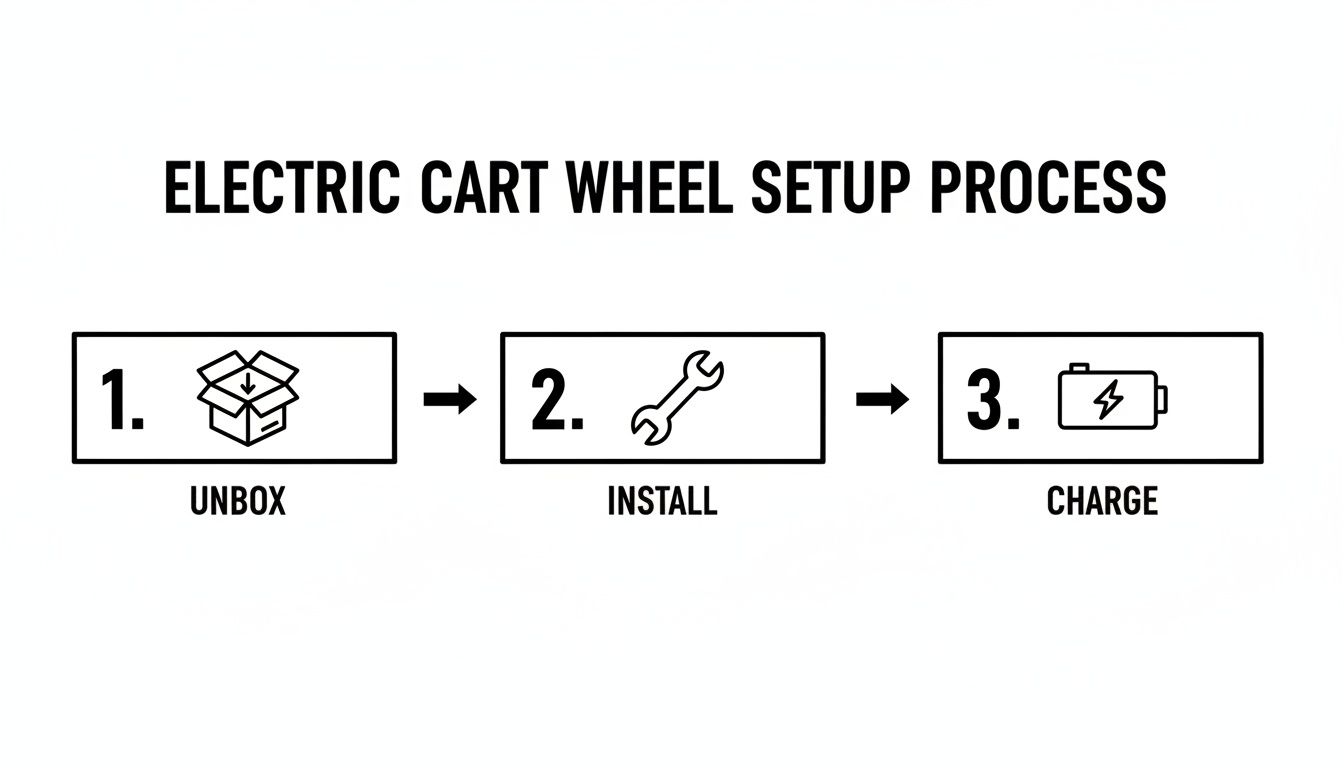
As you can see, the setup is as easy as unboxing, installing, and charging. A full charge, which you'll know is done when the indicator light turns green, usually takes a few hours and gives you enough power for up to 36 holes. If you want a deeper dive into battery care, you can learn more about how to charge a golf cart in our dedicated guide.
Pairing and Mastering Your Remote Controls
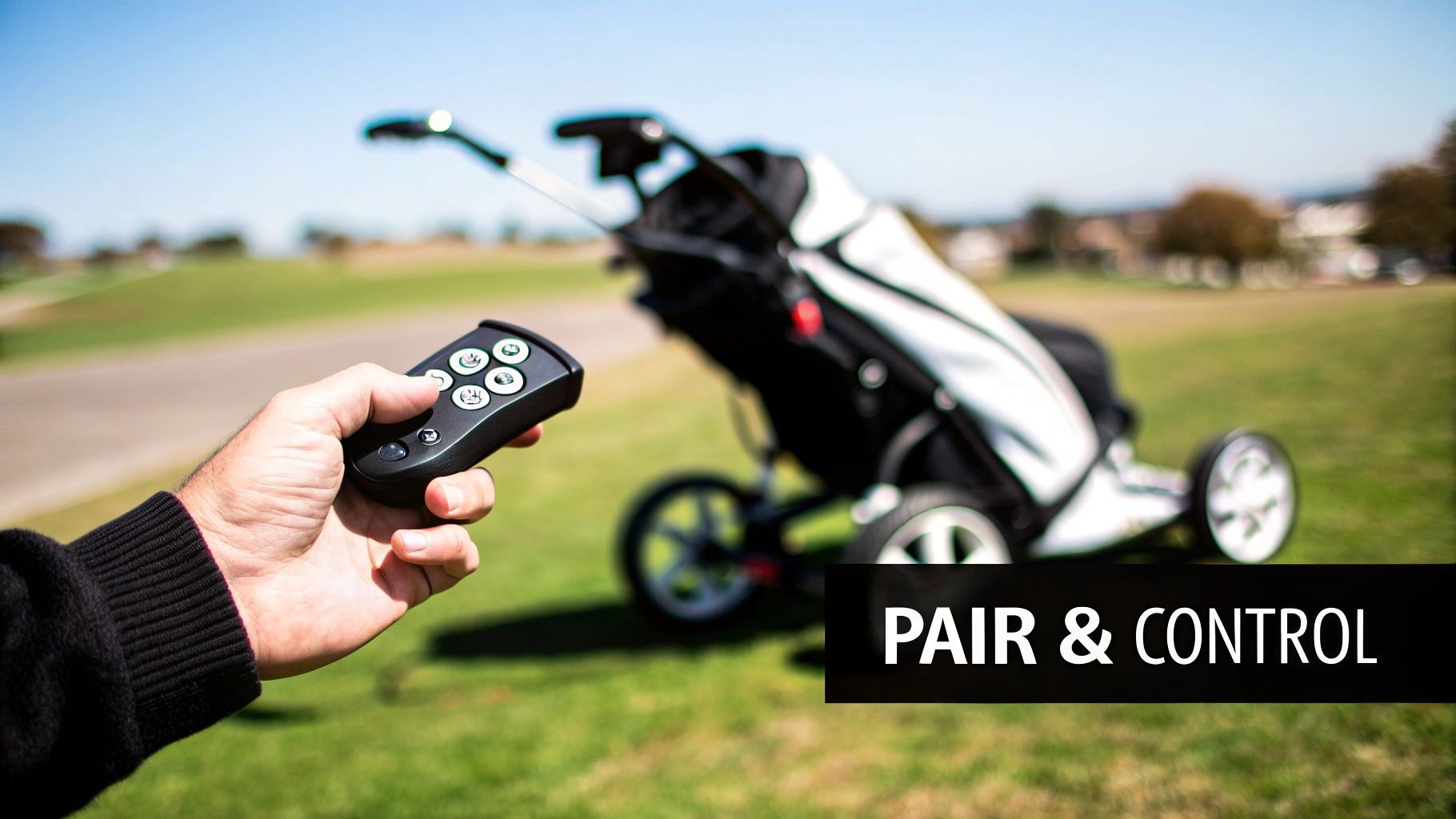
Alright, your Caddie Wheel is installed and charged up. Now for the fun part: getting that true fingertip command over your cart. This is where you'll sync the electric motor remote control to the unit, a process that honestly takes just a few seconds but unlocks total freedom on the course.
Let's walk through pairing both your primary and backup remotes so you're never caught off guard.
The whole process is designed to be dead simple. First, make sure the Caddie Wheel's main power switch is flipped on. Next, grab a remote and press and hold its pairing button. You'll see a light on the unit start to blink and then turn solid—that’s your confirmation of a secure connection.
Go ahead and repeat that quick step for your second remote. Trust me, having a fully synced backup is a game-saver. A lost remote or a dead battery won't be the reason you have to start pushing mid-round.
Mastering On-Course Operation
With your remotes paired, you're ready to take control. Everything you need—variable speed, direction, and braking—is right in the palm of your hand.
- Variable-Speed Forward: Tap the forward button once to get rolling at a slow, steady pace. Keep tapping it to cycle through the speeds until it matches your natural walking stride perfectly.
- Reverse Function: The reverse button is your best friend when maneuvering out of a tight spot near the clubhouse or backing away from a tricky lie on a narrow cart path.
- Responsive Electronic Brake: A single press of the stop button engages the electronic brake. This holds your cart securely in place, even if you're parked on a steep incline.
Real-World Scenario: Picture this: you're playing a hilly course and approaching a steep uphill path. You can bump up the speed to maintain momentum without breaking a sweat. Once you reach the top, just tap the stop button to lock the cart while you grab your club for the next shot.
Understanding The Technology Behind The Control
This kind of seamless control is all thanks to some pretty sophisticated motor controller tech. The remote’s commands get translated into action by the cart's central brain: the golf cart controller. This little piece of hardware interprets the signal from your remote and tells the motor exactly how fast to spin or when to lock the brakes.
This isn't just a niche market, either. The motor controller industry was valued at USD 37.99 billion in 2026 and is projected to hit USD 181.29 billion by 2035. That growth is fueled by a global push for more energy-efficient and automated tech. It's this kind of innovation that makes advanced yet user-friendly products like the Caddie Wheel possible.
Once you get a feel for these functions, your push cart really does become a responsive partner out on the course. For an even deeper dive, check out our guide on electric golf cart remote control systems.
Getting the Most Out of Your Battery Life and Performance
Your Caddie Wheel’s high-capacity battery is a real workhorse, built to easily handle 18 holes and often even 36 on a single charge. But just like the engine in your car, how you treat it directly impacts its long-term health and on-course performance. The good news is that smart battery management is simple, and it's the key to making sure you always finish your round with power to spare.
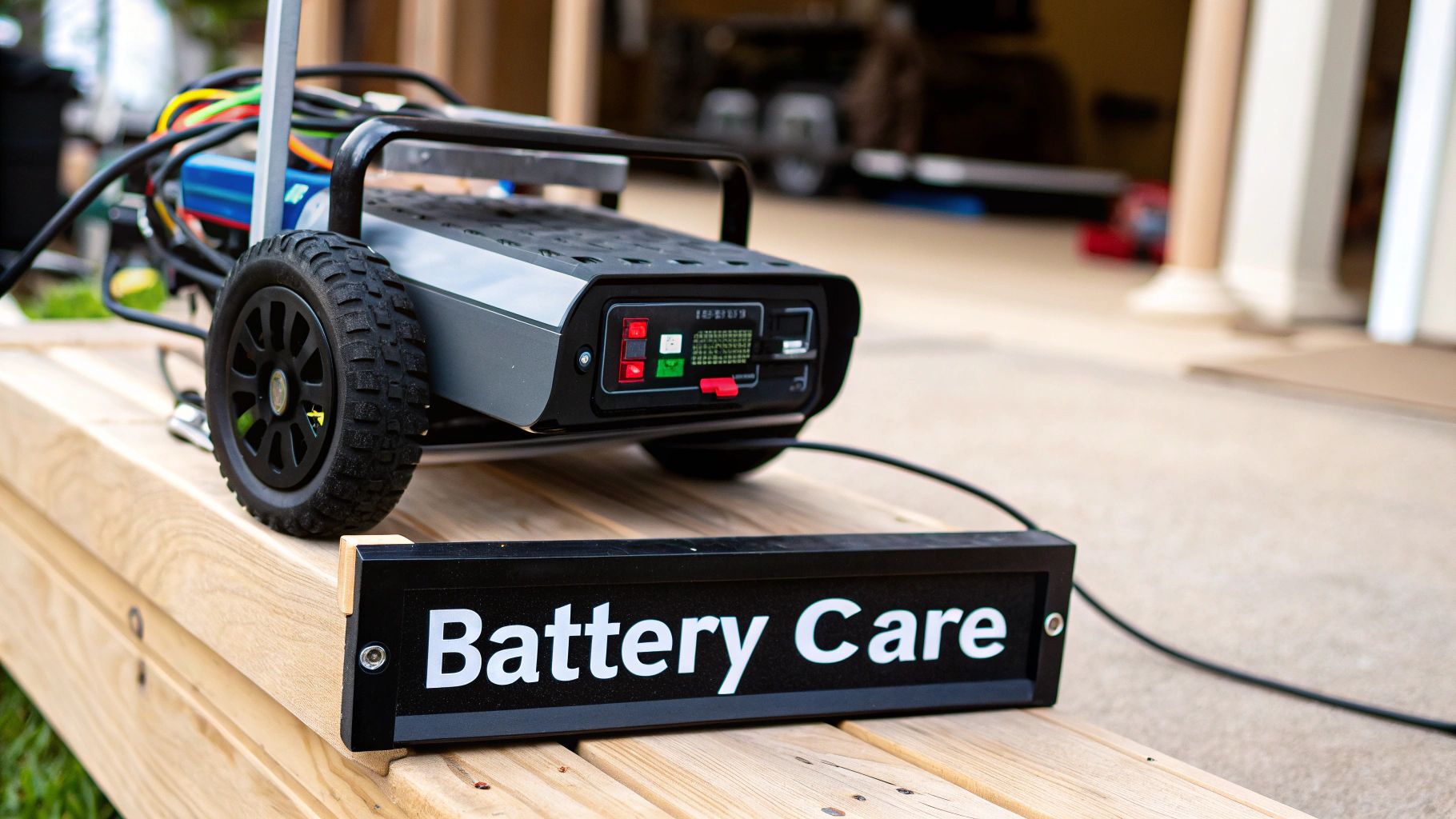
It all starts with good charging habits. Always, and I mean always, use the charger that came with your Caddie Wheel. It’s specifically calibrated to deliver the right voltage and current. Using some random charger you have lying around can slowly degrade the battery and could even be a safety risk.
For the best results, try to charge the battery in a moderate, room-temperature environment. Extreme cold or heat messes with the battery’s ability to take a full charge and can shorten its overall lifespan down the road.
Smart Charging and Off-Season Storage
One of the biggest myths about modern batteries is the old "memory effect"—the idea that you need to drain them completely before plugging them in. With the lithium-ion battery in your Caddie Wheel, it's actually much healthier to top it off after each round, no matter how many holes you played. This simple practice avoids deep discharge cycles, which put a lot more stress on the battery's internal parts.
When the golf season wraps up, how you store the battery becomes really important. Don't just toss it in the garage fully charged or completely dead for months on end.
- Charge it to about 50-70%: Before you put it away for the winter, get the battery to roughly two-thirds of its capacity. This is the sweet spot for long-term stability.
- Find a cool, dry spot: Store it indoors, away from crazy temperatures and direct sunlight. A closet shelf or a dry spot in the garage is perfect.
- Give it a quick check-in: Every couple of months, it's a good idea to check the charge level and top it back up to that 50-70% range if it needs it.
A well-maintained battery doesn't just guarantee you have enough juice for 18 holes; it can extend the usable life of your Caddie Wheel by up to 2-3 years. Think of it as a few minutes of maintenance that pays off big time.
Conserving Power Out on the Course
The kind of course you play has a huge impact on how much power you use. A flat, links-style course is going to sip power compared to a hilly, parkland track. Climbing those steep inclines demands a serious amount of energy from the motor.
You can actively save power by being smart with your electric motor remote control. Instead of just gunning it at full speed all the time, try to match the cart’s pace to your natural walking speed. Smooth, gradual acceleration is way more efficient than constant, jerky stops and starts. By using the remote with a lighter touch, you can easily stretch your battery life and never have to sweat about running out of power before you tap in on the 18th green.
Pro Tips For Seamless On-Course Navigation
Going beyond the basic forward and reverse commands is what separates the novices from the pros. It’s the difference between just using a tool and truly mastering it. We're about to dive into the practical insights that will turn your Caddie Wheel from a handy accessory into an indispensable part of your game, saving you energy so you can focus on what really matters—your next shot.
First things first: dial in your walking pace. Instead of constantly fiddling with the speed, find that sweet spot on your electric motor remote control that perfectly matches your natural stride. Once you've got it, you can let the cart roll a few yards ahead, giving you a clear path to think about club selection and strategy, not babysitting your gear.
This one small adjustment makes a world of difference. You’ll feel less mentally cluttered and more physically ready for every swing.
Navigating Tricky Terrain Like A Pro
Every course has its personality—and its challenges. Wet grass, bumpy lies, and steep hills can test both your game and your equipment. Knowing how to handle your remote in these situations is key.
- Wet Grass: Morning dew or a passing shower can make the turf slick. On wet ground, slow it down a notch and take wider, more gradual turns. This keeps the wheel from spinning out and helps maintain traction without chewing up the fairway.
- Uneven Ground: When you're crossing bumpy or uneven terrain, try to anticipate how the cart will move. A steady, moderate pace often works better than a slow crawl because it helps the wheel keep its momentum over small dips and roots. Just keep a light touch on the remote, ready to make small speed adjustments.
- Steep Inclines: This is where you need to think ahead. For uphill climbs, give it a little extra speed before you hit the slope to build momentum. On the way down, use short bursts of forward power or the electronic brake to control the descent. It’s the best way to keep the cart from getting away from you.
These advanced moves are all thanks to the powerful heart of the system—the electric motor. These motors are driving a massive global industry, powering everything from heavy machinery to personal mobility devices like the Caddie Wheel. The market is projected to grow from USD 85.31 billion in 2026 to USD 163.82 billion by 2034, which just goes to show how reliable and efficient they are. You can find more insights on the electric motor market on Fortune Business Insights.
A Note from Caddie Wheel Co-Founder Bob Houston: "We designed the Caddie Wheel to handle real-world golf conditions. The key is to think ahead. If you see a steep hill, don't wait until you're on it to adjust the power. A little anticipation with the remote makes all the difference."
Maintaining Proper Course Etiquette
Using a motorized cart comes with the responsibility of respecting the course and other players. A few simple rules of thumb will make sure you’re always a welcome sight on the links.
Always steer clear of greens, tee boxes, and the edges of bunkers. These areas are delicate, and the concentrated weight of a cart can cause lasting damage. A good habit is to park your cart on the path or in the rough, positioning it for a quick exit to the next hole.
It’s a small courtesy that helps keep the course in prime condition for everyone. When you combine technical skill with good etiquette, you'll get the absolute most out of every round.
Troubleshooting Common Remote Control Glitches
Even the most reliable gear can have an off day. When you’re out on the course, the last thing you want is a remote that decides to stop cooperating. The good news? Most of these glitches are minor and can be fixed in less time than it takes to line up a tricky putt.
This section is your on-course tech caddie. We'll cover the most common hiccups—like pairing failures or a spotty signal—and give you quick fixes you can use right on the fairway.
Solving Pairing and Connection Problems
Is your remote refusing to connect? This is easily the most frequent issue golfers run into, and thankfully, the fix is usually simple.
Before you get frustrated, start with the absolute basics. A weak or dead remote battery is the culprit over 70% of the time. Pop in a fresh one and see if that does the trick.
If a new battery doesn't solve it, it’s time to force a re-pair. Just turn the main power switch on your Caddie Wheel off for about ten seconds, then flip it back on. As soon as it’s powered up, press and hold the pairing button on your remote. This quick power cycle is often all it takes to clear a minor communication error and lock in a solid connection.
Expert Tip: Don't forget about physical obstructions. They can easily block the signal between your remote and the motor. If you notice the connection dropping, make sure you have a clear line of sight. Things like dense trees or even standing behind a large metal sign can interfere with the signal.
Addressing Unresponsive Buttons
What if some buttons work but others don't? If your cart isn't responding to a specific command, like turning or stopping, the problem is likely with the remote itself.
Often, a bit of dirt or debris gets lodged under a button, preventing it from making a clean contact. A quick blast of compressed air is a great first step to dislodge any gunk.
If that doesn't work, there might be a more complex internal issue. For a deeper dive into what could be going on, our guide on golf cart controller repair offers some great context on how the system's "brain" operates.
The technology that powers this connection is pretty impressive. Intelligent motor controllers, the core of your electric motor remote control, are part of a market expected to hit USD 2.45 billion by 2030, thanks to big strides in AI and automated diagnostics.
If you're still stuck, a good troubleshooting remote control issues guide, even one for something like a car key fob, can be surprisingly helpful. The core principles—checking batteries, clearing obstructions, and re-pairing—are universal for most remote devices. By working through these steps methodically, you can solve most minor glitches and get right back to your round.
Questions on Your Mind? We've Got Answers
Even with a design as simple as the Caddie Wheel, it's smart to have a few questions before you add new gear to your bag. We've pulled together the most common things golfers ask about the Caddie Wheel and its electric motor remote control to give you clear, straight-up answers.
Our goal is to make sure you feel totally confident, from the moment you hit "buy" to your first stroll down the fairway with your newly upgraded cart. We'll cover everything from making sure it fits your specific push cart to what to do if you hit a minor snag mid-round.
How Do I Know If The Caddie Wheel Will Fit My Push Cart?
This is easily the number one question we hear, and the answer is almost always a confident "yes." The Caddie Wheel was built from the ground up with a universal snap-in bracket, specifically designed to fit the huge majority of three and four-wheel golf push carts out there.
The main thing to look for is an accessible lower rear frame tube on your cart. It's that horizontal bar at the back, and it's a standard feature on pretty much every popular model from brands like Clicgear, Bag Boy, and Sun Mountain. If you've got a clear spot on that bar, you're almost certainly good to go.
Our Fit Guarantee: Still on the fence? Don't guess. You can check the detailed compatibility list on our site. Even better, just snap a quick picture of your cart and send it over to our support team. We'll give you a definite yes or no before you buy, ensuring a perfect fit.
What Should I Do If My Remote Loses Connection During a Round?
A remote losing its connection is incredibly rare, but if it ever does happen, the fix is usually quick and painless. First thing's first: take a quick look around. Make sure you’re within the normal operating range and there aren’t any massive metal or concrete structures blocking the signal between you and the cart.
Nine times out of ten, though, the culprit is just a weak battery in the remote itself. This is exactly why we include a free extra remote with every single Caddie Wheel. Just swap it out with your backup and keep your round moving without missing a beat.
If a fresh battery or the backup remote doesn't do the trick, a quick re-pairing will.
- Flip the main power switch on the Caddie Wheel unit to the "off" position.
- Give it about 10 seconds.
- Switch the power back on.
- Now, press and hold the pairing button on your remote. You'll see the indicator light turn solid, confirming you've got a strong connection again. This simple reset clears up most minor signal glitches.
Can I Use The Caddie Wheel In The Rain Or On Wet Courses?
You bet. The Caddie Wheel is built for real-world golf, and that often means dealing with light rain, morning dew, or damp turf. We fully sealed the motor and battery housing, making it water-resistant to protect all the important electronics from moisture and splashes.
It's important to remember, however, that "water-resistant" isn't the same as "waterproof." You'll want to avoid completely submerging the unit in a deep puddle or blasting it with a high-pressure hose when you clean it. A great habit to get into after a wet round is to simply wipe the unit down with a dry towel. It’s a small step that prevents moisture buildup and goes a long way in keeping your Caddie Wheel performing flawlessly for years to come.
Ready to transform your push cart and walk the course with effortless control? Experience the difference with the Caddie Wheel. Learn more and order yours today at caddiewheel.com.
Partager:
Your Ultimate Guide to the Four Wheel Golf Push Cart
Your Guide to the Best Electric Golf Cart Charger