
You finish 18 holes, add up the score, and realize your legs are more worn out than your swing. That's the moment many walkers start looking at a motorized assist wheel differently. It's not about avoiding the walk. It's about keeping the walk enjoyable all the way to the last green.
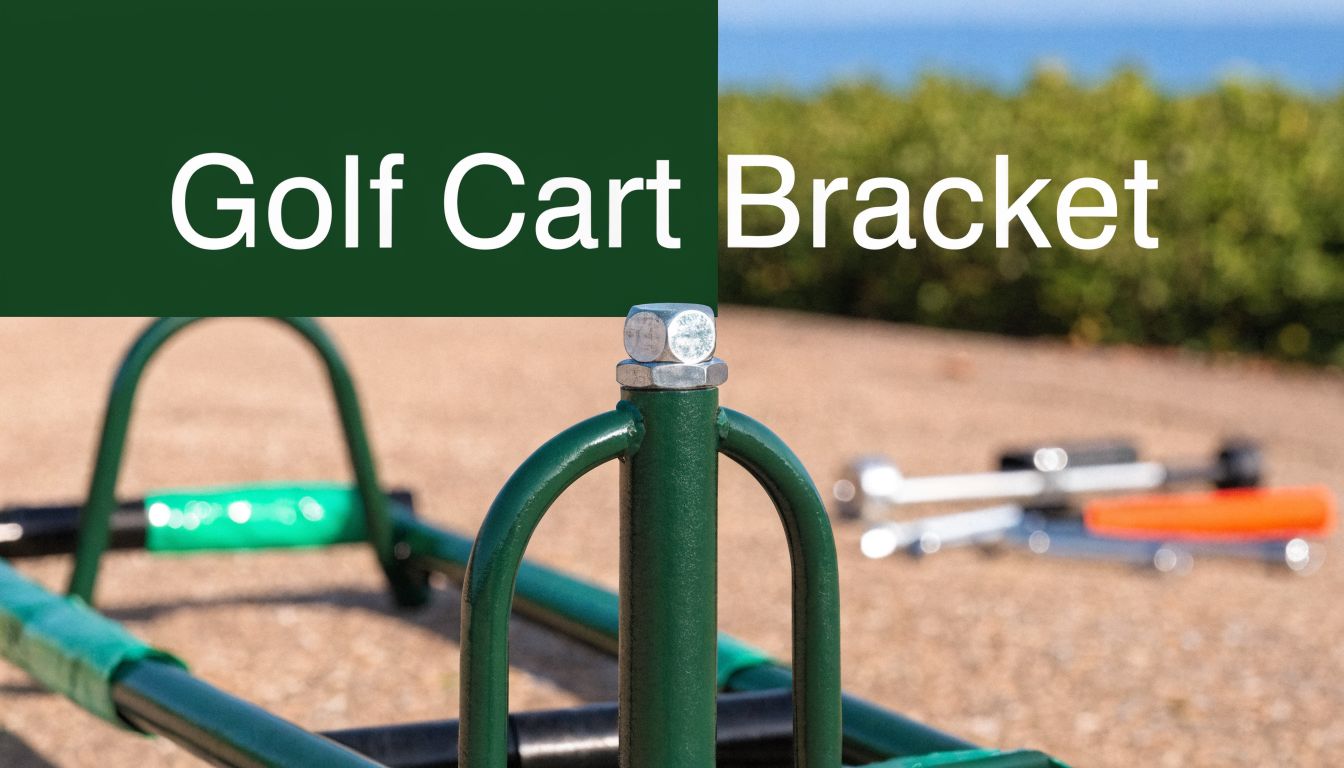
The part most golfers overlook is the golf cart bracket. The wheel gets the attention, but the bracket is what makes the upgrade work. If it fits the cart correctly and sits at the right angle, the wheel tracks cleanly, stays stable, and does its job without fighting the frame. If it doesn't, even a strong motor can feel awkward.
A good bracket install isn't complicated. It just needs a careful eye and a few practical checks before you tighten the first fastener.
Elevate Your Walk Why the Right Bracket is Key
By the 14th hole, bracket mistakes start to show up. The cart wanders a little on side slopes, the wheel works harder than it should, and the battery drains faster because the motor keeps correcting for a setup that is slightly off.
That is why the bracket deserves more attention than it usually gets. It does not just hold the motorized assist wheel on the cart. It sets the wheel's working position, controls how load moves into the frame, and determines whether the unit rolls straight or fights the cart on every fairway transition.
A bracket that matches the cart and sits square does three jobs at once. It improves tracking, keeps the setup stable over bumps and turns, and reduces wasted power draw. That last point gets overlooked. When alignment is off, the motor spends more time compensating with small steering corrections and uneven traction. Over a full round, that can mean less efficient battery use and a cart that feels heavier than it should.
Caddie Wheel brackets are designed around that real-world problem. The goal is simple. Keep the mounting point secure, keep the wheel angle consistent, and keep the assist unit working with the cart instead of against it. Golfers can check which push carts match the Caddie Wheel bracket design before installing, which saves a lot of guesswork later.
Why the bracket changes the experience
The difference shows up in feel first.
With the right bracket setup, the wheel tracks cleanly behind the cart, holds its line better on uneven ground, and stays planted when the course gets soft or bumpy. With the wrong setup, the wheel can sit slightly twisted or too high or low, which creates drag, extra correction, and more movement at the mounting point.
Here is what a properly installed bracket helps you get:
- Better load control: Force moves into the cart frame in a controlled way instead of twisting the mount under power.
- More stable handling: The wheel stays more settled through turns, slopes, and stop-start movement.
- More efficient battery use: The motor does less corrective work when alignment and contact are right.
- A more natural walk: The cart feels like one unit, not a push cart with an attachment bolted on.
I have seen plenty of installs where the hardware was tight but the bracket position was still wrong. That is enough to hurt performance. Good installation is not only about fastening parts securely. It is about compatibility, alignment, and making sure the wheel starts from the right position every time.
Checking Push Cart Compatibility Before You Begin
A bracket can bolt onto the cart and still be wrong.
That is the mistake I see most often. The hardware feels tight, the wheel powers on, and the setup looks fine in the garage. Then the cart starts pulling slightly off line, the wheel chatters over uneven ground, or the battery drains faster than expected over 18 holes. In nearly every case, the problem starts with fit and alignment at the cart, not with the motor.
Start by confirming your model against the Caddie Wheel push cart compatibility list. That saves time, but it does not replace a quick inspection of the frame you own. Two carts can look similar online and still have different lower tube shapes, axle clearances, or folding geometry.
What to inspect on the cart frame
Check the lower rear section first. That is where the bracket transfers motor load into the cart, so small fit problems show up quickly once the assist wheel is under power.
Focus on these points:
- Lower tube shape: A bracket needs solid, even contact. Round tubing, oval tubing, and flattened sections do not clamp the same way.
- Rear clearance: Leave enough room around the axle area so the bracket and drive unit do not contact the wheels, brake parts, or frame joints.
- Cross-member support: A nearby structural bar helps the bracket resist twisting under acceleration and on side slopes.
- Folding travel: Open and close the cart before installation. The bracket position cannot interfere with the cart's normal fold path.
Three-wheel and four-wheel carts need different checks
Three-wheel carts often give you a cleaner mounting zone at the rear, with fewer parts competing for space. Four-wheel carts can be just as stable, but they usually demand a closer look at rear wheel spacing and frame symmetry. What matters is not the wheel count by itself. What matters is whether the bracket sits flat, centers the drive wheel correctly, and holds that angle after a few rounds.
Use this quick check before you install:
| Cart feature | What you want to see |
|---|---|
| Rear frame section | A straight, stable mounting area without heavy offset |
| Fastener access | Enough room to tighten hardware squarely |
| Contact points | Even pressure across the bracket, not a gap on one side |
| Fold mechanism | Full movement without bracket interference |
Material and finish still matter
A bracket spends its life around dew, wet turf, sand, fertilizer residue, and trunk transport. Good coating and solid hardware help it hold alignment over time because corrosion at the mounting faces and fasteners can change clamp pressure. That is one reason the Caddie Wheel bracket design puts so much emphasis on repeatable fit at the contact points, not only on initial installation.
Practical rule: If the bracket fit looks close enough before installation, it will usually show up as tracking or stability trouble once the cart is moving.
Check compatibility before you pick up a wrench. A bracket that matches the cart frame properly tracks straighter, feels more settled on uneven ground, and wastes less battery on constant correction.
Gathering Your Tools for a Smooth Installation
A bracket install usually goes sideways before the first bolt is tightened. One washer goes missing, the wrong wrench is in hand, the cart gets scratched on the driveway, and alignment turns into guesswork. Five minutes of setup prevents most of that.

For a Caddie Wheel bracket install, the tool kit is usually modest. Have a Phillips screwdriver, a metric wrench set, and a clean work surface ready. Fastener sizes can vary by cart and bracket revision, so lay out the hardware first and match the wrench to the actual nuts and bolts in your kit instead of assuming one size will handle the whole job.
Put these on the floor before you start
- Phillips screwdriver: For accessory screws or any cross-head hardware in the kit.
- Metric wrench set: Most bracket systems use metric fasteners, and a close-enough wrench rounds edges fast.
- Soft towel or mat: Protects the cart frame and keeps small parts from bouncing away.
- Parts tray or small cup: Holds spacers, washers, and bolts in one spot.
- Phone camera: Useful for checking bracket angle from the side and recording the original cart setup before you begin.
A powered assist wheel puts more demand on bracket alignment than a simple accessory mount. If the bracket sits slightly twisted, the drive wheel can track off-center, add rolling resistance, and force the motor to correct more often than it should. That shows up on the course as reduced stability on side slopes, less predictable steering, and battery drain that feels worse than the wheel's spec sheet would suggest.
That is why preparation matters.
Add one quick pre-install check
Before touching the cart, thread each bolt into its matching nut by hand and confirm the spacers match the contact points they are meant to support. If a bolt binds early, stop there. Cross-threaded hardware and mixed spacer stacks are two of the most common causes of brackets that look tight but shift after a few rounds.
Keep the install area simple. Good light helps. A flat surface helps more.
If you are new to cart hardware, our golf cart manual guide is a helpful reference for identifying parts and avoiding basic fit mistakes.
If you're using a bracket kit for a powered wheel system such as Caddie Wheel, confirm that the bracket, spacers, fasteners, and drop-on mounting pieces are all present before you start. The goal is not just to get the bracket on the cart. The goal is to get it on square, keep the drive wheel centered, and give the motor the cleanest path to do its job.
Mounting Your Caddie Wheel Bracket Step by Step
You finish the install, set the cart down, and the powered wheel still feels slightly off on the first slope. In many cases, the problem is not the motor or the battery. It is a bracket that went on a few degrees out of square.
That small alignment error changes how the drive wheel meets the ground. The motor has to correct more often, tracking gets less predictable, and battery use goes up faster than many golfers expect. The Caddie Wheel bracket is designed to control that geometry, but it only works as intended if the bracket is mounted square and tightened evenly.

Position the bracket before tightening anything
Set the bracket into the mounting area and install every fastener loosely first. A loose start gives you room to correct the bracket position before the hardware locks the frame and spacer stack into the wrong angle.
Check three things right away:
- The bracket sits flat against the frame contact points.
- The bracket centerline matches the cart centerline as closely as possible.
- The future wheel path stays clear of rails, bags, and rear-frame hardware.
Rear seat kits and carts with hand rail variations deserve extra attention here. If the frame shape forces the bracket to sit unevenly, stop and confirm whether that cart needs a different mounting method or a drilling step before you continue.
Align spacers so the frame carries the load evenly
Spacer alignment is where many installs are won or lost. Spacers are not fillers. They set the stand-off distance, support clamp pressure, and keep the bracket from twisting as the cart rolls over rough ground.
If a spacer sits crooked, the bolt may still tighten, but the bracket can preload to one side. That usually shows up later as minor bracket shift, wheel tracking that feels inconsistent, or extra correction from the assist wheel under load.
Use this check before final tightening:
- Look straight down the bolt path: The bolt should pass through cleanly without being pulled into line by the threads.
- Watch the spacer faces: Each spacer should sit flush against the surfaces it supports.
- Start every bolt by hand: Resistance in the first turns usually means the stack is misaligned.
- Keep slight movement in the assembly: Snug everything lightly until all mounting points are seated correctly.
If the hardware is forcing the parts into position, reset the stack and start again.
Tighten in a cross pattern
Once the bracket is sitting square, bring the fasteners up gradually and alternate side to side. That helps the bracket settle evenly instead of twisting toward the first bolt you fully tighten.
Use the torque guidance from your product paperwork if you have it. If you do not, tighten until the bracket is secure and stable, then recheck for any gap, flex, or frame distortion before going further. Over-tightening can deform contact points. Under-tightening can let the bracket move when the cart hits a curb edge, a cart path seam, or a steep sidehill.
For model-specific setup and operating details after mounting, use the Caddie Wheel golf cart manual and setup guide.
Finish with an alignment check from two angles
Stand behind the cart and then look from the side. The bracket should appear centered, level relative to the mounting points, and consistent with the wheel's intended contact angle.
This final check matters more than it gets credit for. A bracket can feel tight with a wrench and still sit slightly off. On a motorized assist wheel, that small error affects stability, steering feel, and battery efficiency on the course.
Attaching the Wheel and Pairing the Remote
This is the part golfers usually enjoy most. After the bracket work, the system starts to feel real. You line up the wheel unit, lower it into place, and feel the mount engage.

The drop-on step should feel controlled and positive. If it doesn't seat cleanly, don't force it. Take the unit back off and inspect the bracket alignment again. A proper fit should feel secure, not strained.
The first attachment check
Before you power anything on, do a short physical inspection:
- Confirm full engagement: The wheel unit should sit fully in its mounting position.
- Check for wobble: A slight tolerance is one thing. Noticeable movement usually means the bracket needs another look.
- Roll the cart a few feet by hand: This quickly reveals if the wheel is tracking straight.
Improper bracket alignment can affect performance by causing wheel slip on slopes and uneven weight loading, and good consumer guidance on how bracket angle affects motor efficiency, battery conservation, and stability is still hard to find, as noted in this angle-correction product discussion.
Pair the remote and test it slowly
Remote pairing should be done in an open area with the cart unloaded or lightly loaded. Keep one hand near the cart the first time you test movement.
A sensible first test looks like this:
- Power on the wheel system.
- Pair the handheld remote using the product's pairing instructions.
- Test forward movement at low speed.
- Try braking and reverse with the cart pointed on level ground.
- Walk beside it for the first short run.
If you need a closer look at remote features and control behavior, the electric motor remote control guide is the most useful next read.
The right first test isn't speed. It's smooth tracking, clean response, and controlled braking.
When the bracket angle is right, the cart feels settled from the first few steps. That's what you want before taking it onto hills or longer fairway walks.
Keeping Your Setup in Peak Condition
A bracket usually tells you it needs attention before it fails. The cart may start tracking a little off, the wheel may sound busier than usual on climbs, or battery life may dip because the motor is working harder to overcome drag. In practice, those small changes often trace back to bracket position, hardware tension, or debris at the contact points.
Good maintenance is less about frequent tinkering and more about protecting alignment. On a motorized assist setup, a bracket that stays square and fully seated helps the wheel carry load evenly. That improves stability and reduces wasted effort from the motor, which is exactly what preserves smooth performance over time.
Simple checks that prevent bigger problems
Use this quick routine every few rounds and at the start of the season:
- Check bolt tightness evenly: Do not just crank down one side. Uneven tension can twist the bracket slightly and change wheel alignment.
- Inspect spacer and clamp contact points: The bracket should sit flat against the cart frame, with no gap, rocking, or shifted spacer.
- Wipe off moisture, sand, and grass residue: Dirt trapped between the bracket and frame can slowly change how the mount seats.
- Watch for finish wear or shiny rub marks: Those marks often show where the bracket has started moving under load.
- Lubricate only the exposed hardware that needs it: A light corrosion inhibitor on appropriate metal fasteners helps. Keep lubricants away from clamping surfaces unless the manufacturer says otherwise.
That last point matters more than many golfers expect. Slippery contact surfaces can let a bracket creep out of position, and even a small change in angle can affect traction, stability, and power use.
What to do if the cart starts feeling different
Start with a clean reset. Remove the wheel unit, clean the mounting area, and inspect every contact surface. Then check whether the bracket still sits flush and centered on the frame.
If something feels off, look for the simple causes first. A washer may have shifted. A spacer may no longer be sitting flat. One fastener may be tighter than the others, which can pull the bracket slightly out of square. I see this more often than actual part damage.
With the Caddie Wheel bracket, proper fit and alignment are what make the system feel settled round after round. If the bracket remains square, secure, and clean, the motor does not have to fight the cart. That pays off in straighter tracking, steadier hill performance, and better battery efficiency.
Frequently Asked Questions about Your Bracket
Will a golf cart bracket work on a four-wheel push cart
Sometimes yes, sometimes no. The wheel count alone doesn't decide it. The frame layout does. Four-wheel carts can work well when the rear frame gives the bracket a stable mounting area and enough clearance for proper wheel alignment. If the rear geometry is crowded or uneven, fit becomes more complicated.
My bracket feels secure, but not perfectly rigid. Is that normal
A mounted system shouldn't feel loose. What some golfers describe as “not perfectly rigid” is often one of two things. Either the bracket hardware hasn't been tightened evenly, or the spacers aren't sitting flat against the frame. Remove tension, inspect the contact points, and reinstall carefully rather than just tightening harder.
Can I remove the bracket for travel or storage
That depends on your cart and how you use it. Many golfers leave the bracket on the cart once it's dialed in, then remove only the wheel unit. That saves setup time and preserves the alignment you worked to establish. If you do remove the bracket often, keep the hardware organized and reinstall it in the same sequence each time.
Do I need to worry about bracket angle if the cart rolls fine by hand
Yes. A cart can roll normally by hand and still perform poorly under power. Hand rolling doesn't reveal the same traction, braking, and loaded steering behavior that shows up when the motor is doing the work. If something looks slightly off in side view or rear view, it's worth correcting before your next round.
What's the most common installation mistake
Assuming “close enough” is fine. Brackets reward precision. A small mismatch in fit or alignment can lead to crooked tracking, extra strain at the mount, or inconsistent behavior on slopes. Taking a few extra minutes during setup usually saves a lot of frustration later.
If you want an easier walking round without replacing your push cart, Caddie Wheel offers a lightweight electric assist system that mounts to compatible carts with a drop-on wheel and snap-in bracket. Check your cart fit first, install the bracket carefully, and you'll have a setup that feels stable, controlled, and ready for more comfortable golf.
Partager:
Golf Cart Cargo Net: A Complete Buyer's Guide
Electric Golf Cart Has No Power? A Step-by-Step Guide