
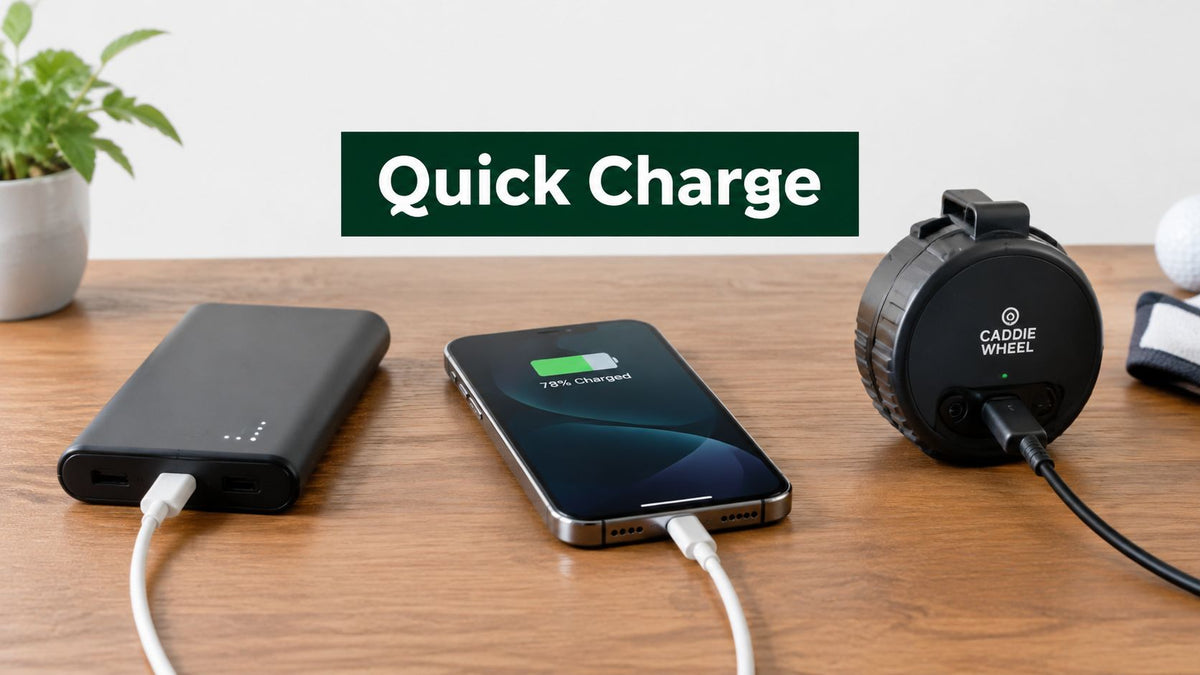
Your phone is at 8 percent, the course still has several holes left, and the remote for your golf gear is flashing a warning. You plug in a power bank, expecting a quick rescue, only to discover that the bank charges your phone slowly, or that the bank itself will take most of the evening to refill.
That confusion comes from one simple problem. Portable charger quick charge describes two different jobs: how fast the charger powers another device, and how fast the charger replenishes its own battery. A power bank can perform well at one job and poorly at the other.
The right choice depends on more than a large capacity number or an impressive wattage printed on the box. You need to understand the relationship between volts, amps, watts, charging protocols, battery capacity, cable support, and heat. You also need to match those details to your day, whether you're topping up a phone between tee times, powering a tablet on a trip, or keeping a Caddie Wheel remote ready during a long round.
This guide starts with the electrical basics, compares USB Power Delivery with Qualcomm Quick Charge, separates output speed from refill speed, and turns the technical details into practical buying advice. By the end, you'll know which specifications matter, which claims need closer inspection, and how to choose a portable charger that won't leave you waiting beside the clubhouse.
Introduction to Portable Charger Quick Charge
A low-battery warning during a round creates a particular kind of pressure. Your phone may be handling scorekeeping, GPS yardages, messages, and an emergency call. Your golf accessories may have their own batteries to manage. The power bank in your bag looks like the solution, but “fast charge” on its label doesn't tell you whether it'll charge your phone quickly, refill quickly, or both.
That distinction matters on the course. If your phone needs a short top-up before the back nine, output wattage and device compatibility matter most. If you're preparing for another round the next morning, the power bank's input rating becomes just as important because that determines how quickly the bank itself can recover.
Portable chargers are rechargeable battery packs with control electronics that accept energy through an input port and deliver it through an output port. The control system decides how much power can safely move between the charger and the connected device. A useful introduction to the hardware and basic operation appears in this guide to what a portable charger is.
The market has also moved beyond simple, low-output emergency batteries. A 2026 market analysis estimated the global portable chargers market at USD 17.39 billion in 2026 and projected USD 27.62 billion by 2031, with a 9.7% CAGR, while noting that USB Power Delivery and Qualcomm Quick Charge support are increasingly common in higher-capacity models (Deep Market Insights). That growth gives shoppers more capable options, but it also creates more confusing labels.
Think of this guide as a scorecard rather than a spec-sheet contest. You'll learn what the numbers mean, how charging standards negotiate power, why heat changes the result, and how to match a bank to your phone, laptop, or golf equipment. The aim is simple: choose a charger that gives you useful power when you need it and can get itself ready again without an unnecessarily long wait.
How Quick Charging Actually Works
Start with a water system. Voltage is like water pressure, current is like the amount of water moving through the pipe, and wattage is the total work that the system can perform. A charger needs enough pressure and flow to deliver useful power, but the device receiving that power still controls what it can safely accept.
The basic relationship is voltage multiplied by current, which produces wattage. A higher voltage can deliver more power without requiring the same increase in current, while a higher current pushes more electrical flow through the cable. That's why a USB-C charger can support laptop-class output while remaining useful for a phone, provided the charger and device agree on the required profile.

The battery has its own speed limit
Wattage describes what the charger can offer, but C-rate describes charging speed relative to the battery's capacity. One C means a battery could theoretically charge in one hour. C/2, C/3, and C/10 represent progressively slower charging rates.
For example, a 2,000 mAh pack charged at 1C draws about 2,000 mA. A 2.4 Ah pack charged at C/2 draws about 1.2 A. Those examples come from official battery-charger test guidance that explains why current must be considered alongside capacity (Saft battery charging guidance).
Core principle: Faster charging is safe only when the cell chemistry, thermal design, and charge controller can tolerate the higher current.
A portable charger doesn't force maximum power into every device. Its charging controller monitors the connection and manages voltage, current, and temperature. The connected phone or accessory also has its own charging circuitry, so the final speed depends on the slowest compatible part of the system.
Negotiation beats guessing
Older charging setups often behaved more like a fixed water tap. The charger supplied a set output, and the device worked with whatever it received. Modern protocols allow the charger and device to communicate first, then select a mutually supported voltage and current combination.
USB Power Delivery provides a clear example. Its commonly supported profiles range from 5V/3A, or 15W, through 20V/5A, or 100W, with newer implementations extending to 240W (PassMark USB Power Delivery Tester). A phone can request a lower level while a compatible laptop can request more from the same capable bank.
That negotiation is why a high-wattage bank doesn't automatically damage a smaller device. The bank advertises what it can provide, and the device requests what it can use. You'll find a practical explanation of this relationship in this guide to fast charging.
Heat remains the limiting factor. Voltage conversion, current flow, and battery resistance all produce warmth. Good controllers reduce or throttle the charging rate when temperatures rise, protecting the cells and helping the device finish charging reliably rather than chasing a headline wattage that it can't sustain.
USB Power Delivery and Qualcomm Quick Charge Compared
USB Power Delivery and Qualcomm Quick Charge solve a similar problem, but they come from different design paths. USB Power Delivery is an open charging specification created by the USB Implementers Forum, while Qualcomm Quick Charge is a proprietary standard associated with compatible Qualcomm hardware.
USB-PD is usually the more flexible choice for a modern portable charger because it supports a broad range of devices through USB-C. Its widely supported levels run from 5V/3A, or 15W, through 20V/5A, or 100W. USB PD 3.1 expanded the maximum power delivered over USB-C from 100W to 240W when the USB Promoter Group announced it on May 26, 2021 (Global Portable DC Fast Chargers Market).
Qualcomm Quick Charge 3.0 uses variable voltage from 3.6V to 20V and can deliver up to 18W at peak. Later versions expanded the available power for newer compatible devices, but the charger, cable, and device still need to support the relevant Quick Charge implementation (Silicon Power Quick Charge guide).
Quick Charge Standards at a Glance
| Feature | USB Power Delivery | Qualcomm Quick Charge |
|---|---|---|
| Type | Open specification from the USB Implementers Forum | Proprietary charging standard |
| Common connection | USB-C | Often associated with compatible USB-A or USB-C implementations |
| Voltage range or profiles | 5V/3A, or 15W, through 20V/5A, or 100W, with newer implementations reaching 240W | Quick Charge 3.0 varies from 3.6V to 20V |
| Peak figure stated in the verified data | Up to 240W with newer USB PD 3.1 implementations | Up to 18W for Quick Charge 3.0 |
| Main strength | Broad compatibility across phones, tablets, laptops, and accessories | Strong performance with compatible Qualcomm Quick Charge devices |
| Selection behavior | Negotiated power profiles | Variable voltage negotiated within the supported Quick Charge system |
USB-PD is generally the safer foundation if one bank must serve several device types. It can charge a phone today and remain useful for a tablet or laptop later, assuming the output rating and cable are suitable. Quick Charge can still be valuable when your phone specifically supports it, but a proprietary-only bank may offer less flexibility outside that device family.
If you're comparing current Android options, find your ideal 2026 charger with attention to the phone's actual charging protocol, not just the charger's maximum number. The highest advertised wattage won't help if the device doesn't request that profile.
Real World Charge Times and What to Expect
Charging speed has two clocks. The first clock measures how quickly the power bank charges your phone or another connected device. The second measures how quickly the power bank charges from empty or low capacity back to ready. Product pages often emphasize the first clock and say less about the second.
A bank can support 140W output and still need a high-wattage USB-C input to recharge itself in about 52 minutes, according to recent power-bank reviews (Gadget News Online). That example shows why output and input must be read as separate specifications. The bank may send substantial power outward while accepting much less from its wall charger.
The same review coverage notes that 20,000mAh units may take 5 to 6.5 hours to refill even when they support fast charging, and that many guides recommend 60W or higher input when a buyer wants refill times under two hours (Gadget News Online). The input charger and cable must support that level too.

Why phone output still matters
Older portable-charging guidance describes 2.4A, or 12W, as enough for many smartphones at their fastest practical speed, while 1A, or 5W, may charge slowly even when the power bank has sufficient capacity (Belkin portable charging resources). That difference is easy to feel when you're waiting beside a first tee or trying to restore enough battery for GPS use.
Independent charger guidance also notes that many power banks recharge faster with a suitable USB-C fast charger in the 20W to 60W range, while higher-end USB Power Delivery 3 units can support up to 100W output (Expert Reviews). Those figures describe capability, not a guaranteed minute-by-minute result.
Capacity, battery temperature, device demand, cable quality, and the charging curve all affect the final time. Phones usually reduce their power intake as they approach full charge, and a bank may reduce output to control heat. Treat wattage as the size of the lane on the road, not a promise that traffic will move at that speed every mile.
For broader charging comparisons, you can also compare AC vs DC charging times. The equipment is different, but the same practical lesson applies: the source rating, receiving battery, conversion losses, and control system all shape the clock.
Safety Battery Health and Smart Charging Habits
Fast charging is useful, but heat is the condition to manage most carefully. Higher current and voltage conversion create warmth inside the bank and the device. A little warmth during normal operation isn't unusual, but a charger that becomes uncomfortably hot should be disconnected and allowed to cool.
A quality portable charger uses control electronics to monitor the charging process and reduce current when conditions require it. The device receiving the charge does the same. This is why protocol compatibility matters for safety as well as speed. A negotiated connection gives the system a way to select a suitable power level instead of relying on a blind, fixed output.

Habits that protect a golf-day setup
Keep the charger out of direct sun, especially when it's sitting in a dark golf bag or on a hot cart shelf. Heat from the environment adds to the heat produced during charging, so shade and airflow are sensible choices.
Use a cable rated for the charging level you intend to use. A high-output bank paired with an unsuitable cable may fall back to a slower mode, and poor cable construction can add resistance and warmth. The charger, cable, and device should all support the same relevant protocol.
Avoid treating a battery as if it must reach empty before every recharge. Moderate top-ups are more convenient and reduce the need to push the bank through a deep discharge during a long day. You can find practical guidance on how to charge a portable charger when you're preparing equipment before travel or a round.
A simple pre-round check helps:
- Inspect the housing: Don't use a bank that's swollen, cracked, leaking, or otherwise damaged.
- Check the cable: Replace cables with frayed insulation, bent connectors, or loose plugs.
- Watch the temperature: Move the setup into shade if the bank or device becomes unusually hot.
- Match the output: Choose a suitable port and cable instead of assuming every port offers the same speed.
- Pack before the warning: Refill the charger before the phone or accessory reaches a critical battery level.
The goal isn't to avoid quick charging. It's to use it with the same judgment you'd use with a golf club. Choose the right tool for the shot, and don't force a setup beyond its design.
How to Choose the Right Quick Charge Portable Charger
Start with your devices, not the capacity printed on the front. A phone-only user may prioritize a compact USB-C PD bank, while a golfer supporting a remote, phone, and GPS device may need more reserve. A laptop user needs to verify sustained USB-PD output rather than choosing a bank based only on mAh.
Capacity adds runtime, but it also adds weight and bulk. A smaller bank suits a pocket and short top-ups. A larger model makes more sense for a full day away from outlets, provided you're comfortable carrying it in your bag.
Input speed deserves equal attention. If the bank will be used every day, look for a model with a meaningful USB-C input rating. A high output number won't make the bank refill quickly if its input is limited.

Match the bank to the outing
| Use case | What to prioritize | Why it matters |
|---|---|---|
| Phone top-up during a round | USB-C PD output, compact design, suitable cable | You need useful power without adding unnecessary weight |
| Phone and golf accessories | More capacity, multiple ports, clear output ratings | Several devices may need attention during the same day |
| Laptop travel | USB-C PD with output matched to the laptop | Phone-focused banks may not deliver enough power |
| Fast daily turnaround | Strong USB-C input and a compatible wall charger | The bank itself needs to recover between uses |
| Caddie Wheel remote and phone | Portable design, compatible output, dependable cable | You can top up the remote while keeping communication and GPS available |
For golfers, the Caddie Wheel system uses a motorized wheel that attaches to compatible three- and four-wheel push carts, with a variable-speed remote controlling forward, reverse, and braking. Its high-capacity battery supports up to 36 holes per charge, and the system recharges quickly with a portable charger, according to the publisher's product information. That makes input and output convenience relevant when you're planning consecutive rounds.
Look for USB-C PD plus USB-A if you still carry older accessories. Check whether the bank can power more than one connected device at a time, and verify how its total output changes when multiple ports are occupied. For additional general guidance on selecting a suitable charger, CTF Mobile Phones charger advice can help you compare port layouts and charging requirements.
A final buying rule is simple. Choose a bank that supports the standards your current devices use, offers enough output for the most demanding device, and accepts enough input power to fit your routine. Paying for a large maximum wattage that none of your equipment can negotiate is rarely useful.
Putting Quick Charge Knowledge Into Action
Quick charge isn't just a bigger number on a box. It's a conversation between the portable charger, the cable, and the device, followed by a controlled flow of power that changes as the battery fills and temperature changes.
The most useful mental model has two clocks. Output speed tells you how quickly the bank can top up your phone, remote, GPS unit, or laptop. Input speed tells you how quickly the bank itself can get ready for the next outing. A purchase that ignores either clock may work well in one moment and frustrate you in the next.
You've now got the essential sequence. Voltage and current combine to create wattage. C-rate puts charging speed in the context of battery capacity. USB-PD and Quick Charge negotiate power through different standards. Real-world timing depends on input, output, capacity, heat, cables, and the receiving device. Safe habits keep the setup dependable through travel and regular golf use.
Before buying, write down the devices you'll carry. Check their charging standards, the output they can accept, and the input rating you want for the bank's own refill. Then choose capacity and weight that suit your bag, rather than paying for specifications that won't improve your day.
On the next round, that preparation can mean less time hunting for an outlet and more time walking the course. A correctly matched portable charger can keep essential devices available, while a motorized golf assist option can help conserve energy as you move from hole to hole.
Caddie Wheel offers lightweight electric power assist for standard golf push carts, with a drop-on design, snap-in bracket, and remote control for forward, reverse, and braking. Its battery supports up to 36 holes per charge and recharges quickly with a portable charger, making it a practical fit for golfers who want less pushing effort during a round. Visit Caddie Wheel to explore the system and see whether it suits your cart and walking routine.
Share:
Home Warranty Coverage Limits Explained Simply
Remote Golf Trolley Reviews You Can Trust in 2026