
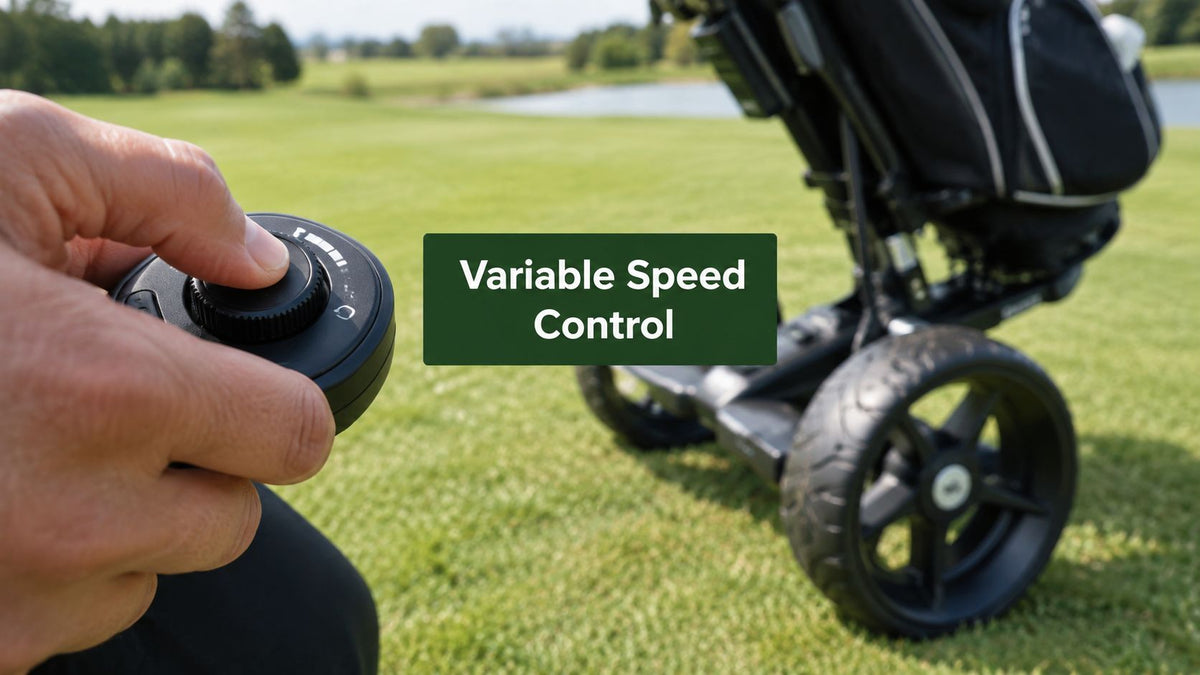
You're halfway up a fairway, your push cart is climbing behind you, and the group ahead has slowed near the green. Your thumb nudges the remote, the motor eases down, and the cart settles into your walking rhythm instead of surging forward or stopping abruptly. That small adjustment is variable speed control in its most useful form, a way to shape the cart's pace continuously while you focus on the next shot.
The idea sounds simple because it is simple from the golfer's side. Underneath, though, the remote, receiver, controller, battery, and motor are coordinating electrical signals quickly enough to make a motorized wheel feel natural. The same broad family of control technology has powered industrial machinery, transport systems, escalators, and e-bikes. Variable-speed control became a practical industrial reality during the 1970s and 1980s, after motors had generally operated in only two states, on or off. A widely cited milestone was a commercially available variable speed drive installed at the Karihaara sawmill in northern Finland in 1975, followed by installation in Helsinki metro trains in 1982. (Process Engineering's history of variable-speed drives)
Walking the Course with a Motor at Your Fingertips
By the time you reach a steep uphill hole, your motorized push cart can feel less like machinery and more like a quiet walking companion. The small remote in your hand gives you a simple way to make pace corrections while keeping your attention on the next shot. You do not need to reach down, turn a switch, or manage a cart limited to one fast setting.

The difference you feel
A fixed-speed cart works like a light switch. It is either off or moving at one predetermined pace. Variable speed control works more like a car accelerator, although the goal is not maximum speed. You are setting a comfortable pace that can follow your stride, the slope, the group ahead, and how closely you want to watch the cart.
On level ground, you might let the wheel roll slightly ahead. Near a bunker or narrow path, you can slow it to keep the cart close. On an incline, you can add power gradually instead of asking the motor to jump from stationary to full output.
That smooth response matters because a golf course rarely offers a uniform surface. Turf, cart paths, wet grass, side slopes, and uneven transitions all change the load on the motor. A suitable controller adjusts to those changes, so each correction feels like part of the walk rather than a separate jolt.
Practical rule: The most useful speed setting matches your walking rhythm, not the cart's highest top speed.
The remote also connects a pocket-sized golf accessory to a wider engineering history. Field-oriented control developed in the early 1970s, while IGBTs introduced in 1983 later helped drives switch faster and reduce losses. Process Engineering's drive technology timeline
The basic chain is easy to follow. Your thumb sends an instruction, the controller interprets it, and the motor turns that electrical request into movement. The same underlying control ideas used in larger transport and machinery systems can therefore show up in the motorized wheel under your push cart, scaled down for a remote you can hold in one hand.
What Variable Speed Control Actually Means
Think about a kitchen faucet. A tap that offers only off and full blast makes it difficult to fill a glass without splashing. A knob lets you choose anything from a trickle to a strong stream. Variable speed control applies the same idea to an electric motor, replacing a few rigid choices with a usable range of output.
On a motorized push cart, the remote sends a request for more speed, less speed, forward movement, reverse movement, or stopping. The controller then adjusts the electrical power delivered to the motor. The wheel doesn't need to jump between “slow” and “fast.” It can move through intermediate speeds that feel closer to a controlled walking pace.

Two ways the electronics shape speed
One common technique is pulse-width modulation, or PWM. The controller switches electrical power on and off very quickly. By changing how long each power pulse remains on, it changes the motor's average delivered power. More on-time generally produces more speed or torque, while shorter pulses produce a gentler response.
Another approach is frequency regulation, especially in systems using alternating current. The controller changes the frequency of the electrical cycles supplied to the motor, which changes the motor's operating speed. Industrial AC drives often use a broad output-frequency range for fine speed adjustment. One technical reference specifies 0 to 132 Hz, 0.1% output-frequency resolution, and a maximum 40 ms system response time. (Technical reference for variable-speed motors)
A small golf cart may use a different motor and control architecture from a factory drive, but the user-facing principle remains the same. The controller translates a human input into carefully managed electrical output.
Why the remote feels intuitive
A continuous control lets you make a correction without thinking in numbers. You're not asking, “Should I select setting two or setting three?” You're asking, “How fast should the cart move right now?” That's why a well-designed system can feel almost invisible during a round.
For a broader look at how connected technology is changing golf, you can explore inside TGL's tech revolution. If you want a more golf-specific explanation of the controls themselves, this guide to electric golf cart speed control adds useful context.
The video below gives another visual introduction to the basic idea.
Inside the Motorized Wheel and Its Remote
A motorized golf wheel is a small system, but it still has a clear chain of responsibility. The battery supplies energy, the controller makes decisions, the receiver hears the remote, and the motor creates rotation. If one link becomes weak or disconnected, the symptoms can look similar even though the underlying problem differs.

The five links in the chain
- Motor: A brushless DC motor turns electrical energy into wheel rotation. It's the part doing the physical work, pushing against grass, slopes, and the cart's load.
- Battery pack: A lithium battery pack stores and releases the energy needed by the motor and electronics. Battery condition affects more than distance. A tired pack can also produce weaker acceleration or inconsistent behavior under load.
- Controller: The controller is the translator. It receives commands, regulates current or pulses, manages acceleration, and may coordinate braking or protective shutdown behavior.
- Remote: The handheld remote gives you the controls you use during a round. Depending on the design, it may offer separate speed-up, speed-down, forward, reverse, and stop functions. Some remote golf trolley systems document a distinct GO/Speed Up button, BACK/Speed Down button, and Stop button, with reverse activated by holding the speed-down control. (Alphard Golf controller documentation)
- Receiver: The receiver accepts the radio command and passes it to the controller. Pairing matters because a cart shouldn't respond to a nearby golfer's remote. The exact radio design varies by product, so check the manufacturer's documentation rather than assuming every system uses the same band or pairing method.
When you press a speed control, the receiver passes the instruction to the controller. The controller changes the motor's electrical input, and the wheel changes pace. That loop happens quickly enough that you experience it as a direct response from your thumb.
Why symptoms can be misleading
A cart that stutters may have a battery or connection issue rather than a failed motor. A remote that appears dead may need a fresh battery or pairing procedure. A wheel that turns but struggles uphill may be receiving commands correctly while lacking available torque.
The same diagnostic mindset used for other powered mobility equipment can help, which is why a guide to troubleshooting wheelchair motors can offer useful general ideas about motors, power delivery, and symptoms. For golf-specific remote behavior, see this electric motor remote control guide.
How Different Speed Control Designs Feel on the Course
The same cart can feel very different under your thumb. A stepped remote behaves like selecting gears, a continuous control works more like guiding a dimmer switch, and a torque-aware controller adjusts its response as the wheel meets changing resistance. Your walking pace and the course terrain matter more than the label on the specification sheet.
Speed Control Designs Compared
| Control Style | Start-Up Feel | Hill Response | Battery Efficiency | Best For |
|---|---|---|---|---|
| Stepped buttons | Clear clicks and predictable jumps between settings | You may need to select a higher step manually | Simple and consistent, though not automatically optimized | Casual rounds and golfers who prefer obvious controls |
| Continuous throttle | Smooth acceleration and fine pace adjustment | You can add or remove speed gradually | Can avoid unnecessary full-power operation when used carefully | Golfers who want the cart to mirror their stride |
| Torque-aware controller | Controlled start with more active power management | Better suited to changing resistance, if properly configured | Depends on the controller, motor, terrain, and load | Hilly courses and variable surfaces |
Stepped buttons are easy to read by feel. Press once, and the cart moves to the next programmed level. That clear feedback suits shared carts and golfers who want to keep their attention on the next shot rather than manage a sensitive control.
A continuous throttle gives you finer control. Hold a slow pace beside a playing partner, ease forward after a shot, or trim the speed near a tee box. The remote feels less like choosing a preset and more like matching the cart to your stride. It takes a little practice, especially when starting on a slope.
Torque-aware control brings more motor logic into the ride. The controller can react to changing resistance, but its behavior depends on the motor data, setup, and overall system design. In motor-control terms, simpler V/Hz control and vector control make different trade-offs. Vector control can regulate torque and speed more closely, while it needs more motor information and configuration.
That difference matters on a golf cart because the wheel does not face the same load all round. Grass, slopes, a full bag, and a stop-start path can each change how a setting feels. A specification can list the available controls, but it cannot fully describe the response through your hand.
Test the start, slow-down, reverse, and stop behavior with the cart loaded as you would use it during a round. Notice whether the first movement is gentle, whether small thumb movements produce small speed changes, and whether the cart settles quickly when you release the control.
Why Golfers Love Having Variable Speed on the Course
On a late-round walk, your attention belongs on the next shot, not on pushing a heavy cart or chasing one that rolls ahead. A small thumb adjustment on the remote can keep the motorized wheel moving beside you, leaving your shoulders relaxed and your pace consistent.
Four improvements you notice during play
- Less fatigue late in the round: A steady motorized pace reduces the effort needed to push against resistance or catch up with a cart moving too quickly. The back nine feels more like walking and less like managing equipment.
- More control on slopes: A hill changes the load on the wheel. Variable speed lets you approach an incline gently, add pace when the motor needs help, and slow before a crest or uneven transition.
- Better spacing with your group: The cart can stay beside a playing partner, follow your stride on a cart-path-only hole, or move ahead without creating a gap that makes you hurry.
- A calmer pre-shot routine: Predictable movement leaves more attention for club selection, yardage, and course strategy. The cart becomes background support rather than another task to monitor.

Battery expectations need context
Variable speed can encourage sensible energy use, but it cannot guarantee longer battery life. Terrain, cart weight, grass conditions, tire pressure, acceleration habits, and battery health all affect runtime. Repeated high-torque starts on steep ground place a different demand on the system than a gentle pace on a flat course.
Industrial variable-speed systems show why operating conditions matter. A technical guide cites typical reductions of 20% to 60% in variable-flow systems. The same guide discusses a Fraunhofer study reporting average per-unit savings ranging from 10% to 75%, depending on application and load. (Technical guide on variable-speed-drive applications) These figures describe industrial equipment, not golf carts. They still offer a useful comparison: the controller's efficiency depends on how the motor is loaded, not on having a speed setting alone.
Use the lowest pace that keeps the cart with you, avoid repeated abrupt acceleration, and charge according to the manufacturer's guidance. The remote in your pocket is applying the same basic idea used in larger drive systems, scaled to the motorized wheel under a push cart.
Addressing Common Concerns About Speed Control
During a round, a remote-controlled cart can raise three practical questions. What happens if it starts moving away? Will variable control use more battery? Can it slow safely on a downhill?
The answer comes from the complete system, not from the speed dial alone. The motor, controller, receiver, remote, battery, and braking behavior must work together. A convenient control becomes safer when those parts respond predictably.
Concern one, runaway movement
Keep the cart within view, away from people, water, roads, and other hazards. Use the dedicated stop control when you need immediate cessation. A remote trolley manual distinguishes ordinary speed adjustment from braking. It describes the brake as switching the trolley from manual to remote mode, while the stop button functions as a brake that stops the trolley. (Remote trolley user manual)
The receiver's response to a lost signal also matters. Some systems remove drive power or stop when they no longer receive a valid command. Check the manual for your exact model, because a feature on one remote does not guarantee the same behavior on another cart.
Concern two, battery anxiety
More speed settings do not automatically mean higher energy use. At a gentle pace, the controller can send less output than it would during a hard acceleration. Terrain, cart load, grass, tire pressure, and battery condition still shape runtime, so the speed control is only one part of the energy picture.
Drive efficiency is also treated as a product-design and regulation issue in larger variable-speed systems. That comparison helps explain why operating conditions matter, but industrial drive information does not predict a particular golf cart's battery life. Use a pace that matches the ground and avoid repeated abrupt starts.
Concern three, downhill braking
Releasing the speed control is not necessarily the same as braking. Depending on the design, the cart may use dynamic braking, regenerative braking, or another method to resist freewheel acceleration. Read the product documentation for its behavior when you release the control, press stop, lose the signal, or switch to manual mode.
Safety functions can be built into drive architecture as well. Industrial drive guidance discusses safe-torque-off and SIL-rated functions, showing how control systems can address unwanted motor torque as well as speed and convenience. (Industrial Control Academy's drive safety discussion)
A simple rule helps on the course: test the remote and stopping response on level ground before relying on them near a slope.
Quick Troubleshooting for Motorized Push Carts
Most remote-cart problems start with a basic link in the chain, not a destroyed motor. Before contacting support, check the simple causes in a safe, open area with the drive wheel clear of obstacles.
The remote does nothing
Start with the remote battery. Replace it if the controls are unresponsive, then check whether the cart and remote need to be paired again. If the remote works only nearby, inspect the receiver area and look for an antenna or range issue described in the manual.
Make sure the cart's main battery is switched on and sufficiently charged. A working remote can still appear ineffective if the controller has no usable power.
The wheel feels slow or uneven
First, check the load. Remove anything that may have caught around the wheel, confirm that the cart isn't overloaded, and inspect whether the wheel is fully engaged rather than left in a free-wheel position.
Then examine the battery connection and visible contacts. Dirt, moisture, or a loose connector can interrupt current delivery and create hesitation. If the manufacturer provides a reset or firmware-recovery procedure, follow that procedure exactly rather than repeatedly cycling the power.
Safety first: Test a repaired or reset cart on level ground before taking it onto a slope.
A stuttering motor can also point to a controller fault, sensor issue, or damaged wiring. Don't open a sealed battery or controller housing on the course. Record when the symptom appears, such as only under load, only in reverse, or only after extended use, because that detail helps support staff narrow the fault.
Braking or beeping seems unusual
If downhill braking feels inconsistent, stop using steep slopes until you've checked the manufacturer's hill-brake calibration instructions. Inspect the throttle or speed control for a sticky return, but don't bypass a safety switch or force a control that doesn't move freely.
Odd beeps often identify a state such as low battery, pairing loss, overload, or a protection shutdown. Count the pattern, consult the manual, and write it down. Battery health, dirty contacts, and pairing problems are common first checks, while a motor replacement should come later in the diagnosis.
Buying Smart and Checking Compatibility
The right variable speed system isn't the one with the most dramatic top-speed claim. It's the one that matches your walking pace, course terrain, cart frame, battery setup, and expectations for stopping control.
Start with the battery platform. Confirm whether the system accepts lithium or lead-acid power, what voltage the motor and controller require, and whether the supplied charger is compatible. Never substitute a charger because the connector looks similar. Charging hardware and battery chemistry must match the manufacturer's specifications.
Next, measure the physical fit. Check wheel size, axle arrangement, frame width, mounting points, clearance, and whether the cart folds normally after installation. A motorized wheel that fits the axle but interferes with folding, storage, or bag placement isn't a practical match.
Compatibility Checklist for Motorized Golf Push Carts
| Factor | What to Check | Why It Matters |
|---|---|---|
| Battery platform | Chemistry, voltage, connector, charger, and replacement options | Prevents electrical mismatch and charging problems |
| Wheel and axle | Axle dimensions, mounting method, clearance, and frame design | Determines whether the unit can attach securely |
| Remote pairing | Pairing process, replacement remote procedure, and multi-cart behavior | Helps prevent control confusion at the course |
| Terrain | Starting torque, low-speed holding, braking, and downhill behavior | Shows whether the system suits local slopes |
| Service support | Warranty terms, parts availability, troubleshooting process, and repair route | Reduces downtime when a component fails |
Terrain deserves special attention. A cart that performs well on flat fairways may feel underpowered on long climbs or awkward on descents. Ask specifically about low-speed torque, holding a load on an incline, controlled stopping, and what happens when the remote signal drops.
Remote behavior matters if you own more than one cart or regularly play at a busy club. Confirm how pairing works and whether a replacement remote can be added without replacing the receiver.
For a structured set of questions before buying, use this compatibility test questions guide. Caddie Wheel is one example of a power-assist approach, offering a drop-on motorized wheel and remote control with forward, reverse, and braking functions for compatible push carts. Its published product information also describes a high-capacity battery intended to support up to 36 holes per charge, so confirm the exact compatibility and operating conditions for your cart before purchase.
Buying advice: Ask how the cart behaves at walking speed and on a downhill before asking how fast it can go.
If the product page doesn't explain pairing, braking, battery fit, and service access clearly, contact the seller before ordering. Those answers tell you far more about everyday usability than a headline speed setting.
If you want to replace pushing effort with controlled electric assistance, visit Caddie Wheel to review its compatible motorized wheel and variable-speed remote setup. Check your push cart's frame, axle, battery, and terrain requirements first, then choose the configuration that fits the way you walk and play.
Share:
8 Compatibility Test Questions for Golf Push Carts
Remote Golf Trolley Reviews You Can Trust in 2026