
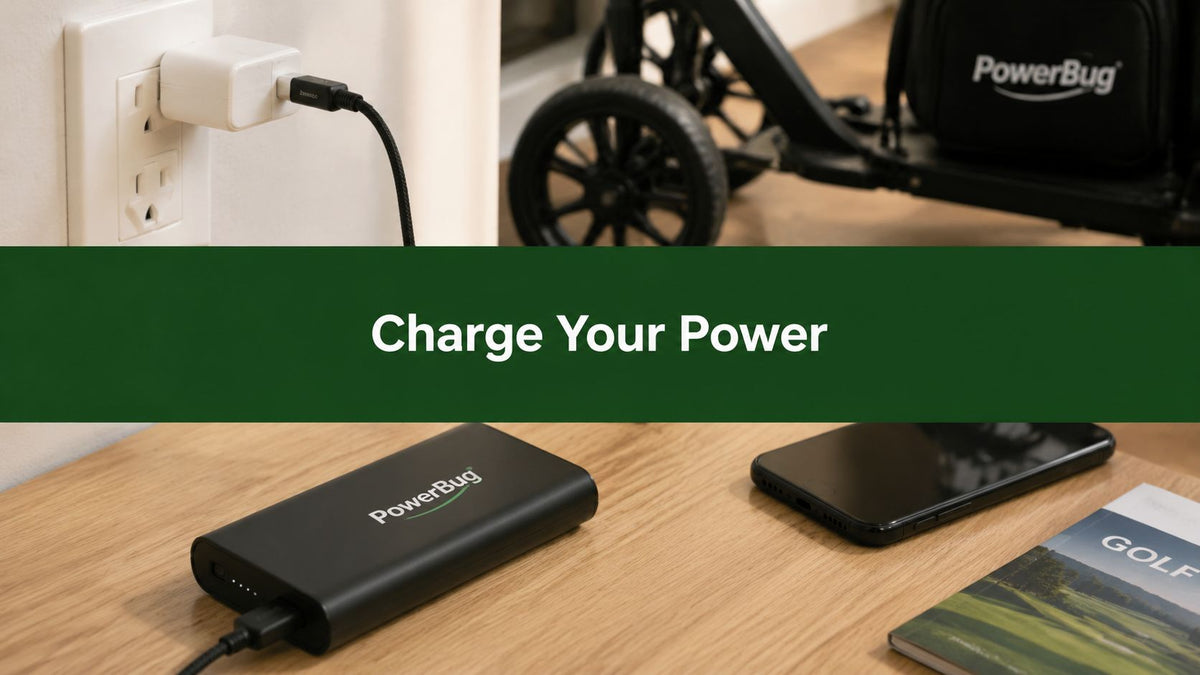
You pull the golf push cart from the garage before an early round and notice the Caddie Wheel battery is dead. Or you reach your hotel after a long flight, open your bag, and find your portable charger has nothing left. At that point, a flat battery isn't a minor inconvenience. It can mean losing GPS data on the course, navigating a rental car without your phone, or having no way to top up a rangefinder between holes.
Knowing how to charge a portable charger properly goes beyond plugging in a cable and waiting for the lights to change. Port selection, cable quality, input wattage, ventilation, temperature, and partial-charge habits all affect whether the battery is ready when you need it. The practical habits below apply to everyday power banks and specialty accessories such as golf push-cart power packs.
The Night Before You Need Power
The most frustrating battery failures usually happen before the day even starts. A golfer assumes the cart battery was charged after the last round, loads clubs into the car, and discovers the power pack is empty just as the course is opening. A traveler makes the same assumption about a power bank, only to find it flat after using it through a flight and airport transfer.
That missing charge can create problems well beyond inconvenience. Your phone may lose course GPS data during a walking round, navigation may disappear while you're driving a rental car, and a rangefinder can become useless when you need a distance between holes. Specialty equipment also tends to be forgotten because it isn't used every day, even though it can require a substantial recharge before the next outing.

My most reliable routine is simple. Check the battery when you unpack your gear, identify the correct input port, use a cable that matches that port, and look at the indicator after connecting it. Don't leave the bank plugged in indefinitely just because the LEDs haven't caught your attention yet. Safety guidance recommends disconnecting portable chargers after they reach full charge rather than leaving them on prolonged or overnight charge, as outlined in official portable battery safety guidance.
The right starting point isn't the wall outlet. It's the charger itself. Before connecting anything, confirm which port accepts power, what input it supports, and whether the device is a standard USB power bank or a specialty pack with a different connector.
Know Your Charger Before You Plug In
Start with a visual inspection while the charger is still disconnected. Look for the port labeled INPUT or IN, which is the connection used to recharge the bank. The larger ports labeled OUTPUT or OUT send power to a phone, GPS unit, remote, or other device. Reversing those ports usually won't charge the bank and can leave you wondering why nothing is happening.

Read the label, not the shape
USB-C is now common for input because it can support higher-power charging protocols, including USB Power Delivery, when the device is designed for it. USB-A is more often an output port, while Micro-USB may still serve as the input on older or smaller power banks. The connector shape alone doesn't tell you how quickly the bank can recharge, so check the printed input voltage, amperage, or wattage near the port or on the bottom label.
The capacity may appear in mAh or Wh. A 10,000 mAh power bank is commonly listed at about 36 Wh, giving travelers a standardized energy figure alongside the familiar capacity label, as explained in this portable battery safety circular. Capacity tells you how much energy the pack stores, while the input rating tells you how quickly it can accept energy.
A specialty accessory may not use USB at all. A Caddie Wheel power pack, for example, may use a barrel jack or proprietary DC input, so inspect the label, confirm polarity, and match the listed voltage before connecting an adapter. The same principles apply whether you're checking a phone bank or learning what a portable charger is.
Choose a wall adapter whose output suits the bank's maximum input. A low-power adapter can make a large pack take much longer and may keep the device warm for an extended period, while a high-power USB-C adapter is useful only if the bank and cable can accept it. For broader buying considerations, these portable charger buying tips are useful when comparing port layouts, capacity, and travel-friendly designs.
The Right Way to Connect and Monitor
Use a known-good wall adapter and connect it firmly to a wall outlet before attaching the cable to the bank. A loose power strip, damaged adapter, or worn cable creates unnecessary variables. The recommended workflow is to connect the cable to the portable charger first, then plug the adapter into mains power, using the supplied cable or a matched replacement, as described in this portable charger usage guide.
Set the bank on a hard, non-flammable, well-ventilated surface. A desk, countertop, or bare shelf is preferable to a bed, blanket, or couch cushion because soft materials can trap heat around lithium-ion cells. Keep the charger out of direct sunlight and away from bedding. Charging in a ventilated area also gives you a better chance of noticing unusual warmth, swelling, odor, or smoke early.
The LEDs provide useful feedback, but manufacturers don't use one universal system. One light may pulse while the bank is charging, a row of four lights may fill as capacity rises, or the indicator may flash and change color when the cycle finishes. A steady light often indicates an active connection, but the printed manual remains the authority for that specific model.
Practical rule: Warm to the touch can be normal during the bulk phase. Hot to the touch, painful to hold, or accompanied by an unusual smell means disconnect the bank and let it cool in a safe area.
The same observation applies to a golf accessory, although the display may be simpler. A Caddie Wheel pack might use one LED or a fuel-gauge style display rather than a four-light row. The key is to confirm what “charging” and “full” look like before leaving the equipment unattended. Guidance on using a portable charger correctly can help when the accessory has a less familiar indicator.
Partial charging is also a practical way to reduce stress. Lithium-ion guidance recommends keeping cells around the 20% to 80% state-of-charge range, starting a recharge near 20% to 30% and disconnecting near 80% to 90% when circumstances allow, as summarized in this battery charging guide. A top-up from roughly 30% to 80% is gentler than repeatedly draining the bank completely and refilling it.

For a visual demonstration of the connection process, use the following guide:
How Long Charging Really Takes
Recharge time comes down to three practical variables: stored capacity, accepted input wattage, and cable capability. A larger battery needs more energy, while a higher-wattage input can refill it faster. A cable that can't carry the expected current becomes the limiting factor, even when the wall adapter has plenty of power.
Typical portable-charger estimates show the pattern clearly. A 5,000 mAh bank generally takes about 2 to 3 hours with standard charging, while a 10,000 mAh model takes roughly 4 to 6 hours. A 20,000 mAh unit can need about 8 to 10 hours, and a bank around 26,000 mAh may take about 10 to 14 hours. With faster USB-C input, those ranges can fall to roughly 1.5 to 2 hours, 2 to 4 hours, 4 to 6 hours, and 6 to 8 hours, respectively, according to this portable charger recharge-time guide.
| Capacity | 10W Input | 18W Input | 30W Input |
|---|---|---|---|
| 5,000 mAh | About 2 to 3 hours | About 1.5 to 2 hours | About 1.5 to 2 hours |
| 10,000 mAh | About 4 to 6 hours | About 2 to 3 hours | About 2 hours |
| 20,000 mAh | About 8 to 10 hours | About 4 to 6 hours | About 4 to 6 hours |
The table is a planning guide, not a guarantee. Charging slows near full capacity, and conversion losses mean the simple wattage calculation won't match the clock perfectly. A useful estimate is to divide the battery's capacity by accepted input power, then add 15% to 20% for conversion losses. A cheap or damaged cable can extend the wait further by preventing the bank from drawing its intended input.
Golf accessories often need a longer window than a small phone bank. A Caddie Wheel battery typically needs about 4 to 6 hours from a wall outlet, while premium power banks can recharge much faster when their input specifications and cables support it. For a closer look at battery charging time, plan the recharge after a round rather than waiting until the morning of a tournament.
Habits That Protect Your Battery
Many owners treat a few charging habits as harmless because the device appears to work. The problem is that lithium-ion cells age faster when they spend extended periods at a full charge, near empty, or in excessive heat. The safer routine favors moderate charge levels, controlled temperatures, and the correct cable.
Stop treating overnight charging as automatic
Leaving a portable charger connected overnight keeps it at full charge for hours after the useful charging work has finished. Guidance for lithium-ion power banks recommends disconnecting the unit once full rather than leaving it on prolonged charge, and keeping the battery in a partial state of charge reduces stress, as described in this lithium-ion charging reference.
Don't wait for the bank to reach zero every time. Recharge when it approaches 20% to 30%, and unplug around 80% to 90% when you don't need maximum capacity immediately. That approach avoids repeatedly forcing the cells through the most stressful ends of their operating range.
Treat heat as a charging problem
A hot car trunk is poor storage for a lithium-ion power bank, especially when the pack is already charged or connected to an adapter. Manufacturer and industry guidance commonly places safe charging around 0°C to 45°C, with a lower-stress window often identified between 10°C and 30°C, as outlined in this lithium-ion temperature guide.
Don't charge below freezing. Low-temperature charging can cause lithium plating and permanent capacity loss, and battery guidance says charging below freezing should be avoided, as explained by Battery University. Sustained high heat is also dangerous. Sources identify 45°C to 60°C as an unsafe range and 60°C or higher as a critical failure zone that can involve swelling, venting, ignition, or thermal runaway, according to this portable charger heat-safety reference.

For storage lasting weeks, a roughly 50% charge in a cool, dry room is a sensible target rather than leaving the pack full. Use the manufacturer's cable whenever possible. For a Caddie Wheel battery, topping up between rounds is more practical than waiting for a weekly full discharge and recharge, because the pack remains available without forcing a deep cycle each time.
Troubleshooting Common Charging Problems
A portable charger that doesn't respond isn't necessarily dead. Start with the simple parts of the chain, then move toward the battery's protection circuitry. Swap in a known-good wall adapter, try the supplied cable, and confirm that the cable is connected to the input port rather than an output port.
Match the symptom to the likely cause
No LEDs after connection often points to a failed cable, incompatible adapter, dirty port, or a pack that has entered protection mode after severe discharge. A single blinking LED can indicate that the bank needs time on a low-power source before its control circuitry resumes normal charging. Give it a gentle recovery charge for about 30 minutes before testing a higher-power connection.
Rapid LED cycling usually suggests an unstable connection or a charging-protocol mismatch. Remove and reconnect the cable firmly, inspect the connector for looseness, and test a different compatible adapter. Warmth during normal charging isn't automatically a fault, but heat that hurts to touch requires immediate disconnection.
Check the port for pocket lint, grit, or compacted debris. Use a wooden toothpick carefully, never a metal pin, which can damage contacts or create a short. Don't force the connector if it doesn't seat properly.
Know when to stop testing
Inspect the casing for puffing, cracks, separation, odor, smoke, or unusual heat. A swollen lithium-ion cell should be disconnected and retired immediately, not squeezed back into shape or returned to service. Safety guidance says to stop using a pack that is too hot to handle or visibly damaged, as covered in this power-bank safety advice.
If the model has a reset button, use it according to the manual. Otherwise, allow a rest charge of about 12 hours with the correct adapter, then contact the manufacturer if the bank still won't respond. Golf-cart packs such as a Caddie Wheel battery usually have a dedicated warranty channel, which is safer than opening the casing or trying to bypass the protection circuit.
Keeping It Ready for the Next Round
A reliable battery routine should be easy enough to follow when you're rushing to the course. Save this checklist in your phone or tape it inside the gear bag:
- Inspect the ports: Remove debris and check that the input connector isn't loose.
- Check the cable: Replace cables with split insulation, bent plugs, or intermittent connections.
- Confirm the charge: Keep lithium-ion packs above 60% before a planned round when practical.
- Use a cool location: Store the battery at room temperature, away from direct sun and hot vehicle interiors.
- Choose partial storage: A pack that won't be used for weeks is better stored partially charged rather than at full capacity.
- Test periodically: Connect a USB power meter every few months to check whether the bank is delivering and accepting power consistently.
- Record performance: Note the approximate charge level, recharge duration, and number of rounds between charges.
The USB power meter is especially useful because LED indicators can hide declining capacity. If a bank once handled a full day of navigation and now needs a recharge after a short outing, the change is easier to spot in a simple log than by memory alone.
For a specialty golf setup, perform the check before loading the car. A Caddie Wheel power pack should have enough charge for the intended round, the cable should be packed with the battery, and the remote should be checked separately. Caddie Wheel's product information describes a lightweight electric assist that attaches to compatible three- and four-wheel push carts, with a battery designed to support up to 36 holes per charge, so a predictable pre-round check helps prevent a mid-course failure.
Between rounds, recharge on a hard, ventilated surface and disconnect when the indicator shows full. Log the date and approximate charging time in a notes app. When the same pack begins taking longer to recharge or powering equipment for noticeably less time, replace it before the failure happens on a hill, beside a green, or in the middle of a trip.
Caddie Wheel offers a drop-on electric power-assist wheel for standard golf push carts, with a snap-in bracket and variable-speed remote that helps reduce pushing effort on the course. If you want a more predictable battery routine between rounds, visit Caddie Wheel to review the system and its charging setup.
Partager:
Golf Push Cart Big Wheels: A Practical Buyer's Guide
Why Do Some Batteries Last Longer Than Others