
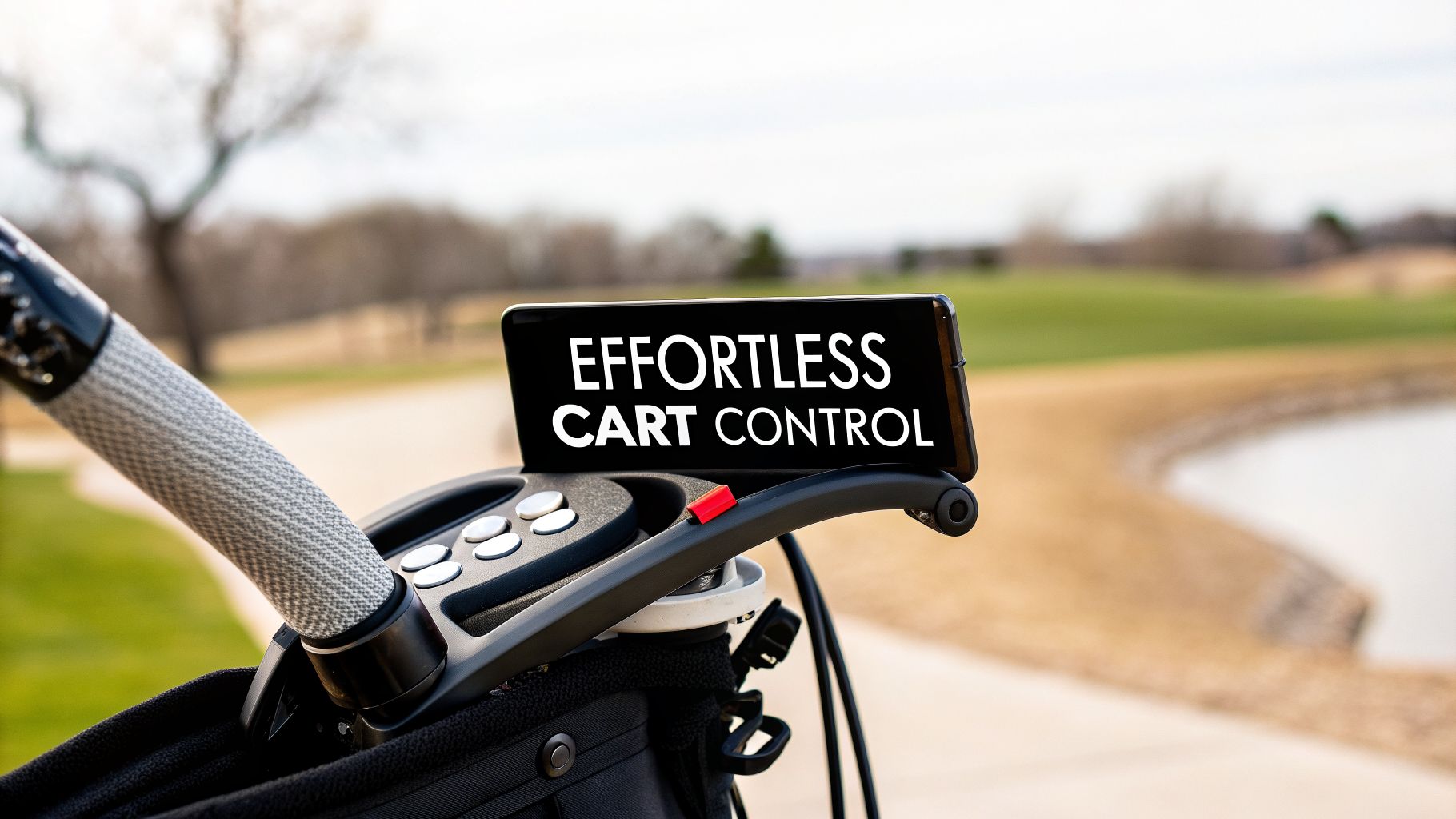
Think about it: you're walking the course, totally in command of your push cart, with every control you need right at your fingertips. That's the new reality for smart golfers who'd rather save their energy for a perfect swing than spend it wrestling a heavy cart over uneven ground.
The secret to this effortless experience? A dedicated remote control organiser. For anyone using the Caddie Wheel, this simple accessory is more than just a holder—it's the command center for a smoother, more focused game. The snap-in design keeps your remote secure and always within reach, so you can make instant tweaks to your speed or hit the brakes without breaking your stride. It's a small addition that makes a huge difference in the flow of your round.
A remote control organiser for your golf push cart is simply a dedicated holder that keeps your remote securely attached and easy to access. It’s mission control for your motorized cart, like the Caddie Wheel, letting you manage speed and direction without ever having to dig through your pockets.
Gain Effortless Control On The Green
So, who really gets the most out of having a remote right on their cart's handle? The truth is, the benefits are surprisingly wide-ranging.
Who Benefits From A Remote Organiser?
It’s not just about convenience; for many players, it’s a genuine game-changer.
- Seniors and Golfers with Mobility Concerns: It dramatically cuts down on physical strain, making it much easier to walk all 18 holes comfortably. No more bending or awkward reaching—just a simple button press to guide your cart.
- Fitness-Focused Golfers: When you offload the push-pull effort, you can keep a steady walking pace and maintain better posture. This really amplifies the cardiovascular benefits of your round.
- Competitive Players: Every top player knows that eliminating distractions is everything. A secure remote means you can put 100% of your focus on the next shot, not on fumbling with your gear.
This shift toward simplified control is part of a much bigger trend. The global market for remote control systems, which includes conversion kits and organisers, was valued at USD 3.2 billion and is expected to climb to USD 5.23 billion by 2035. This boom shows a clear demand for intuitive gear that makes life easier—exactly what the Caddie Wheel remote does for golfers. You can find more insights on this growing market over at businessresearchinsights.com.
At the end of the day, a well-placed remote holder turns a good walk into a great one. It keeps your Caddie Wheel controls—variable-speed forward, reverse, and braking—right where you need them, so you never have to interrupt your rhythm. You’ll save your energy for what really counts: the swing.
Finding the Perfect Spot for Your Remote Holder
Where you decide to mount your Caddie Wheel remote holder might seem like a small detail, but trust me, it can make a massive difference in how your round feels. The right spot isn’t just about convenience—it’s about muscle memory. It’s about keeping your remote secure, easy to grab without thinking, and out of the way of a stray swing or an accidental brush against a tree.
The beauty of the Caddie Wheel remote control organiser is its universal design. It gives you the flexibility to find that perfect spot that feels like a natural part of your on-course workflow, letting you adjust your cart's speed without ever breaking your focus.
Most golfers, myself included, immediately gravitate toward the main push handle. It’s the most intuitive place, always in your line of sight and right where your hands are. But here's where a little personal experience comes in.
If you're right-handed, you’ll probably want that remote on the right side of the handle for quick, reflexive grabs. A left-handed player? You'll find the left side far more natural. Think about which hand you instinctively use for quick tasks—that's the side you want your remote on. Simple as that.
Key Mounting Positions to Consider
While the main handle is the go-to, it’s not your only option. Depending on your cart and your personal setup, a couple of other spots might work even better for you.
- Accessory Bars: A lot of modern push carts feature accessory stations. Mounting your remote organiser here can help you create a central "cockpit" for all your tech, keeping your GPS, phone, and remote all in one organized place.
- Cart Frame: Attaching the holder to the vertical tubing on the cart's frame, just below the handle, is another fantastic choice. This keeps the remote tucked away and protected but still within easy reach. It's perfect for players who like a clean, uncluttered handle.
This simple decision tree helps visualize how a remote control organiser fits into the ecosystem of golf cart choices.

As the flowchart shows, for golfers who want to save energy and demand easy control, the Caddie Wheel system is a no-brainer. The key is making that control feel completely seamless.
Comparing Your Options
To help you lock in the perfect location, I’ve put together a quick comparison of the most popular spots. Thinking this through now means you’ll never find yourself fumbling for the remote on a steep incline.
Optimal Mounting Positions for Your Remote Control Organiser
| Mounting Location | Primary Benefit | Best For | Potential Consideration |
|---|---|---|---|
| Main Push Handle | Instant, reflexive access | Golfers who want controls at their fingertips | May be crowded if other accessories are present |
| Accessory Bar | Centralized tech hub | Players with multiple gadgets (GPS, phone) | Can feel cluttered if not organized well |
| Cart Frame Tubing | Enhanced protection | Golfers on tight courses or who want a cleaner handle area | Requires a slightly longer reach to access |
Ultimately, there's no single "right" answer—it all comes down to what feels best for your game.
The goal is to make the remote feel like it disappears until you need it. A perfect placement means you can reach for it instinctively, make a quick speed adjustment on a steep hill, and return your focus to your next shot without a moment's hesitation.
Experiment a little to see what works. And if you’re looking for other smart ways to deck out your cart, be sure to check out our guide on the 7 best golf push cart accessories for 2025.
Getting Your Remote Holder Installed Just Right
Now that you’ve picked the perfect spot, installing your Caddie Wheel remote control organiser is a quick job—it honestly takes just a few minutes. While the process itself is simple, a couple of pro tips I’ve picked up can make a world of difference, ensuring a rock-solid setup that won’t budge, no matter what the course throws at you.

Before you even think about attaching the mount, take a second to prep the surface. Grab a simple alcohol wipe or a clean cloth with a little soap and water, and wipe down the cart’s tubing where you plan to install it. This gets rid of any dust, sunscreen residue, or oils that might be hanging around.
Why bother? A clean surface gives the clamp’s non-slip material something solid to grab onto, preventing that annoying slip or rotation you might otherwise get on bumpy fairways. It’s a tiny step that guarantees a secure fit from the first tee to the eighteenth green.
Fine-Tuning for Comfort and Function
With a clean mounting spot ready, go ahead and attach the remote control organiser. As you start tightening the clamp, think about both function and feel. You want it snug, sure, but it also needs to be comfortable to use repeatedly over a four-hour round.
One of the biggest mistakes I see golfers make is positioning the remote in a way that forces an awkward wrist angle. Try to angle the holder so your hand can reach the remote with a neutral wrist, almost like you’re holding a TV remote. This small tweak can save you from a lot of fatigue on the back nine.
Before you call the job done, run through these quick checkpoints. Trust me, it’s worth the extra minute.
- The Fold-Down Check: Before you crank down on the clamp, try folding your push cart. You need to be absolutely certain the organiser isn’t blocking any joints or preventing the cart from collapsing completely. It’s much easier to move it now than to find out in the parking lot post-round.
- Swing Path Clearance: Stand next to your cart and take a slow practice swing. Make sure the holder’s position won’t get in the way of your backswing or follow-through, especially with your longer clubs like the driver.
- Effortless Reach: Place the holder where you can reach it without having to lean over or stretch. The whole point is to make speed adjustments feel like a natural, thoughtless part of your walk.
The All-Important Test Run
Once you’re happy with the placement, give that clamp a final, firm tightening. Now for the fun part: a quick test drive. Snap your Caddie Wheel remote into its holder and take a stroll around your driveway or a patch of grass.
Try to find a few bumps or uneven spots. Does the holder stay put? Does the remote feel secure, but still pop out easily when you need it? Practice taking the remote in and out of the organiser a few times. This little real-world test confirms your setup is truly ready for the course.
With a secure and smartly positioned remote organiser, you're all set. You’ll be able to get to the first tee faster and enjoy a round that feels more seamless and focused.
Getting the Hang of Your Caddie Wheel Remote
Alright, you’ve got your remote control organiser set up and perfectly positioned. Now for the fun part: mastering the Caddie Wheel remote. Think of it as the command center for your entire round—it’s the key to making your walk feel completely effortless.
The first step is pairing it with your Caddie Wheel, and thankfully, it’s about as simple as it gets. Just press and hold the power button on your remote until the light starts blinking. Do the same on the Caddie Wheel unit itself, and that's it. They're synced. It's a one-time setup designed to get you on the course in seconds.

Pro Tips for Cruising the Course
Once you're paired up, the intuitive controls make navigating the course feel second nature. The variable-speed dial, in particular, is a game-changer for matching your natural walking pace, whether you’re on a flat fairway or tackling a beast of an incline.
Here’s how to use each function like you’ve been doing it for years:
- Smooth Starts: On flat ground, get in the habit of gradually turning the dial to match your stride. Avoid gunning it from a standstill—a smooth acceleration is better for the battery and keeps the cart stable.
- Conquering Hills: As you approach an uphill slope, give the dial a little twist before you hit the incline. This preps the motor, giving it the torque it needs to climb without losing momentum.
- Controlled Descents: Going downhill, use the brake function in short, gentle taps. This is far more effective than holding the button down, as it prevents the cart from picking up too much speed.
We designed the remote to be something you could use without even looking at it. It needed to have that intuitive feel so golfers could keep their eyes on the next shot, not on their equipment. That's why the variable speed control is a dial, not just buttons—it gives you that tactile feedback to fine-tune your pace. – Bob Houston & Robert Paffrath, Creators of Caddie Wheel
Making Your Remote’s Battery Last
The Caddie Wheel remote runs on a standard CR2032 coin battery, the same type you’d find in most car key fobs. These things last a surprisingly long time, often a full season or even longer, but a little care goes a long way.
The small LED light on the remote will give you a heads-up when the battery is running low, usually by dimming or blinking. When it’s time to swap it out, just slide the back cover open. It’s always a good idea to keep a spare CR2032 in your golf bag, just in case. Better yet, your Caddie Wheel actually ships with a free extra remote control, so you already have a backup ready to go.
This idea of a single, powerful controller is a huge trend. In fact, the market for universal remote controls is projected to hit USD 7.48 billion by 2034, all driven by our love for simple devices that manage complex systems. The Caddie Wheel remote does just that by consolidating all your cart’s movements—forward, reverse, and braking—into one handy unit.
Getting a feel for these functions will completely change how you walk the course. You can learn more about how the Caddie Wheel's power system works by exploring our guide on the electric motor and remote control.
Practical Advice for Seniors and Fitness Golfers
For some golfers, the Caddie Wheel and its remote aren't just a nifty gadget—they're a genuine game-changer. Both seniors and players who walk the course for fitness find unique benefits in ditching the physical effort of pushing a cart. The remote control organiser is the key to unlocking it all.
By keeping the remote right where you need it, you can stay in your rhythm and keep your mind on the game or your workout. It's a simple accessory, but it makes a massive difference in stamina and how much you enjoy the round.
Enhancing Accessibility for Senior Golfers
For many senior players, the idea of walking 18 holes feels daunting. The constant push and pull of a heavy cart, especially on a hilly course, can be exhausting. The Caddie Wheel remote system is designed to tear down that barrier, making golf more accessible and sustainable. It lets you save your energy for what really counts: the swing.
With a well-placed remote control organiser, you can set a comfortable walking pace and never lay a hand on the cart. This cuts down on fatigue in your back, shoulders, and legs, making it possible to not just walk a full round, but maybe even 36 holes, without feeling wiped out.
Here are a few pointers for safely navigating the course:
- Mastering Slopes: When you’re heading down a steep path, use the remote to tap the brakes in short bursts. This keeps the cart under control and prevents it from getting away from you.
- Uphill Power: As you approach an incline, give the cart a little speed boost before it starts climbing. This gives the motor the momentum it needs to cruise up the hill smoothly, so you don't have to break a sweat.
A dependable remote is absolutely critical, especially for seniors who rely on it to play. That's why the booming Smart Remote Market, projected to reach USD 6.48 billion by 2034, is so important for the game. This growth ensures that tough, user-friendly remotes like the Caddie Wheel's variable-speed unit will continue delivering reliable power for up to 36 holes on a single charge, even on the most demanding courses. You can read more about this trend and its impact on consumer electronics over at fortunebusinessinsights.com.
Maximizing Your Workout for Fitness Golfers
If you walk the course for the health benefits, taking the cart's weight off your hands can actually improve your workout. It sounds counterintuitive, but it's true. Pushing a cart often causes you to lean and adopt poor posture, which can lead to strain and make your walk less effective.
When the Caddie Wheel is doing the pushing, you can walk upright with a natural gait. This simple change engages your core, improves your posture, and helps you maintain a consistent heart rate for a much better cardio session. Your remote control organiser keeps the controls at your fingertips, so you never have to break your stride to speed up or slow down.
The end result is a more efficient, enjoyable, and physically rewarding round of golf. You get all the benefits of walking without the fatigue that comes from pushing, letting you focus on your form and endurance instead.
Troubleshooting Common Remote System Issues
Even the most dependable golf tech can have an off day. But a minor glitch with your Caddie Wheel remote or its remote control organiser shouldn’t derail your round. Most issues are surprisingly simple to fix right there on the course, usually without ever reaching for a manual.
Before you start getting frustrated, just take a breath. The most common problems—like a remote that won't connect or a holder that feels a bit loose—are almost always sorted out with a quick check. Think of it like reading a putt; you just need to assess the situation and make a small, simple adjustment.
Addressing Pairing and Connection Failures
Every now and then, you might find your remote is unresponsive. The symptom is pretty clear: you press a button, and your cart just sits there.
Don't sweat it—this is usually an easy fix. The first thing to check is the remote's battery. A weak or dying battery is the number one reason for a spotty connection. If the little LED light on your remote is dim or won’t light up at all, it’s time for a fresh CR2032 coin battery. Pro tip: always keep a spare in your golf bag.
If the battery is good to go, the next step is re-pairing the remote. This is just a quick "handshake" between the remote and the Caddie Wheel unit. Simply press and hold the power buttons on both the remote and the main unit at the same time until their lights flash in sync. This simple reset re-establishes the connection and solves the problem 9 times out of 10.
Don't forget, every Caddie Wheel comes with a free extra remote control. If you've tried re-pairing and still have trouble, just swap in your backup. It’s the ultimate safety net to make sure a tiny tech issue never costs you a hole.
Fixing A Loose Remote Control Organiser
So, what happens if the remote works perfectly, but the holder itself won't stay put? A wobbly or slipping remote control organiser is more than just an annoyance; it puts your remote at risk of getting dropped or damaged.
Luckily, the solution is almost always about getting a better grip.
- Tighten the Clamp: Grab a Phillips screwdriver and give the mounting clamp a firm quarter-turn. You want it snug against the cart's tubing, but be careful not to overtighten and strip the screw.
- Clean the Surface: Over time, things like sunscreen, dirt, and oils can build up on your cart’s handle, making it slippery. Just wipe down the mounting area with a clean cloth to give the clamp a fresh, solid surface to grip.
If you ever run into a more stubborn issue, our guide on common golf cart controller repair has more in-depth solutions. With these quick tips, you can handle minor hiccups confidently and get right back to enjoying your walk.
Ready to transform your push cart into an effortless walking companion? The Caddie Wheel makes it simple. Explore the Caddie Wheel and get yours today!
Partager:
The Ultimate Guide to an Electric Motor Kit for Your Golf Cart
Your Guide to 40 Amp Blade Fuses for Any 12V System