
You're halfway up a steep fairway when the Caddie Wheel stops responding. The group behind you is waiting, the cart is sitting at an awkward angle, and pressing forward, reverse, and brake produces nothing. In most cases, the wheel motor hasn't suddenly failed. The problem starts with the small battery remote control in your hand, its contacts, pairing, or the radio signal between the remote and receiver.
A simple decision tree can prevent a long walk back to the clubhouse. Check power first, then inspect the contacts, test for interference, and only re-pair the remote when the evidence points to a lost connection. That order matters because replacing a battery won't fix a bent terminal, and re-syncing won't help if the remote can't transmit a strong signal.
Why Your Caddie Wheel Remote Battery Matters on the Course
A remote failure is most stressful on a hill. The trolley may be below you, angled toward rough, while your playing partners wait for you to move it safely. A healthy battery remote control should let you adjust speed, send the wheel forward or reverse, and apply braking without leaving your stance or interrupting the round.
The battery does more than illuminate an indicator. It supplies the voltage needed for short wireless bursts, and a weak cell can make those bursts unreliable before the remote appears completely dead. Consumer IR remotes demonstrate why this design works: low-duty-cycle transmission can allow batteries to last for months or longer, while Sony guidance for typical television remotes places normal battery life at about 3 to 6 months under ordinary use, as summarized by HowStuffWorks' history of remote control technology.
Why weak batteries create confusing symptoms
A remote can light up yet fail to control the wheel. The LED needs far less power than the radio transmitter, so a fading battery may produce a visible response while sending an inconsistent command. You may notice delayed movement, reduced range, or a wheel that responds only when you're close.
Interference adds to the confusion. Nearby wireless equipment, obstructions, and competing radio activity can weaken an already marginal signal. For golfers comparing motorized walking equipment, practical electric cart buying tips can help separate the cart's motor and battery requirements from the handheld remote's smaller but essential power system.
Before a round, press each control from several positions, check that the remote feels secure in its holder, and replace suspect cells rather than waiting for a failure. Caddie Wheel's battery conservation guidance is also useful when you're building a routine for the remote and the cart battery together.
How to Replace the Battery in Your Caddie Wheel Remote
Start with a clean, dry surface. If you're changing the cell in a car park, place the remote on a towel so a tiny screw or contact clip can't disappear into gravel.
Open the case without damaging it
Turn the remote off if it has a power control, then locate the battery cover, latch, or retaining screw. Use the correct small screwdriver and apply steady pressure. A cover that needs force may still have a hidden screw or latch engaged, so stop rather than twisting the plastic.

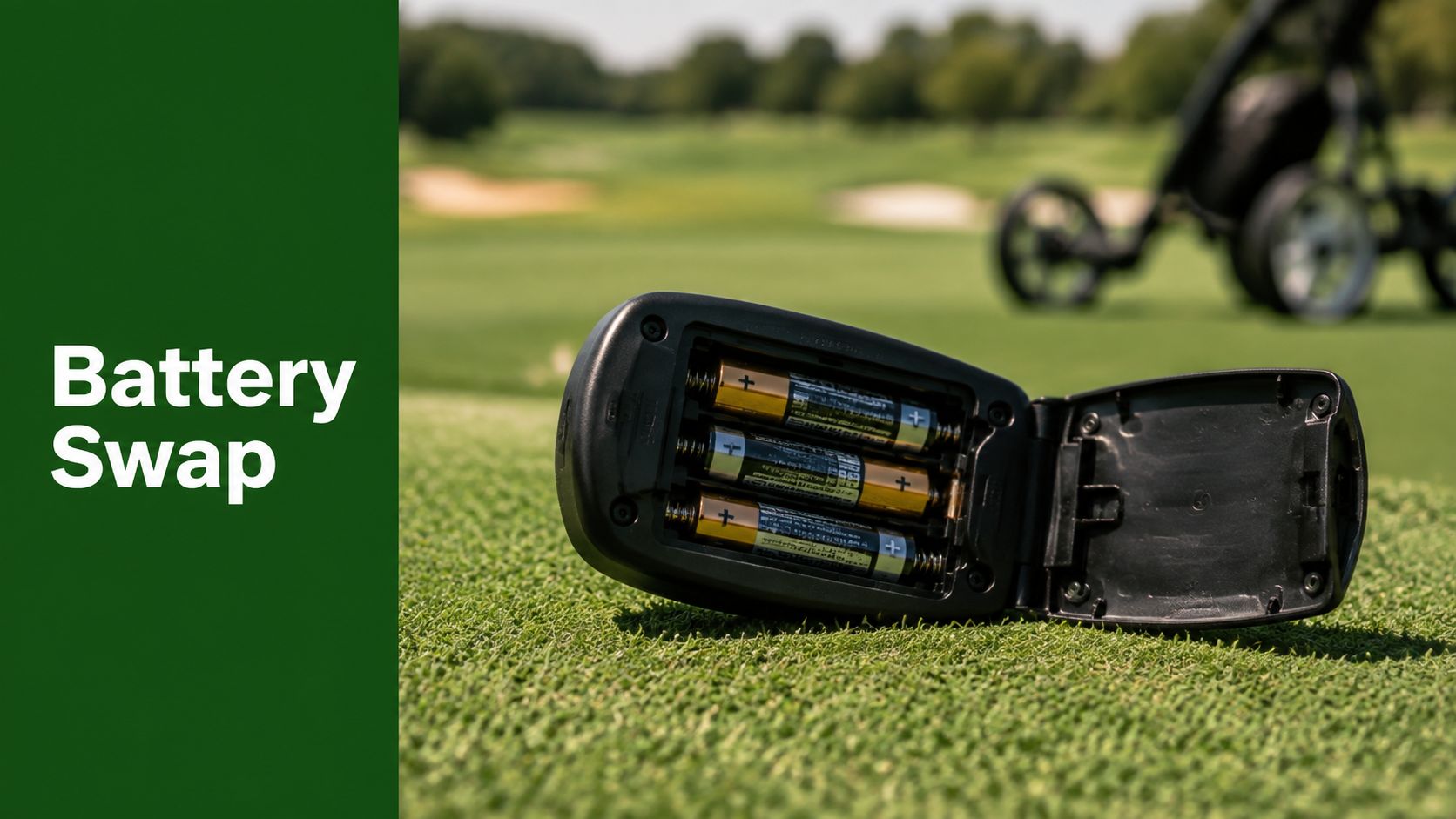
The replacement guide shown above identifies a CR2032 cell for the illustrated remote. Confirm the marking inside your own Caddie Wheel remote before buying a replacement, because battery type and compartment design must match the device.
Remove and install the cell carefully
Photograph the compartment before removing the old battery. Note which side faces up, then slide the cell out with a fingernail or a non-metallic tool. Avoid levering against the circuit board or scraping the spring contacts.
Install a fresh cell with the polarity matching the molded symbols. Don't mix old and new batteries, different chemistries, or cells from unrelated packs. A battery can be physically similar yet unsuitable for the remote's voltage and holder.
- Power down first. Keep the remote inactive while the cover is open.
- Inspect the contacts. Look for dirt, white residue, discoloration, or a terminal that has flattened.
- Insert the new cell gently. It should slide beneath the retaining clip without bending it.
- Close and test. Secure the cover, switch on the remote, and test every movement control near the wheel.
For a general example of careful small-device battery replacement, the Blade Auto Keys battery guide shows the same principles, identify the cell, preserve polarity, and avoid stressing the housing. Store spent batteries separately and take lithium and alkaline cells to a local battery-recycling or household hazardous-waste collection point. They shouldn't go in regular trash, where damaged cells can create a safety risk.
If the replacement doesn't restore operation, don't keep changing batteries. Use the troubleshooting sequence below, then consult the Caddie Wheel quad remote control information for system-specific details.
Pairing and Re-Syncing Your Remote After a Battery Change
A routine battery swap usually preserves pairing. If the remote was without power for an extended period, the wheel unit was interrupted, or the controls stopped communicating after the change, re-syncing may be necessary.
Pair the devices with the wheel stationary and the remote close to the receiver. Starting nearby removes distance from the diagnosis and gives the receiver the clearest opportunity to recognize the transmitter.
Follow the pairing sequence
The pairing sequence shown for the Caddie Wheel system is:
- Enter pairing mode. Press and hold the wheel unit's Sync button for 5 seconds until its LED blinks.
- Activate the remote. Press the remote's Pair button at the same time as directed by the system controls.
- Watch the indicator. Wait for a solid green light on the wheel unit, which indicates a successful sync.
- Test movement. Confirm forward, reverse, speed adjustment, and braking before placing the wheel on a slope.

Don't hold buttons randomly if the LED doesn't change. Turn both units off, wait briefly, and repeat the process with the remote close to the receiver. Check the battery orientation first if the remote shows no light or response.
Pair close, test stopped, and only then put the wheel back into motion. A successful light confirms a link, but a stationary function test confirms that the controls actually behave as expected.
For a visual reference, watch the embedded demonstration below.
A simple battery change shouldn't automatically trigger a full reset. Re-pair when the connection has been lost, not as a substitute for checking contacts, polarity, or battery voltage. The broader electric motor remote control guide can help you understand how the handheld controls interact with the motorized wheel.
Troubleshooting Common Remote Power and Signal Issues
Use a fixed order instead of guessing. Start with the remote's power, move to its physical contacts, then separate signal interference from a pairing fault.
| Symptom | Likely Cause | Quick Fix |
|---|---|---|
| No buttons respond | Flat cell, wrong polarity, corroded contact, or bent terminal | Fit a fresh matching battery, confirm orientation, and clean or carefully realign the contact |
| The indicator lights but the wheel ignores commands | Voltage is too low for dependable transmission | Replace the cell and test again close to the wheel |
| The wheel responds intermittently | Weak battery, obstruction, distance, or radio interference | Move closer, clear the line between remote and receiver, and test away from nearby wireless devices |
| Range has suddenly fallen | Low transmitter voltage or a crowded RF environment | Install a fresh cell and move away from competing electronics |
| The remote works only within roughly 10 to 15 feet | Interference or an obstructed link | Remove the obstruction, change position, and test in a quieter area, as practical support guidance notes for remote-control systems (Caddie Wheel troubleshooting guidance) |
| The wheel shuts down unexpectedly | Low remote power, receiver protection behavior, or a disrupted connection | Stop the wheel safely, check both power sources, then re-sync if the link remains absent |
The on-course decision tree
If nothing happens, stop the wheel manually if possible and inspect the battery compartment. Look for corrosion, a loose cover, or a contact that no longer presses firmly against the cell. Corrosion can interrupt power even when the battery itself is new.
If the remote works only sporadically, move away from nearby carts, radios, phones, charging equipment, or other wireless devices. Radio-frequency control links can suffer from competing signals and physical obstructions. Older remote-control trolley systems have also used regulated radio channels in the 26 to 28 MHz range for telecommand functions, while 75 MHz channels were distinguished for model surface craft in the relevant FCC documentation (FCC remote-control frequency record).
If a fresh cell and a clear path don't help, re-pair at home with the wheel stationary. Daily wireless monitoring research illustrates the larger engineering principle: reliable repeated transmissions and disciplined battery management can coexist, with one clinical system recording 91% transmission success per patient over a median 434-day follow-up and 87% of scheduled daily transmissions received overall (PubMed clinical transmission study). That doesn't predict a golf-round result, but it reinforces why a persistent fault deserves methodical diagnosis rather than repeated button presses.
Maximizing Battery Life Across a Full Golf Season
Remote batteries last longest when the remote spends most of its time asleep, dry, and free from mechanical stress. The controls transmit short bursts, so leaving the remote switched on between shots wastes energy without improving control.
Remove the cell before storing the remote for a long off-season period. This reduces the chance that a leaking or aging battery damages the contacts. Before spring play, inspect the compartment, wipe clean contacts with an appropriate dry cloth, and confirm that the cover holds the cell firmly.

Match the battery to the job
Capacity explains why different remotes use different cells. A 500 mAh lithium battery can theoretically provide 500 mA for one hour or 50 mA for 10 hours, and low-power infrared remotes may use that capacity for 1 to 3 years of standby operation, according to Ufine's remote-control battery guidance. Smart and universal remotes with advanced features may use 1000 mAh or more, because their power demands are higher.
For a golf remote, choose a reputable, fresh cell that matches the compartment specification. Don't carry loose batteries against coins or keys, and keep spares in a small protective case rather than loose in a damp golf bag pocket.
Build a simple playing routine
Turn the remote off between shots when the design allows it. Keep it in a dry, temperature-stable pocket, and avoid leaving it in direct sun or a cold vehicle for long periods. The cart's main battery and the remote are separate systems, so a cart that still has ample range can coexist with a remote that needs a cell change.
Caddie Wheel's high-capacity main battery supports up to 36 holes per charge, according to the publisher's product information. For broader context on remote-operated access systems and how handheld commands reach a receiver, Nimbio's explanation of cellular gate openers offers a useful comparison, although a golf trolley's local control link has different hardware and operating conditions.
Quick Answers for Walking Golfers
Is the remote waterproof?
Treat it as water-resistant only if the product documentation explicitly says so. Keep it covered during heavy rain, dry it before storage, and never charge a rechargeable remote while the casing or connector is wet.
What should I do if I lose the remote on the course?
Stop the wheel safely, retrace your route, and ask the group behind you to watch for it. A spare remote and holder can provide a practical backup when your equipment package includes them, but the spare still needs to be charged, paired, and tested before you depend on it.
Can I use a third-party remote?
Assume it isn't compatible unless Caddie Wheel confirms the model and pairing method. Wireless frequency, receiver programming, button mapping, and safety behavior all need to match. A generic remote that looks similar may transmit nothing useful.
What does the warranty cover?
Caddie Wheel is backed by a 12-month warranty, according to the publisher's product information. Keep your purchase details and contact Caddie Wheel support when a fresh battery, clean contacts, and correct re-pairing fail to restore operation. Support can determine whether the issue is the remote, receiver, charger, or another part of the system.
What should I carry in my golf bag?
Carry a correctly specified spare battery in a protective case, a small screwdriver if the compartment uses one, and a dry cloth. That small kit can turn a mid-round stoppage into a quick parking-lot repair.
Caddie Wheel offers a drop-on electric power-assist wheel for standard three- and four-wheel push carts, with a rechargeable main battery and handheld remote control for forward, reverse, speed, and braking. Visit Caddie Wheel to review the system, spare-control options, and support information before your next walking round.
Share:
Golf Bag on Wheels: The Complete Buyer's Guide for 2026
Push Carts Rental: The Smart Way to Walk the Course