
Let’s be honest, a good golf cart cell phone holder is one of the most useful accessories you can get. It immediately transforms your phone into an on-course command center, giving you a secure, easy-to-see spot for your device. No more fumbling through your bag or pockets for GPS, scoring apps, or swing analyzers.
Why a Phone Holder Is Your Most Valuable Golf Accessory
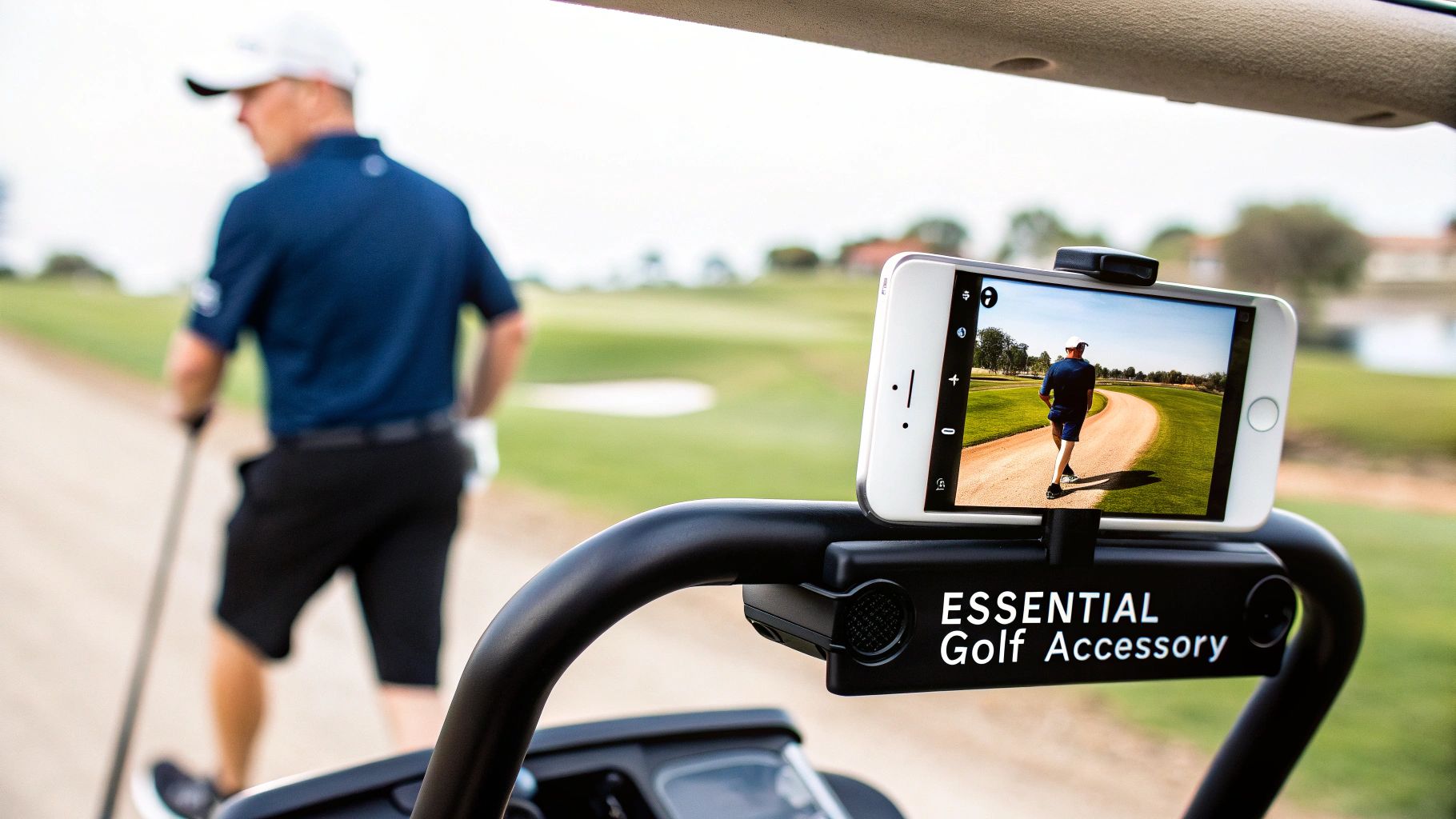
These days, your smartphone is just as crucial to your game as your trusty 7-iron. It's your digital scorecard, your rangefinder, and your swing coach, all rolled into one. A dedicated holder takes this powerful tool from being a distraction to a seamless part of your round.
Instead of jamming your phone into a cup holder where it just rattles around and risks falling out, a proper mount keeps it stable and protected. You can quickly glance at yardage, punch in your score, or even answer an urgent text without breaking your rhythm. For those of us who prefer to walk the course, this kind of convenience is a total game-changer.
Enhancing the Caddie Wheel Experience
If you use a push cart, a secure phone mount is an absolute must—especially if you've got it hooked up with the Caddie Wheel. It lets you place your phone right beside the snap-in remote bracket, creating a clean, functional dashboard. Just imagine cruising down the fairway, adjusting your cart's speed with the remote while checking the hole layout on your screen.
This kind of integrated setup means you don’t have to stop and pull out your phone anymore. Everything you need is right there at your fingertips, letting you walk your round with an uninterrupted flow and focus.
The market is definitely catching on to this. Cell phone holders are a fast-growing slice of the USD 1.18 billion global phone holder market, and it's easy to see why. The golf cart industry itself is booming at USD 2.06 billion, and with 85% of U.S. golfers now using their smartphones for most on-course decisions, these mounts have become essential gear.
A Small Investment for Major Protection
At the end of the day, a quality holder is cheap insurance for your expensive smartphone. It guards against accidental drops, scratches, and the constant jarring from a bumpy cart path. It’s not just about golf, either; understanding the importance of a phone holder for vehicles in general highlights its value in any moving environment. By grabbing a reliable golf cart cell phone holder, you're not just buying convenience—you're protecting a key piece of your golf tech.
How to Choose the Right Phone Holder for Your Cart
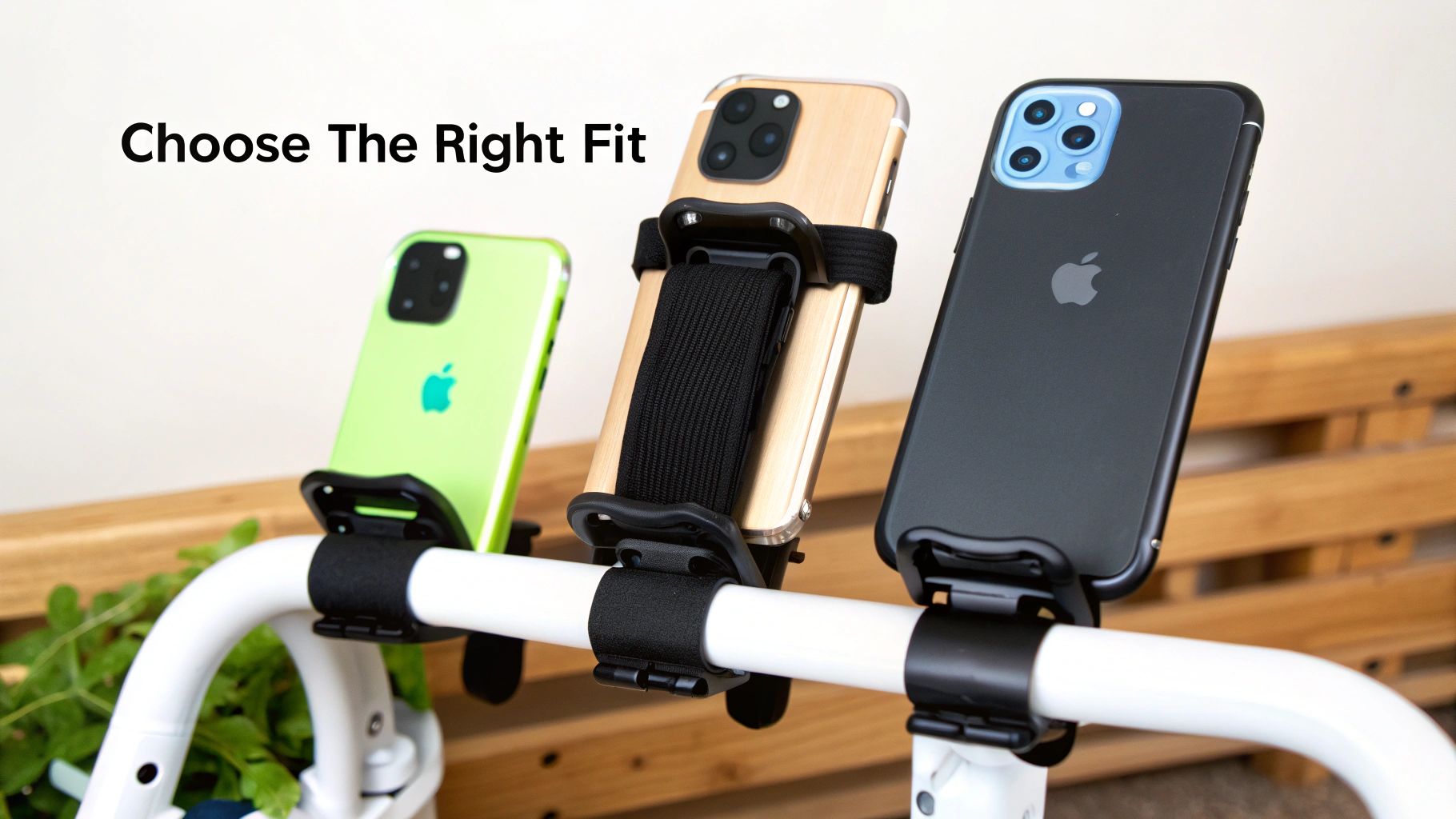
Picking out the right golf cart cell phone holder isn’t about finding a single "best" option. It's about finding the one that fits your specific push cart and how you use it. Trust me, not all holders are built the same, and the wrong one can lead to a wobbly, insecure setup that puts your smartphone in serious jeopardy.
The first big decision you’ll make is the mounting style, which really dictates the stability and what carts it will even work with.
You'll generally run into two main types: clamp mounts and strap mounts. A clamp-style holder usually features a screw-down C-clamp that bites onto your cart's frame. This creates a very firm, almost semi-permanent grip, making it a fantastic choice for carts with consistent tubing, like the square frame on a Clicgear cart.
On the flip side, you have strap-on holders that use flexible silicone or rubber straps. These are incredibly versatile and can wrap around round, oval, or even oddly shaped handlebars—think of the handles on many Bag Boy models. Their adaptability is their biggest strength, but you might need to give them a quick tighten every now and then to keep things snug.
Materials and Durability Matter
The stuff your phone holder is made of is just as critical as its mounting style. You’ll usually find them made from either rugged plastics or durable, shock-absorbing silicone.
- Rugged Plastic: Common in clamp-style mounts, these give you a rigid and secure frame. The only catch is that cheaper plastics can get brittle over time, especially after a lot of sun exposure.
- Durable Silicone: You'll see this a lot in strap-on designs. Silicone is brilliant at soaking up the vibrations from a bumpy cart path. It’s also weather-resistant and won’t scratch your cart’s paint job.
A secure fit is non-negotiable. Your phone holder must laugh at bumps and vibrations. A wimpy grip is a recipe for a shattered screen, turning a convenient accessory into a costly liability.
There's a reason you're seeing so many of these on the course. The global market for golf cart phone mounts recently hit a staggering USD 142.7 million, showing just how much golfers want to stay connected. That demand is only growing, with projections showing the market could reach USD 278.5 million by 2033. Golfers are clearly serious about integrating their tech safely.
To help you decide, here’s a quick comparison of the most common holder styles you’ll encounter.
Phone Holder Feature Comparison for Golfers
| Feature | Clamp-Style Holder | Strap-On Holder | Bracket-Specific Holder |
|---|---|---|---|
| Best For | Carts with uniform, standard-sized tubing (e.g., square or round bars). | Carts with irregular, oversized, or non-standard handlebar shapes. | Specific cart models or accessories like the Caddie Wheel remote bracket. |
| Stability | Excellent; provides a very rigid and secure grip once tightened. | Good to very good; flexibility can sometimes lead to minor shifting. | Excellent; designed for a perfect, custom fit with zero wobble. |
| Versatility | Moderate; limited by the clamp's size and shape capacity. | High; flexible straps can adapt to a wide variety of frame types. | Low; typically only fits the specific bracket it was designed for. |
| Installation | Quick screw-on mechanism, but may require a specific mounting spot. | Very quick and easy; wraps around almost any part of the handlebar. | Simple attachment to a pre-existing bracket. |
Ultimately, the best choice boils down to your specific cart. A clamp offers rock-solid stability on the right frame, while a strap gives you unmatched versatility. Bracket-specific models offer the most integrated solution if you have compatible gear.
Compatibility with Your Caddie Wheel
If you're a Caddie Wheel user, compatibility is everything. You need a holder that works with the remote bracket, not one that fights it for handlebar real estate. A slim-profile holder is almost always the way to go, as it can be positioned snugly next to the remote without creating a cluttered mess.
The whole point is to build a clean, functional command center right on your handlebar. You want to be able to glance at your phone and press the Caddie Wheel remote with a simple thumb movement. A bulky or poorly placed holder just gets in the way of that smooth operation.
For a deeper dive into what to look for, check out our guide on finding your perfect golf cart mobile phone holder: https://caddiewheel.com/blogs/golf-content/finding-your-perfect-golf-cart-mobile-phone-holder. As you weigh your options, it's also a good idea to look at specific products like the Gccmk holder to get a feel for different features and designs.
Finding the Perfect Mounting Spot on Your Push Cart
Deciding where to stick your golf cart cell phone holder isn't just a minor detail—it's something that can genuinely affect your round. The right spot means a quick glance at your GPS and easy access for scoring, all while keeping your phone locked down over bumpy fairways. Get it wrong, and you're dealing with sun glare, awkward reaches, or worse, a phone that’s at risk of taking a tumble.
Your push cart's handlebar is prime real estate, but you can't just slap the holder on anywhere. It's a balancing act between three things: visibility, accessibility, and stability. Think of these as the holy trinity of a perfect mount. Nail this, and you’ll barely even notice your phone is there.
Evaluating Key Mounting Locations
Most push carts give you a few solid options, each with its own quirks. Let's break down the common spots to help you find that sweet spot for your setup.
-
Central Handlebar: Dead center is a classic for a reason. It offers a balanced look and is often the most stable part of the handle, cutting down on vibrations. The only catch? This area can get crowded fast with scorecard holders or other gear, and sometimes the console can block your ideal viewing angle.
-
Vertical Support Struts: The vertical bars connecting your handle to the main frame are a seriously underrated option. Mounting here frees up the central console and can put your phone at a much more comfortable height. Just double-check that the bar isn't too thick for your holder's clamp and that it won't get in the way when you fold the cart up.
-
Accessory Stations: A lot of newer push carts have pre-drilled stations or mounts specifically for accessories. These are gold because they're designed for this exact purpose, giving you a secure, dedicated platform. You'll just need to confirm your phone holder's attachment system plays nice with the station's connection point.
The goal is to find a spot where you can see your screen with a quick glance, not a full-on head turn. You don't need any extra neck craning distracting you right before a crucial shot.
The Caddie Wheel Command Center
For those of us using a Caddie Wheel, finding the perfect mounting spot is all about creating a seamless command center. You want your phone and the Caddie Wheel remote to feel like a team, not two gadgets fighting for the same space. The trick is to get both within easy thumb reach without ever letting go of the handle.
A setup we’ve found works brilliantly is putting your golf cart cell phone holder on one side of the central handle and the Caddie Wheel remote bracket on the other. If you're right-handed, try mounting the phone on the left and the remote on the right—it feels incredibly natural.
This layout gives you a clean, symmetrical dashboard. You can effortlessly tap your cart's speed up or down with your right thumb while checking the yardage on your phone with your left. It’s an ergonomic dream that keeps your hands from feeling cluttered and your focus right where it belongs: on the game.
Installing Your Phone Holder for a Rock-Solid Fit
You've picked out the perfect spot, and now it’s time to get that golf cart cell phone holder mounted for a grip that won’t quit. A sloppy installation is the #1 reason phones go flying on bumpy cart paths. Trust me, taking a few extra minutes here is well worth the effort. It's not a complicated job, but a little prep work makes a world of difference.
Before you attach anything, give the mounting spot on your cart's frame a quick wipe-down with a clean, dry cloth. Dust, dirt, or even leftover sunscreen residue can mess with the clamp or strap's ability to get a solid grip. A clean surface is a secure surface.
Installing a Clamp-Style Holder
With clamp mounts, it's all about creating firm, even pressure. Start by unscrewing the clamp just enough so it fits over the cart’s tubing. Don’t just slap it on and crank it down—slide it into position and make sure the clamp’s pads are sitting completely flush against the frame.
A lot of these holders come with thin rubber inserts or shims. Don't toss those! If your cart has thinner tubing, these little guys are absolutely essential for filling any gaps. They create a snug fit and even help dampen vibrations.
Once it’s in place, tighten the screw until it feels firm. You don't need to go full Hercules on it, as over-tightening can damage the clamp or even your cart's frame. It should just feel solid, with no wobble or play when you try to move it.
The flowchart below walks you through the key decision points for finding that perfect installation spot, focusing on visibility, access, and stability.
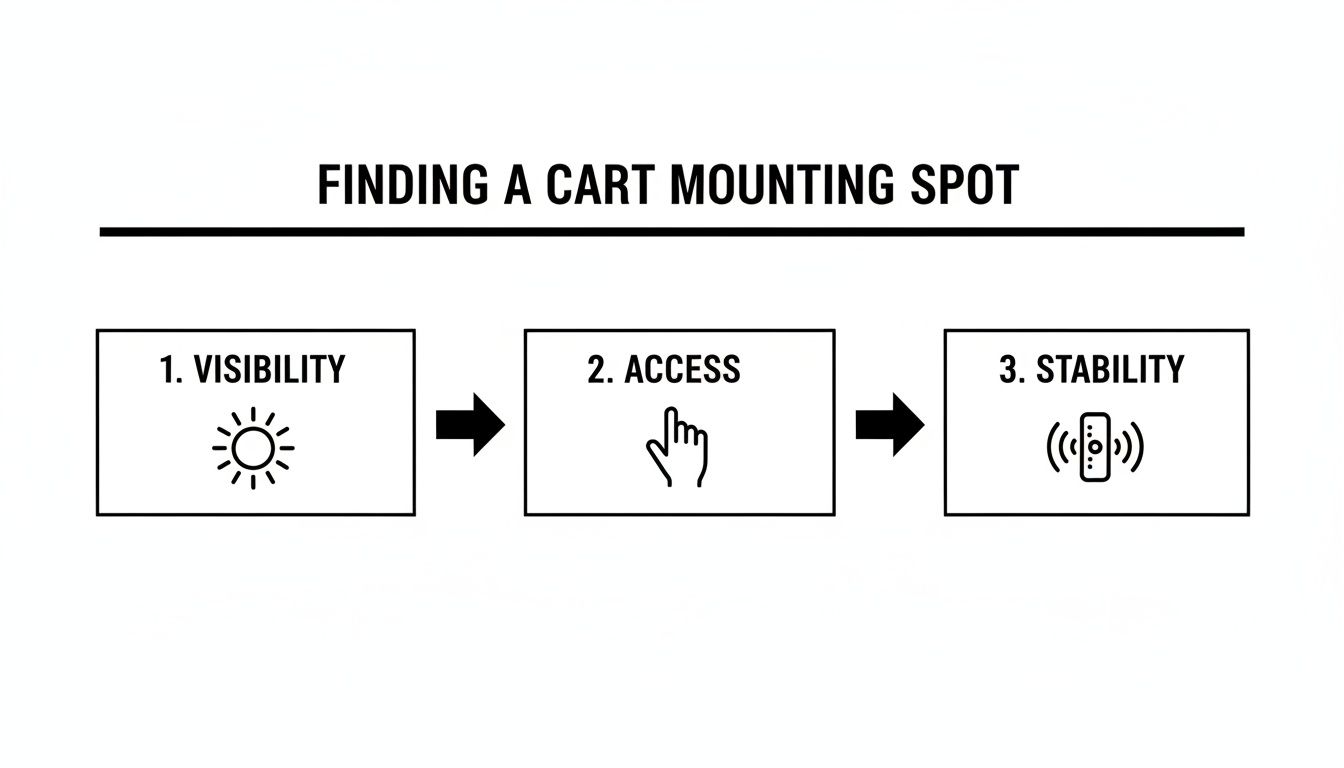
This visual guide just reinforces the idea that a successful installation starts with choosing a location that balances a clear view with easy reach and minimal vibration.
Mounting a Strap-On Holder
Strap-on holders offer awesome flexibility, but they need a good, strong pull to get them secure. Loop the strap around the frame and thread it through the buckle or locking mechanism. The real key here is to pull it as tight as you possibly can before you lock it down.
Give the strap a firm, final tug right as you clamp it shut. Silicone and rubber straps have a bit of stretch, and that final pull ensures there’s no slack left to allow slipping during your round.
That tiny bit of extra tension is what keeps the mount from slowly rotating or sliding down the handlebar when the cart gets moving. It’s a simple trick, but it makes all the difference.
The All-Important Shake Test
Your job isn't done until you've done the shake test. Pop your phone in the holder and secure it just like you would for a round. Now, give the holder—not just the cart—a firm but reasonable shake.
- Does the phone stay locked in?
- Does the whole mount shift or rotate on the frame?
- Do you hear any rattling?
If you notice any movement at all, it’s time to revisit the installation. Tighten that clamp a bit more, re-pull the strap, or add a rubber shim if you need one. Making this quick check a habit before every round takes all of five seconds and could be the thing that saves your phone. For more details on the different kinds of mounts out there, you can find a great overview in this cell phone mount for a golf cart guide.
Caddie Wheel Installation Specifics
When you’re installing a phone holder next to your Caddie Wheel remote bracket, placement is everything. The goal is to create a clean setup where nothing gets in the way of anything else. Go ahead and position the holder so it doesn't obstruct your hand when you reach for the Caddie Wheel remote.
You'll also want to make sure the holder’s clamp or body isn’t pressing directly against the remote bracket. That constant contact can cause both items to loosen over time from vibrations. Leaving even a small gap between them ensures each piece is independently secured to the cart frame, giving you maximum stability for both.
Pro Tips for Using and Maintaining Your Phone Holder
Alright, so you’ve got your golf cart cell phone holder installed and ready to go. Now, let's talk about a few simple habits that will make all the difference in keeping it—and your phone—in great shape for seasons to come. Think of it like a quick pre-round check, just as important as cleaning your clubs.
One of the biggest (and most common) mistakes I see is golfers folding up their push carts with the phone still attached. Don't do it. The folding mechanism can easily pinch, crush, or completely snap the holder or your expensive phone. Make it a conscious step to pop your phone out before you pack up. It’ll save you a world of frustration.
Another easy win is to try turning your phone sideways. Most GPS and scoring apps are designed to give you a much better, wider view of the hole when you switch to landscape mode. It’s a tiny adjustment that makes the app far more useful at a glance.
Keeping Your Setup Secure and Clean
Getting the holder installed right is just the first step; keeping it secure is an ongoing thing. Before you head to the first tee, just give the holder a quick wiggle to make sure it’s still clamped down tight. The bumps and vibrations on the course can slowly loosen things over time.
A simple pre-round check takes less than five seconds but gives you total peace of mind that your smartphone won’t take a tumble on a bumpy cart path.
This is especially smart when you consider how much is invested in the game. The global golf cart industry is a massive USD 2.06 billion market, and it's projected to hit USD 3.21 billion by 2033. The accessories segment alone was valued at USD 371 million last year. With that kind of growth, protecting your gear is just common sense. You can even learn more about the growth in the U.S. golf cart market if you're curious.
A little cleaning goes a long way, too. Keep the moving parts free from dirt, sand, and grass clippings.
- Clean the Grip: Give the clamps or straps a quick wipe-down now and then. Dust and grime can build up and reduce their gripping power.
- Check for Tightness: Any screws or adjustment knobs can loosen from vibrations. Just give them a quick check to make sure they're snug.
- Inspect for Wear: Take a look for any small cracks in the plastic or signs of stretching in the silicone straps, especially after a long, hot season in the sun.
Taking care of your golf cart cell phone holder ensures it stays a reliable part of your game round after round. For more tips on finding the perfect accessory, check out our guide to the best phone holder for your golf game.
Got Questions? We've Got Answers
Even after covering all the bases, a few questions might still be bouncing around in your head about picking the right golf cart cell phone holder. Let's go through some of the most common ones we hear from fellow golfers, so you can feel totally confident in your setup.
Will a Holder Fit My Oversized Phone and Case?
This is a big one, and for good reason. Phones seem to get bigger every year, and a solid protective case adds even more bulk. The short answer? Absolutely. Most modern holders are designed specifically for this.
Your best bet is to look for models with adjustable side clamps or those super-stretchy silicone straps. These styles offer the most wiggle room and can easily handle the largest phones on the market, even a Pro Max tucked inside a rugged case. Just be sure to glance at the manufacturer's specs for the maximum supported width before you hit "buy."
How Do I Stop My Phone from Rattling or Vibrating Loose?
A rattling phone isn't just annoying—it's a clear sign your mount isn't secure enough for the course. The secret to a vibration-free fit is a tight connection at two key spots: where the holder grips your phone and where it attaches to your cart.
First, make sure the side grips or corner straps are clamped down snugly on your phone. Second, if you're using a clamp-style mount, use any rubber shims that came with it to get a death grip on the cart's frame. For strap mounts, give that strap one last firm tug before you lock it down. Getting rid of that slack is what stops it from jiggling around on rougher parts of the fairway.
A secure, vibration-free setup is the hallmark of a quality installation. If you can shake the holder by hand and see movement, it's not ready for the back nine. Re-tighten all connection points until it feels like a solid part of the cart itself.
Can I Still Use Wireless Charging with a Holder?
Whether you can wirelessly charge depends entirely on the holder's design. The good news is that many cradle-style holders won't interfere at all, especially if you're using a portable power bank to charge on the go.
The main thing to watch out for is magnetic mounts. If the holder requires you to stick a metal plate to the back of your phone, that plate will almost always block wireless charging from working. If charging on the course is a must-have for you, stick with a clamp or strap holder that leaves the back of your phone completely exposed.
What if My Push Cart Has Oddly Shaped Handlebars?
This is where strap-on holders really prove their worth. A rigid clamp mount is perfect for standard round or square tubing, but they can't do much with oval, tapered, or oversized handlebars. A flexible silicone strap, on the other hand, can wrap around just about any shape you throw at it, giving you a secure mounting point where a clamp would just fail.
Before you buy, grab a tape measure and get a quick reading of the circumference of your cart's handlebar where you want to mount it. Check that number against the strap length in the product specs to make sure you'll have enough length to wrap it around and pull it tight.
Ready to create the perfect on-course command center for your push cart? The Caddie Wheel provides effortless electric power, and pairing it with the right golf cart cell phone holder makes for an unbeatable combination. Explore how you can walk the course with less fatigue and more focus by visiting us at https://caddiewheel.com.
Share:
Your Complete Guide to Golf Bag Pull Carts and Electric Upgrades
A Golfer's Guide to Electric Push Carts for Golf