
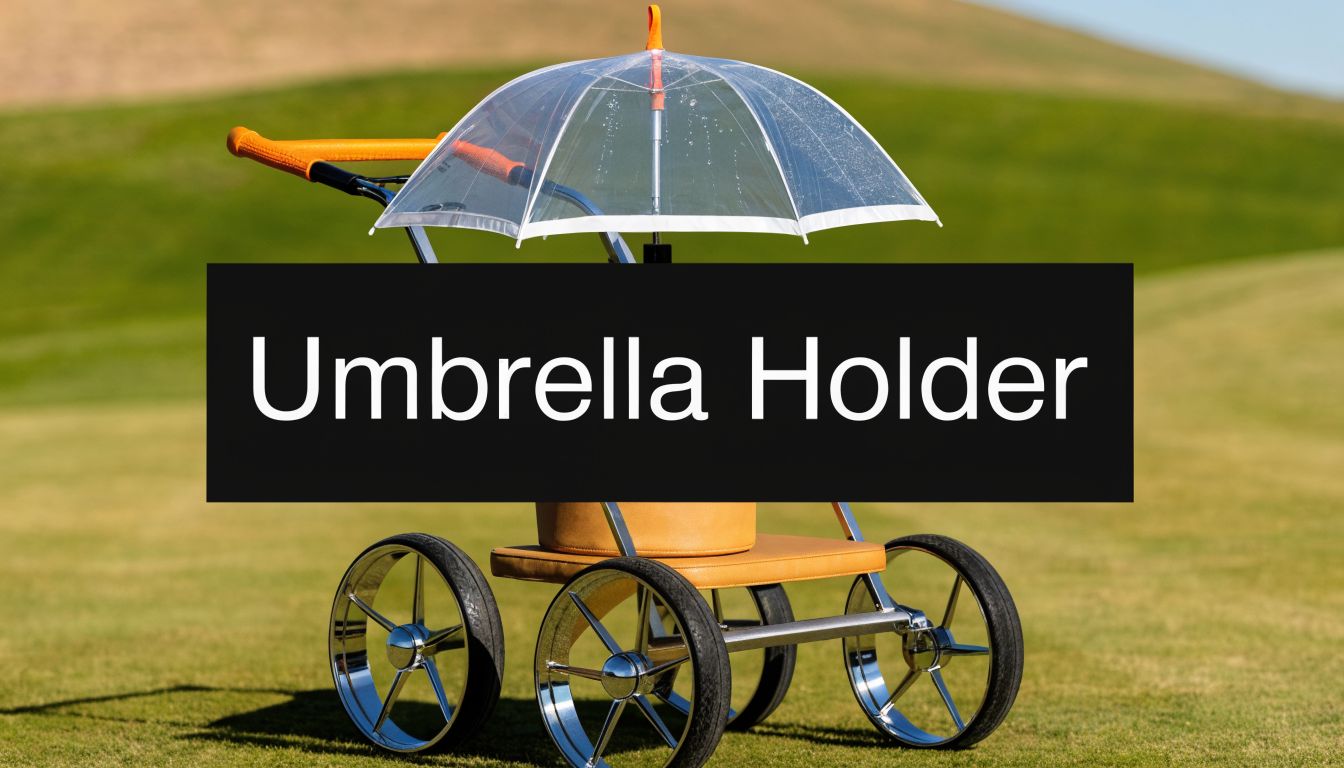
You’re usually looking for an umbrella holder for golf cart after one of two rounds. The first is the wet one, where your towel is soaked by the turn and you’re trying to steer, carry a scorecard, and keep grips dry with only two hands. The second is the hot one, where there’s no shade, the sun sits over your lead shoulder for four holes straight, and pushing a cart starts to feel like work instead of part of the fun.
That’s why this accessory stops being optional so quickly. A good holder keeps your hands free, protects your clubs and your body, and lets you walk at a normal rhythm instead of fighting the weather every few minutes. The market reflects that shift. The golf push cart market, with umbrella holders as key accessories, hit a global value of $250 million in 2023, reflecting rising demand among the 40% of golfers who prefer to walk the course according to Caddie Wheel’s overview of umbrella holders for golf push carts.
Why Every Walking Golfer Needs an Umbrella Holder
A lot of golfers wait too long to add one. They think a holder is a nice extra, then spend a round tucking an umbrella under an arm, balancing it against the bag, or stopping every time the wind shifts. That gets old fast on the back nine.
The value isn’t only rain protection. On bright days, the holder creates moving shade over your handle area, upper body, and sometimes the top of your bag. On drizzly days, it gives you a dry lane to walk behind your cart. That changes how calm the round feels.

What it fixes during a real round
By the 12th hole, the usual annoyances pile up. You need one hand for the cart, one for the umbrella, and suddenly simple things become clumsy.
- Checking yardage: Pulling out a rangefinder or yardage book is easier when the umbrella stays put.
- Managing the cart: Folding, parking, and turning the cart feel normal again.
- Protecting gear: Grips, glove, and scorecard stay drier when the umbrella sits in the right position.
- Saving energy: Less stopping and restarting means less fatigue over a full walk.
Practical rule: If weather affects your pace more than your swing, an umbrella holder is already worth it.
The biggest benefit is focus. You stop thinking about where to put the umbrella and get back to club selection, target lines, and pace. That matters whether you walk for fitness, because you prefer the rhythm of the round, or because a push cart makes more sense than riding.
If you like dialing in comfort and setup details beyond weather protection, this guide to cool accessories for golf carts to upgrade your ride is a useful next read. And if you also care about off-course ways of enhancing your golfing experience, simulator sessions can help keep your swing sharp when the weather doesn’t cooperate.
Why it becomes part of the setup
The best push cart accessories don’t ask for attention after you install them. They just remove friction from the round. A strong umbrella holder does exactly that.
It also helps you commit to walking more often. If the forecast looks mixed, you won’t second-guess whether to take the push cart out. You know the setup can handle a sudden shower or a long exposed stretch with no tree cover.
How to Choose the Right Umbrella Holder
Start with the cart, not the umbrella.
That matters even more if your push cart uses an aftermarket power-assist system such as Caddie Wheel. A holder that feels solid on a standard walking setup can shift, loosen, or sit in the wrong place once the cart is pulling itself over bumps and side slopes. The extra vibration changes what counts as “good enough.”

Universal fit versus brand-specific fit
Universal holders are the practical choice for carts with round tubing, open handle sections, or simple frame geometry. They also make sense if you may change carts later or want to transfer the holder between a manual setup and a powered-assist setup.
Brand-specific holders usually win on fit and finish. If your cart has a built-in accessory station or a dedicated mounting point, these holders tend to sit tighter to the frame and need less fiddling to get the angle right. That cleaner fit can help reduce wobble.
Power-assist users need to be more selective. Some brand-specific holders fit the cart well but end up competing for space with battery mounts, control wires, or drive-system brackets. On a Caddie Wheel-style setup, the best holder is often the one that leaves clear space around the handle, folding points, and any added hardware, even if it is not the prettiest option.
Comparison of Umbrella Holder Mounting Types
| Mounting Type | Best For | Installation Ease | Stability |
|---|---|---|---|
| Clamp-on | Older carts, universal setups, mixed brands | Easy if tube diameter matches | Good when clamped to solid round tubing |
| Bracket-mount | Carts with accessory stations or dedicated mount points | Fast and clean | Usually the most secure when matched correctly |
| Drill-on | Custom builds or carts with no usable mount location | Harder, more permanent | Very stable if installed carefully |
What matters more than brand name
The frustrating holders usually fail in the same places. They slip, they vibrate loose, or they cannot hold a useful angle once the umbrella catches wind.
Look for these features first:
- Angle adjustment: You want enough vertical and side-to-side range to keep coverage useful as the sun shifts or the rain changes direction.
- Clamp quality: A wide clamp with solid hardware holds position better than a narrow clamp with soft plastic threads.
- Material: Aluminum or reinforced composite lasts longer under repeated tightening. Cheap plastic works for light use but tends to flex.
- Locking points: Two tightening points usually resist rotation better than one.
- Clearance around accessories: Make sure the holder does not crowd the brake, scorecard console, drink holder, phone mount, or power-assist controls.
A slightly heavier holder is often the better buy if you walk in wind or use powered assistance.
The trade-offs golfers actually notice
Clamp-on models give you the most freedom, but sizing has to be right. If the clamp is even a little too large, the holder will twist under load. With a powered-assist wheel, that problem shows up faster because the cart keeps moving while the holder absorbs constant chatter from the ground.
Bracket-mount systems are more predictable if your cart accepts one. They usually install cleanly and stay put better through a full round. The limitation is flexibility. You are locked into the mount location the cart gives you, and that may not be the best spot once a power unit, battery pack, or cable routing enters the picture.
Drill-on holders suit golfers building a permanent setup. I only recommend them when the cart is dedicated to one configuration and the folding pattern is already sorted out. Drill in the wrong place and you create two problems at once: poor umbrella position and a cart that becomes awkward to fold or load.
If you want to compare holder designs before choosing a mount style, this guide to umbrella holders for golf push carts gives a useful overview of the main options.
The best choice is the holder that stays tight, clears your accessories, and keeps the umbrella stable while the cart is moving. On a standard push cart, that is convenience. On a power-assisted setup, it is also a safety decision.
Measuring for a Perfect Fit and Checking Compatibility
A bad fit usually shows up on the first windy hole. The clamp slips, the umbrella tilts into your sightline, or the cart gets awkward to steer once everything is loaded. Ten minutes with a tape measure prevents most of that.
The first measurement is the frame tube where the holder will mount. Measure the actual outside diameter at the exact spot you plan to use, then compare it with the holder’s stated clamp range. Do not assume the whole cart uses the same tube size. Many push carts change diameter between the handle, side struts, and accessory area.

Where to measure on the cart
Measure the cart in its fully open position, with your bag attached if possible. That gives you real spacing, not a best-case guess from an empty frame.
Use this quick check:
- Pick the mounting point: Common spots are near the handle, on a side strut, or beside an accessory station.
- Measure the tube diameter: Check the widest outside point of the tube where the clamp will sit.
- Check folding path: Make sure the holder will clear the bag bracket, front wheel area, and any hinge points when the cart folds.
- Check hand clearance: Leave room for both hands, the brake, the scorecard console, and anything else you touch during the round.
If you want a better sense of the spacing different carts need, this golf cart dimensions guide is a useful reference.
Check the umbrella shaft too
Cart fit is only half the job.
A lot of golfers measure the frame and forget the umbrella shaft, then end up with a holder that mounts securely but does not grip the umbrella properly. Some holders clamp the shaft directly. Others use a cup or sleeve that only accepts a narrow range of diameters. Straight shafts are usually easier to secure than umbrellas with thick molded handles or heavy taper near the base.
Measure both in the same session. That one habit catches a lot of mismatches before you buy.
Compatibility checks for carts with power-assist systems
This matters more on a push cart with an aftermarket drive unit such as Caddie Wheel. In my experience, standard umbrella holder listings rarely explain how the holder behaves once a cart has added drive hardware, a battery, remote use, and a slightly different balance point. That gap matters because a mount location that works on a manual cart can become annoying or unsafe on a powered setup.
Check these points before buying:
- Remote visibility and access: The umbrella should not block your view of the remote or force an awkward hand position.
- Cable and bracket clearance: Leave space around added mounts, wiring, and battery hardware.
- Walking line behind the cart: Make sure the umbrella does not push you off-center while the cart is turning.
- Slope behavior: A power-assisted cart can react differently to side load from wind and canopy drag, especially on uneven lies.
The best way to test compatibility is to mock up the holder position before you order. Tape a bottle, flashlight, or rolled towel where the holder would sit. Then stand behind the cart, check your normal grip, simulate a turn, and fold the cart. For Caddie Wheel users, I also recommend testing it with the remote in hand and the battery installed. That quick trial exposes clearance problems that product photos never show.
Step-by-Step Installation Guide
A good install starts with the cart in its real working setup. Bag on. Battery installed if you use a power-assist unit. Remote mount in place. That is especially important on carts running a Caddie Wheel or similar drive system, because a holder position that feels fine on a bare push cart can crowd controls or shift into your walking line once everything is attached.
For most golfers, a clamp-on holder is still the practical choice. It gives some room to adjust before you lock it down, and that matters when you are trying to clear a console, brake lever, battery tray, or remote bracket.

Clamp-on installation that stays put
Clean the frame tube first. Sunscreen, dust, and dried mud reduce grip and make a clamp twist under load.
Use this sequence:
- Unfold the cart completely: The handle angle and frame spacing change once the cart is open.
- Set the clamp loosely at first: Place it slightly off-center so the umbrella shaft does not sit in front of your chest or knees.
- Check powered-cart clearance: On a Caddie Wheel setup, confirm the holder does not block the remote mount, wiring, or battery access.
- Tighten in small steps: If the mount uses two fasteners, alternate between them so the clamp seats evenly.
- Insert the umbrella before the final turn: An empty holder can feel stable and still rotate once the canopy catches weight or wind.
A thin rubber shim helps if the fit is only a little loose. A thick spacer usually causes more movement because the clamp never gets a firm bite on the tube.
Accessory-station and twist-lock holders
Some carts have a dedicated accessory port, and those holders are usually quicker to fit. Twist-lock models are straightforward, but they still fail for the same reason over and over. Golfers stop turning as soon as resistance builds, then the holder loosens halfway through the front nine.
Three checks prevent that:
- Seat the post fully before locking it
- Turn the mechanism to its full stop
- Tighten the angle joint separately if the holder has one
With a powered assist, do one extra test. Stand behind the cart with the umbrella holder installed, hands where they would be during a normal walk, then simulate a remote-guided turn. If your wrist, remote, or line of sight feels crowded, move the holder now. That annoyance gets worse on the course.
A quick visual walkthrough helps if this is your first install.
Drill-on holders and permanent setups
Drill-on mounts make sense when the frame has no solid clamp zone and no accessory port. They take more care, but they can be the cleanest answer on older carts or heavily modified carts with limited free tube space.
Mark the location with the cart folded and unfolded before drilling. Then hold the umbrella in place and check bag clearance, hand clearance, and wheel clearance one more time. On carts with aftermarket power assists, also verify that the bracket will not interfere with added hardware or make battery removal harder.
Use decent fasteners. If the included screws feel soft or shallow, replace them before installation. Mount into a solid structural section of the frame, not a thin cover panel.
Workshop note: Tape the holder in place and test the umbrella angle before drilling any hole.
Final checks before the first round
Do a short test run on pavement or a parking lot. Open the umbrella. Fold it. Turn the cart both directions. Fold and reopen the cart once. If you use a Caddie Wheel, power the cart on and make a few slow turns with the umbrella removed, then inserted, so you can feel whether the new position affects access or control.
You want three clean results:
- The base does not slip
- Your hands and controls stay clear
- Nothing touches the wheels, bag, or folding joints
If any one of those fails, reposition the holder before you take it to the course.
On-Course Adjustments and Safety Tips
The first real test of an umbrella holder is not the install. It is the walk from the first tee when the wind shifts, the path turns sidehill, and the cart starts pulling a little differently than it did in the parking lot.
A good setup needs small adjustments during the round. For sun, set the canopy to shade your shoulders and handle area without blocking your line forward. For rain, tip it slightly ahead of the handle so water sheds away from your grips, brake lever, console, or remote cradle.
Use caution when the cart is moving
Manufacturers warn against moving the cart with the umbrella open, and in practice that is the right call. I have not seen any published wind threshold that tells you when an open umbrella becomes safe or unsafe on a walking cart, so the practical approach is simple. Treat an open umbrella as a parked or slow-hand-guided setup, not something to leave up while the cart is rolling under power.
That matters even more with power-assist systems like Caddie Wheel. Once the cart is self-propelled, the umbrella stops being just weather cover and starts acting like a sail mounted high on the frame. A sudden gust can twist the cart, lighten one side, or make the handle feel unsettled. If you are using remote control, that lag between seeing the gust and correcting the line is exactly where trouble starts.
On manual push carts, an open umbrella in wind is usually a nuisance. On powered setups, it can affect tracking and stability.
Habits that prevent problems
- Close it for powered travel: If the cart is running under assist or remote control, fold the umbrella before long moves, crossings, or downhill sections.
- Reset the angle by hole, not by round: A setup that works on a sheltered par 3 may be wrong on an exposed fairway.
- Watch crosswinds on side slopes: That combination puts the most side load on the holder and the cart frame.
- Recheck hardware after rough paths: Repeated vibration can loosen pivot knobs and clamp bolts faster than golfers expect.
- Keep the canopy lower in breeze: A lower angle catches less air and usually still gives enough coverage for light rain or sun.
If the cart is moving under power, the safe default is to keep the umbrella closed.
Keep the holder working season after season
Most holder failures start with a small shift that goes ignored for weeks. The clamp rotates a few degrees. The pivot teeth stop seating cleanly because grit gets packed into them. Then the umbrella begins to droop, and the problem gets blamed on the holder instead of the maintenance.
Clean the joints after wet or sandy rounds. Dry the hardware before the cart goes back in the trunk or garage. If your setup includes a Caddie Wheel or similar add-on, give the holder a quick hand check every few rounds to confirm it has not crept toward the drive unit, battery access area, or control hardware. That thirty-second check prevents most of the on-course annoyances people call a product defect.
Troubleshooting Common Installation Issues
Most umbrella holder problems come down to fit, placement, or overconfidence during the first install. The fix is usually simple once you identify which of those three is causing trouble.
The holder wobbles or droops
That usually means the clamp is on a tapered section, a dirty tube, or a diameter that’s slightly undersized for the holder. Move the mount to a straighter section first. If the fit is just a little loose, add a thin rubber shim and retighten evenly.
If the wobble comes from the angle joint rather than the clamp, tighten the pivot point and test with the umbrella open, not empty.
The umbrella doesn’t fit the sleeve well
If the handle is too thick, don’t force it. You’ll crack the receiver or create a bind that makes removal annoying every round. Choose a holder that accepts a wider shaft or grips higher on the umbrella where the diameter is slimmer.
If the shaft is too loose, the umbrella may rattle even when the mount itself is solid. In that case, a holder with a more adjustable top receiver works better than trying to pad the umbrella handle.
The handle area feels crowded
This is common when you also use a phone mount, GPS, scorecard console, or remote. The answer isn’t to cram everything around the centerline.
Try this layout:
- Keep control items central: Put the most-used item where your hand naturally falls.
- Move weather gear outward: Mount the umbrella holder slightly to one side.
- Protect screen visibility: Don’t let the umbrella shaft sit directly in front of your display or accessory tray.
- Test folding last: A tidy setup while open can still clash badly when folded.
The cleanest setups come from treating the handle area like a cockpit. Every accessory needs a purpose and a place. If two accessories compete for the same spot, one of them has to move.
If you want to walk more rounds without pushing fatigue, Caddie Wheel adds electric power assist to standard push carts in a compact, practical package. It’s a smart option for golfers who like the simplicity of walking but want help on hills, longer rounds, or days when energy matters as much as score.
Share:
Golf Cart Manuals: Find, Read & Maintain Your Cart
Cheapest Electric Golf Carts: A 2026 Buyer's Guide