
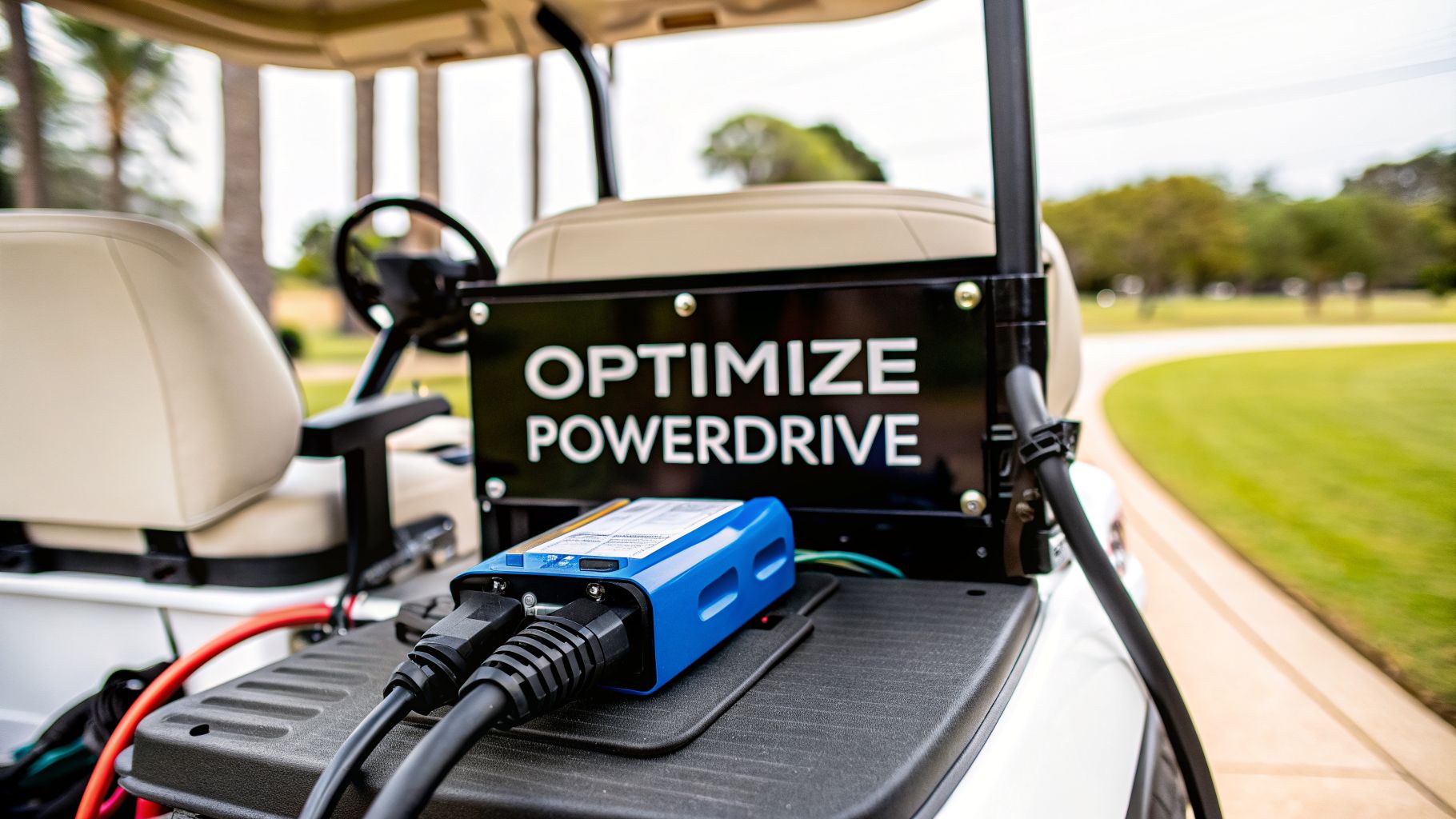
If you own a Club Car, you know the PowerDrive Club Car charger isn't just another accessory. It’s an intelligent charging system built specifically for their carts, especially the popular 48-volt DS and Precedent models. It’s designed to work hand-in-hand with your cart's On-Board Computer (OBC), delivering a smart, multi-stage charge that keeps your batteries healthy and extends their life.
Your Essential Guide to Club Car PowerDrive Chargers

Think of your PowerDrive charger as the unsung hero of your golf cart's power system. It’s the component working behind the scenes to make sure you’re ready for every round. This guide is for any cart owner—whether you're running a traditional Club Car or an electric push-cart conversion—who wants to move beyond the user manual and gain real-world confidence.
We’ll dig into why truly understanding this charger is the key to getting the most out of your cart’s performance and battery lifespan.
Mastering Your Cart's Power System
Learning to identify your specific charger model, master the right charging routine, and even fix common problems yourself is your best defense against expensive battery replacements and frustrating downtime. You'd be surprised how many charging "failures" aren't a bad charger at all, but a simple communication error with the cart's OBC.
We’ll share practical insights that will help you avoid costly mistakes and keep your cart running like a top, whether you’re managing a whole fleet or just your personal ride. It all starts with understanding the technology inside the PowerDrive.
At its heart, the PowerDrive system is all about communication. The On-Board Computer (OBC) is constantly monitoring your battery pack. It's the brain that tells the charger exactly when to start, how much juice to send, and precisely when to shut off.
Why This Guide Is for You
This guide is built for any golf cart owner ready to become more self-sufficient. When you master your PowerDrive Club Car charger, you’re taking control of your cart’s most critical—and expensive—component. We'll cover everything you need to know.
- Model Identification: Get to know the differences between PowerDrive 1, 2, 3, and the newer ERIC chargers so you always know what you're working with.
- Charging Best Practices: We’ll help you build a simple routine that will dramatically extend the life of your battery pack.
- Troubleshooting Steps: Learn how to confidently diagnose and solve common headaches, like the dreaded "click and shut off" issue that stumps so many owners.
- Performance Optimization: Understand the smart tech that prevents overcharging and keeps your batteries in peak condition for years to come.
Before diving deep, it helps to grasp the fundamentals of charging technology. Looking at guides on how to find the best LiPo battery charger can give you a solid foundation on charging principles that apply across different battery types. With these tools, you'll be maintaining your cart with the confidence of a seasoned pro.
Identifying Your Club Car PowerDrive Charger Model

Before you can tackle any charging issues or buy replacement parts, you have to know exactly which PowerDrive Club Car charger you’re dealing with. It’s a common point of confusion because "PowerDrive" isn't a single model—it's a family name covering three distinct generations.
Getting them mixed up can lead to charging headaches or, even worse, fried electronics in your cart. The good news is that figuring out your model is pretty simple once you know the tell-tale signs.
Start with the Charger’s Label
Your charger's data label is its ID card. This sticker, usually on the front or top of the case, holds the model number, part number, and amperage—all critical details.
- PowerDrive 1: This is the original beast. It's a large, heavy, gray box, and you'll often find a part number like 1012101.
- PowerDrive 2: A bit more compact than its predecessor. Look for part numbers such as 102774701.
- PowerDrive 3: These are typically black and more streamlined. They often share part numbers with the PowerDrive 2 (like 103717101), which is why physical clues are so important.
The PowerDrive series was a huge step forward for Club Car back in the mid-1990s, standardizing charging for their new 48-volt systems on Precedent and DS models. By 2004, it was the go-to charger for all Precedent carts, boasting a fan-less design that boosted reliability by 30% over its rivals. You can see more specifics on PowerDrive model years to help match your cart.
PowerDrive Charger Identification Guide
To make things even easier, here’s a quick reference table. Use it to cross-reference your charger's features with the common Club Car models they were paired with.
| Charger Model | Key Visual Feature | Amperage | Common Club Car Models & Years |
|---|---|---|---|
| PowerDrive 1 | Large, heavy gray case | 17 Amps | Club Car DS (1995-2005) |
| PowerDrive 2 | Gray or black rectangular case | 13 Amps | Club Car DS & Precedent (2000-2007) |
| PowerDrive 3 | Black, slightly rounded case | 13 Amps | Club Car Precedent (2007-2013) |
This table should help you quickly pinpoint your model, which is the first step toward proper maintenance and troubleshooting.
Physical Clues for a Quick ID
What if the label is scratched, faded, or gone completely? No problem. You can still identify your charger by its physical traits.
The most obvious feature across the entire PowerDrive family is its plug. All PowerDrive chargers use a very specific 3-pin round connector. If you see this plug, you know you have a PowerDrive. It's a dead giveaway, separating it from the rectangular plug used on older 36V carts.
Another big clue is the sound—or lack thereof. PowerDrive 1, 2, and 3 chargers are all fan-less. They were built with big internal heat sinks for passive cooling. If your charger hums with a fan, you either have a newer ERIC model or an aftermarket unit.
Pro Tip: Don't get the charger's amperage mixed up with your cart's voltage. Your 48-volt Club Car needs a 48V charger, period. The amperage, which is usually between 13 and 17 amps on these models, just determines how fast it charges. Voltage matching is non-negotiable; amperage affects speed.
By combining what you see on the label with these physical checks, you can be confident about which PowerDrive you own. This simple step makes sure you're using the right guides for maintenance or ordering the correct parts, setting you up for success from the start.
A Practical Charging and Maintenance Routine
Getting a solid routine down for your PowerDrive Club Car charger is about way more than just plugging it in after a round. It’s about smart charging and simple upkeep that protects your battery investment and makes sure your cart is always ready to roll when you are. The habits you build now will have a direct say in your battery pack’s lifespan and performance.
The first rule every seasoned cart owner lives by is to charge after every real use. Even if you only squeezed in nine holes, plugging it in keeps the batteries topped off and happy. Running lead-acid batteries way down on their charge is the fastest way to cause sulfation—a nasty process that kills their ability to hold a charge and drastically shortens their life.
Think of it this way: a small top-up after a short trip is much healthier for your batteries than draining them completely and then slamming them with a massive recharge. It’s like snacking through the day instead of waiting for one giant, heavy meal.
The Spark-Free Charging Sequence
The order you connect your charger matters more than most people think. Get it wrong, and you can get a nasty spark at the charging port, which slowly fries the plug and the receptacle over time. To avoid this, always follow this simple, spark-free sequence.
- Connect the Charger to Your Cart First: Make sure that 3-pin round plug is pushed firmly into your Club Car’s receptacle. You should feel it seat with a solid, secure click.
- Plug the Charger into the Wall Outlet: Only after the cart is connected should you plug the charger’s AC cord into a grounded wall outlet.
When it's time to unplug, just do the reverse. Pull the plug from the wall first, then disconnect it from the cart. This one little habit prevents arcing and protects both your charger and your cart's sensitive electronics from damage.
Here’s a crucial pro tip: Before every single charge, give your charger's cords a quick once-over. Any sign of cracking, fraying, or exposed wires is a serious safety risk. If you see damage, that cord needs to be replaced immediately, no exceptions.
Essential Maintenance for Longevity
Beyond the daily charge, a few quick monthly checks will keep your whole system running like a top. These tasks are simple, but they make a world of difference in heading off the most common problems. If you want to dig deeper into general upkeep, our guide on the essentials of a golf cart charger is a great place to start.
For anyone running traditional lead-acid batteries, checking the water levels is non-negotiable. Water evaporates during the charging process, and if the lead plates inside get exposed to air, they can be permanently damaged.
- Check Water Levels Monthly: After you've completed a full charge cycle, carefully pop the caps off your batteries and take a look inside.
- Use Distilled Water Only: If the liquid is below the top of the internal plates, add distilled water until it just covers them. Never use tap water—the minerals will build up and destroy your batteries.
- Keep the Terminals Clean: While you've got the hood up, inspect the battery terminals. If you see any of that fuzzy white or blue gunk (corrosion), clean it off with a wire brush and a simple paste of baking soda and water. A clean connection means your charger gets an accurate voltage reading and charges properly.
Finally, make sure you're charging in a well-ventilated area. Batteries can release hydrogen gas while charging, which is flammable. Just cracking the garage door or charging in an open carport is a simple safety step that makes a huge difference. This complete routine ensures your cart is always powered up and ready for your next round.
How to Troubleshoot Common PowerDrive Charger Issues
Even the best PowerDrive Club Car charger can have an off day. When yours starts acting up, don't rush to the repair shop just yet. More often than not, the problem is something you can fix yourself with a little know-how, getting you back on the course in no time.
One of the most common headaches is the classic "click and shut off." You plug the charger in, hear that single, hopeful click from the relay, maybe the ammeter needle twitches for a second, and then... dead silence. It’s not charging. This is almost always a sign of a communication problem between the cart and the charger.
Your cart’s On-Board Computer (OBC) is the gatekeeper here. It has to give the charger the green light to start charging. If the OBC doesn't send that "all clear" signal, the charger is designed to shut down as a safety precaution. It's not a faulty charger; it's a charger waiting for permission.
The OBC Reset: Your First Move
Before you even think about grabbing a toolkit, try resetting the OBC. This is the go-to first step for a reason—it clears out any electronic glitches and solves a surprising number of charging mysteries. It's simple and requires no special tools.
- First, unplug the charger from both the cart and the wall outlet.
- Find the Tow/Run switch under the seat and flip it over to TOW.
- Now, disconnect the main negative cable from your battery pack. Let it sit disconnected for at least 10-15 minutes to ensure a full reset.
- Finally, reconnect the negative cable, switch the cart back to RUN, and plug the charger in again using the proper sequence.
If the charger now hums to life and stays on, you’ve found your fix. This simple reset is the most powerful first diagnostic you can run on any Club Car charging issue.
Charger Hums But Won't Charge
What if your charger hums away, clearly getting power, but the ammeter needle is stuck at zero? This tells you the charger is on, but it isn't sending any juice to the batteries. The likely culprit? Your battery pack's voltage is too low.
If your batteries are too far gone—often below 35-40 volts for a standard 48V pack—the PowerDrive's built-in safety circuit won't let it start. It’s a failsafe to prevent damage. For a deeper dive into this and other battery-related headaches, our guide on troubleshooting common golf cart battery issues is a great resource.
This diagram shows the right way to connect your charger every single time to avoid sparks and protect your equipment.

Following this order—cart first, then wall outlet—is a fundamental best practice. Make it a habit.
Don't Forget the Basics: It sounds almost too simple, but always double-check the obvious stuff. Is the wall outlet working? Plug in a lamp to be sure. Is the charger’s own fuse blown? It’s often a quick fix that’s easy to miss in the heat of the moment.
If you’ve walked through all these steps—you’ve reset the OBC, confirmed the batteries aren’t dead, and checked your connections—and it’s still no-go, the problem might be more serious. It could be a bad relay inside the charger or a more hidden electrical fault in the cart. When you've exhausted the basics, it might be time to call in a professional troubleshooting electrician who can safely diagnose the trickier issues.
Optimizing Performance and Extending Battery Life
Getting your cart charged is one thing, but truly understanding how your PowerDrive Club Car charger works is how you get the most out of your batteries. Think of it less like a simple power brick and more like a smart device that's constantly communicating with your cart's On-Board Computer (OBC) to deliver a healthy, precise charge.
That intelligent connection is what protects your investment. One of the quickest ways to kill a set of golf cart batteries is by overcharging them. The PowerDrive system is built specifically to prevent that from ever happening. As your batteries get close to full, the charger’s algorithm tapers down the current to avoid "cooking" them and causing permanent damage.
Preventing Battery Gassing
A big part of this smart process is minimizing what's known as "gassing." This happens when the charging current starts splitting the water in your battery's electrolyte into hydrogen and oxygen. A little bit is normal, but too much gassing leads to water loss, damaging heat, and a much shorter battery lifespan.
Your PowerDrive charger keeps a close watch on battery voltage to manage this. By carefully controlling the final stage of the charge cycle, it gets the batteries to 100% without needlessly boiling off the electrolyte. Over hundreds of charges, this smart management directly translates into longer-lasting batteries and real cost savings.
The real takeaway here is that a good charging routine is about preservation, not just convenience. Every time you let the charger complete its cycle properly, you are actively extending the life of your battery pack—which is often the single most expensive part of your cart to replace.
This focus on battery health is a signature of the PowerDrive series. The PowerDrive 2, for example, was optimized for 9.0 amps and 1080 watts, while the PowerDrive 3 was dialed in at 9.5 amps and 1140 watts. This efficiency alone slashed operational costs by 15-20% per charge compared to older, dumber chargers.
Even when faced with deep discharges that naturally extend gassing time, their smart logic kept batteries at 80% health after 500 cycles. As detailed in guides like this one from Nadler Golf on winterization, these kinds of stats have been shown to reduce annual fleet costs by as much as 22%.
The Long-Term Benefits of Smart Charging
At the end of the day, all that technology inside your PowerDrive is there to save you money. Every single charge cycle that avoids over-saturating the plates or causing excessive gassing adds a little more to the battery pack’s total lifespan. It might not seem like much on a given day, but over several years, it adds up to a lot.
This is exactly why a consistent, hands-off charging routine is so important. You’re letting the charger’s intelligent design do its job, which delivers a few key benefits:
- Longer Battery Life: Actively prevents the most common causes of premature battery failure.
- Reliable Performance: Ensures your cart has the power and range you expect, every single time.
- Lower Running Costs: Smart, efficient charging means less wasted electricity and fewer expensive battery replacements down the road.
If you're curious about how far this technology has come, you can check out our guide on how a modern golf cart smart charger builds on these same principles. By adopting these simple habits, you’ll keep your cart powered up and ready for the course for years to come.
Frequently Asked Questions About PowerDrive Chargers
Even the most seasoned Club Car owners run into charger issues now and then. We get these questions all the time, so let's clear up a few of the most common ones that pop up with the PowerDrive Club Car charger.
Getting the right answer quickly can save you a lot of time and frustration, and turn you into a more confident cart owner.
Using a PowerDrive Charger on Other Brands
This question comes up a lot, and the answer is a hard no. A PowerDrive charger is specifically built to "talk" to a Club Car's On-Board Computer (OBC). It’s not a one-size-fits-all solution.
If you try to hook it up to an E-Z-GO or Yamaha, you're asking for trouble. Best case scenario? It just won't do anything. Worst case? You could fry the other cart's batteries, its electronics, or the charger itself. The charging algorithms and safety checks are completely different. Always stick with a charger made for your cart's brand and voltage.
The Charger Clicks On and Immediately Off
Ah, the classic click-and-quit. This is a tell-tale sign that your cart's OBC isn't giving the charger the green light to start. That single click is the charger's relay trying to kick on, but without the "go" signal from the OBC, it shuts down as a safety measure. It's probably the most common headache owners run into.
Your first and best move is to reset the OBC. Unplug the charger, put the cart in TOW mode, and disconnect the main negative battery cable for about 15 minutes. Reconnect everything and try again. This simple fix works more than half the time.
If that reset doesn't do the trick, you might be looking at a deeper issue, like a faulty OBC, a really weak battery connection, or an internal problem with the charger's relay.
Leaving the Charger Plugged In All The Time
For the most part, yes, this is perfectly fine. PowerDrive chargers are smart chargers. Once your batteries are full, they automatically switch to a maintenance or "float" mode. The charger then sends just a tiny trickle of power to keep the batteries topped off without overcharging them.
This is super helpful for long-term storage, like during the off-season. That said, it’s still smart to unplug the charger during a nasty thunderstorm. A power surge can easily zap the sensitive electronics inside.
Is It the Charger or the Batteries?
This can be a tricky one to figure out, but there’s a pretty simple way to test it. If you can, borrow a known-good PowerDrive Club Car charger that uses the same system and try it on your cart. If it works, you know your charger is the problem.
Conversely, try your charger on another compatible Club Car. If it charges that cart just fine, then the issue is almost certainly with your own cart’s batteries or OBC. Another dead giveaway is a big drop in runtime. If your cart used to cruise for 20 miles but now dies after 5, that’s a classic sign of aging batteries that just can't hold a charge anymore.
At Caddie Wheel, we believe in making golf more enjoyable and accessible. Our electric power-assist system is designed for simplicity and reliability, letting you walk the course without the strain. Learn how the Caddie Wheel can transform your push cart and your game.
Share:
How to Test a Golf Cart Motor A Complete DIY Guide
Power Wheels Motor Replacement: Restore Speed!