
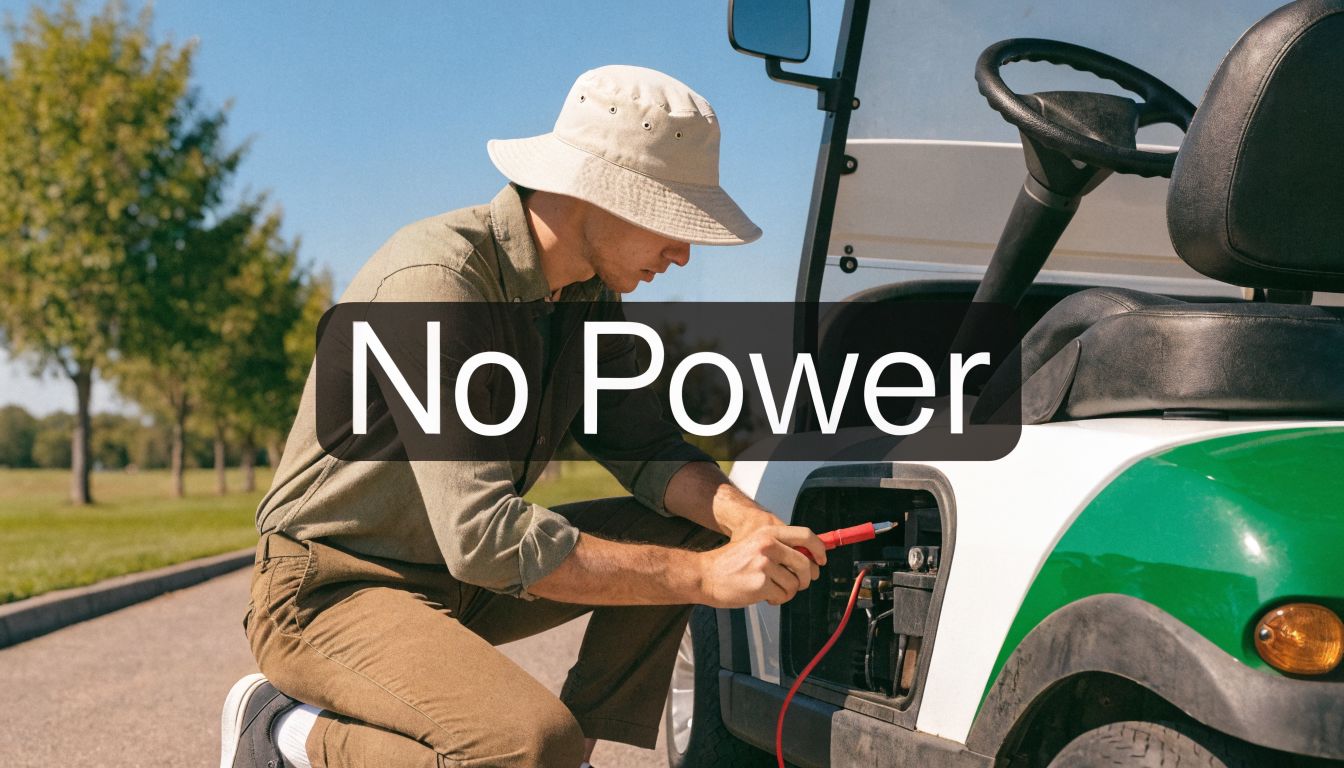
You load the bag, turn the key, press the pedal, and nothing happens. No pull, no movement, sometimes not even a click. If you're dealing with an electric golf cart has no power problem, the good news is that most failures follow a pretty short list of patterns.
I've seen this on full-sized course carts and on lighter walking setups too. The mistake many owners make is jumping straight to the motor and skipping the basic power path. That wastes time, and it often leads to replacing parts that were never bad in the first place.
The better approach is simple. Start with safety. Check the obvious switches. Test the battery system correctly. Then trace power forward until you find where it stops.
Your Cart Is Dead, Now What?
A dead cart usually shows up at the worst time. You're already dressed, the course is calling, and the machine that worked last week suddenly won't move an inch. Sometimes it's complete silence. Sometimes the cart clicks and sits there. Sometimes it moves a little on flat ground and quits on the first incline.
That last symptom matters more than people think. A cart that feels charged but falls on its face under load often has a battery problem, not a motor problem. On smaller electric assist systems, the pattern can be different. A lightweight wheel system may appear dead because it went into protection mode, needs a reset, or has a mounting issue that's stopping normal drive.
Two kinds of no-power problems
There are really two broad categories:
- Traditional full-sized carts: These usually fail in the battery pack, main fuse or breaker, solenoid, controller, or wiring path.
- Lightweight assist wheels: These often need a different thought process. Instead of chasing long battery cable runs, you're checking the battery interface, onboard electronics, reset behavior, and physical alignment.
That difference trips people up. Advice that makes sense for a fleet cart doesn't always translate to a compact walking setup.
A dead cart feels random. Most of the time, it isn't. The failure is usually sitting in the first few checks.
If you've ever worked through segway scooter repair, the troubleshooting mindset is similar. Start with power delivery, controls, and connection points before assuming the drive unit itself has failed.
What actually works
The fastest path is a methodical check, not guesswork. Don't start buying parts because a friend said “it's probably the controller.” Controllers do fail, but weak batteries, bad connections, and switching problems show up more often in real troubleshooting.
If you stay organized, you can usually narrow the fault quickly. You don't need to be a bench technician. You do need a meter, a little patience, and the discipline to follow the power from source to load.
Start with Safety and Simple Checks
Before touching a cable or pulling a cover, make the cart safe. Put the parking brake on. Keep the area dry. Remove jewelry if you're working near battery terminals. If your cart has a tow/run switch, verify its position before doing anything else. A wrong switch setting can disable drive even when the rest of the system is fine.

The checks people skip most often
Start with the controls you can inspect in seconds:
- Key switch Make sure it's fully on. A worn key switch can feel normal but fail internally.
- Forward and reverse selector Put it firmly into position. A half-engaged selector can create a no-drive symptom.
- Tow and run switch If equipped, check it physically. Don't assume its position from memory.
- Parking brake and interlocks Some carts won't respond properly if a brake or safety interlock isn't in the expected state.
- Charger disconnected If the charging lead or charge-related safety circuit is still involved, the cart may stay disabled.
Check the simple power interruptions
A tripped breaker or failed fuse can mimic a major electrical failure. If your cart uses a resettable breaker, inspect it before opening up bigger components. If you need a plain-language refresher on why protective devices trip in the first place, this piece on understanding tripped circuit breakers gives useful context that applies to troubleshooting electrical interruptions in general.
Practical rule: If the cart has zero response, don't touch the motor first. Verify the cart is actually allowed to power up.
For lightweight systems
Portable assist wheels deserve their own quick checklist because the failure pattern can be different:
- Battery seated correctly: Snap-in battery packs can look connected when they aren't fully locked.
- Remote paired and responsive: If the control signal isn't reaching the unit, the wheel won't act alive.
- Bracket alignment: Binding at the mount can create a stall condition that feels like an electrical failure.
- Unit temperature: Some compact systems shut down temporarily when they get too warm.
What not to do yet
Don't jump the solenoid. Don't bypass safety devices. Don't swap expensive parts because the cart “just stopped.” At this stage you're trying to rule out operator-side faults and easy interruptions.
A surprising number of no-power calls end right here, especially after storage, charging, transport, or someone else using the cart last.
Diagnosing Your Battery Pack and Connections
If the cart still won't move, the battery system is the first place to spend real time. That's true for full-sized carts, and it matters just as much for compact electric assist units. Power problems start at the source more often than anywhere else.

What to look for before using a meter
Pop the seat or battery cover and inspect the pack carefully.
- Corrosion on terminals: White or green buildup adds resistance and can interrupt current flow.
- Loose cable ends: A terminal can look connected and still fail under vibration or load.
- Damaged cables: Check for heat marks, swelling, cracked insulation, or frayed ends.
- Battery case condition: Bulging, leaks, or visible damage point to a battery that needs more than a quick cleaning.
Field troubleshooting guides also recommend cleaning corrosion with a baking soda and water paste, then protecting the connection afterward. That's basic shop practice because clean terminals don't just look better. They carry current better.
The battery can fool you
This is the part many owners miss. A pack can show normal voltage at rest and still be the reason the cart won't move. In an actual troubleshooting exchange, an iFixit responder advised load-testing because “your batteries may have the proper voltage and may not hold a charge under load” and added that “even one bad battery can affect the performance of your cart” in a series pack, which is exactly why a cart can look charged and still lose power when asked to move battery degradation under load on iFixit.
If the cart dies on hills or quits the moment real current demand starts, suspect battery weakness before you suspect the motor.
A practical battery workflow
Use a DC multimeter and work in order.
| Check | Full-sized cart | Lightweight assist wheel |
|---|---|---|
| Pack connection | Confirm all interconnects are tight | Confirm the single battery pack is fully seated |
| Visual condition | Look for corrosion and cable damage | Inspect contacts, latch, and pack housing |
| Voltage behavior | Measure pack and individual batteries | Check whether the pack powers the unit consistently |
| Under-load symptom | Watch for collapse when drive is requested | Watch for shutoff during uphill or resistance load |
Here's the clean sequence I use:
- Measure overall pack voltage This tells you whether the pack is in the ballpark, but it does not confirm battery health by itself.
- Test each battery individually One bad battery in a series system can drag the whole cart down.
- Inspect and clean every terminal Remove corrosion and tighten connections correctly.
- Retest under actual drive demand A battery issue often only reveals itself when the cart tries to move.
For a deeper walkthrough on pack symptoms and charging-related trouble, this guide on golf cart battery issues is a useful companion.
A short visual helps if you want to see the battery-check process in action:
Full-sized carts versus compact systems
Traditional carts usually punish neglect at the terminals. Compact units often punish poor battery handling in a different way. A lithium pack may have enough indicated charge to turn the system on, but not enough healthy output to support a sustained pull uphill.
That's one reason I tell golfers to pay attention to behavior, not just the charge light. If the system wakes up, then drops out under stress, the battery and its protection behavior deserve scrutiny.
If you want a general maintenance mindset that carries over well from other battery-powered equipment, this article on maintaining job site batteries is worth a read. Different equipment, same discipline: clean contacts, proper charging, and regular inspection beat emergency fixes every time.
Inspecting the Core Power Pathway
When the batteries aren't the issue, stop thinking in terms of parts and start thinking in terms of path. Power has to leave the batteries, pass through the cart's main switching and protection points, and reach the controller and motor. If that path breaks anywhere, the cart is dead.

Start at the front of the chain
A good diagnostic order saves time. Expert diagnostic sequencing starts with checking the main fuse and battery terminal condition, as a single loose or corroded terminal can disable the entire cart. If the solenoid receives full voltage but doesn't pass it to the motor when activated, its internal contacts have likely failed and it requires replacement DIY golf cart repair sequencing from Caddie Wheel.
That's the right logic because it narrows the fault before you touch expensive components.
What the solenoid is telling you
The solenoid is a heavy-duty switch. In many carts, you'll hear a click when you press the pedal. People often assume that click means the system is fine. It doesn't. It only tells you the control side is trying to engage the high-current side.
Here's the practical interpretation:
- No click at all: The solenoid may not be receiving the signal to activate, or it may be failed.
- Click but no movement: The internal contacts may not be passing usable power.
- Intermittent click and drive: Look hard at connections, battery condition, and solenoid health.
A clicking cart isn't necessarily a powered cart. It may only be a cart with a live control circuit.
Trace voltage instead of guessing
Use a multimeter and move one step at a time.
- Battery pack output Confirm you have power leaving the pack.
- Main fuse or breaker Check for continuity or voltage on the far side.
- Solenoid input post Verify pack voltage reaches the solenoid.
- Solenoid output post when activated A healthy activated solenoid should show nearly full pack voltage across both large posts.
- Controller input If power exits the solenoid but never reaches the controller properly, inspect the heavy cable path.
What a visual inspection can reveal fast
You don't always need deep electrical testing to catch a path problem. Look for:
- Burned lugs: Heat damage usually points to resistance and current loss.
- Loose ring terminals: Even slight movement matters on high-current cables.
- Melted insulation: That's a red flag for heat and failure.
- Broken cable strands near crimp points: These fail under load and vibration.
I'd much rather spend ten minutes tracing voltage than an hour talking myself into replacing a controller. In shop work, the dead-simple failures show up far more often than people expect.
Advanced Checks for Controller and Motor
If the battery system is healthy and the main power path checks out, the next suspects are the controller, throttle input, and motor. At this stage, diagnosis gets more technical, and it's also where people tend to overspend by changing parts in the wrong order.

Controller checks that make sense
The controller is the traffic cop between battery power and motor output. When it fails, you may get no response, erratic response, or a cart that wakes up electrically but won't drive.
Start with what the cart gives you:
- Indicator behavior: Some controllers show faults through a blinking LED or diagnostic pattern.
- Throttle input response: If the pedal or control input never reaches the controller correctly, the motor won't get commanded to move.
- Heat or odor: Burnt electronics smell different from weak battery symptoms.
If you're working on a standard cart and want a more component-specific reference, this guide on golf cart controller repair is a good next step.
Why lightweight assist wheels need a different mindset
Most repair guides focus on 36V/48V multi-battery carts, which leaves a gap for golfers using lightweight assist wheels. On systems like a Caddie Wheel, a no-power complaint is more likely to come from thermal cutoff, a controller reset need, or physical binding at the mounting bracket, rather than the terminal corrosion patterns common in larger carts.
That changes the order of operations.
For a compact assist system, check these first
- Reset behavior Power the unit down completely and restart it according to the manufacturer's normal procedure.
- Thermal protection If the unit stopped after a long uphill stretch or a hot round, let it cool and retest before assuming failure.
- Bracket freedom Inspect the mounting bracket and wheel position. Physical binding can stall the drive and make the unit look electrically dead.
- Control input If the remote or command input isn't being received, the wheel may sit there with a healthy battery and a healthy motor.
Small systems combine electronics and mechanics tightly. A slight mounting issue can create a symptom that looks like a bad controller.
Basic motor reality check
Motor failure happens, but it's not the first bet. Before blaming the motor, ask:
- Does power appear to be reaching it?
- Does the cart try to move at all?
- Is there any sound, jerk, or brief engagement?
- Did the symptom show up gradually or all at once?
A motor that's failed often leaves clues. A supply problem often leaves confusion. That's why disciplined testing matters here more than confidence.
When to Call a Pro and How to Prevent Future Issues
There's a point where DIY stops being efficient. If you've confirmed battery condition, traced the main power path, checked the control side, and the cart still won't move, a professional diagnosis can save money. That's especially true when controller testing requires model-specific procedures or when motor inspection means opening components most owners shouldn't be opening in a driveway.
Call a technician when the job crosses these lines
You're usually better off handing it over if:
- The controller is the leading suspect: Electronic testing gets specific fast.
- The wiring damage is extensive: Burned harnesses and melted connectors can create hidden faults.
- The motor needs internal inspection: Brush, commutator, or internal wear work isn't a casual first repair.
- The cart has repeated shutdowns after basic fixes: Persistent intermittent faults can eat up a lot of time.
There's no shame in that. Good troubleshooting includes knowing when further guessing will cost more than a proper bench test.
Prevention is cheaper than diagnosis
Most no-power failures don't come out of nowhere. Owners usually get little warning signs first. Slower climbing, inconsistent response, more sensitivity to bumps, or a cart that seems charged but feels weak. If you respond early, you avoid the stranded-on-the-course moment.
A solid routine looks like this:
- Keep terminals clean: Dirt and corrosion create resistance and heat.
- Inspect cables regularly: Look for looseness, heat marks, and insulation damage.
- Charge correctly: Poor charging habits shorten useful battery performance. If you need a refresher, this guide on how to charge a golf cart covers the basics clearly.
- Watch for behavior changes: A cart that acts different is telling you something.
- Check compact systems for fit and reset status: On lightweight assist equipment, proper mounting and normal restart behavior matter as much as battery charge.
The best maintenance habit is simple. Don't wait for a total failure before investigating a small symptom. That one choice prevents a lot of expensive parts swapping.
If you walk the course and want electric assist without moving to a full-sized cart, Caddie Wheel is one option to consider. It's a lightweight power-assist wheel for standard push carts, with a snap-in setup and remote control, and the troubleshooting approach for it is different from the usual full-sized cart advice.
Share:
How to Install Your Golf Cart Bracket: 2026 Setup Guide
Electric Golf Cart Has No Power? Your Fix-It Guide