
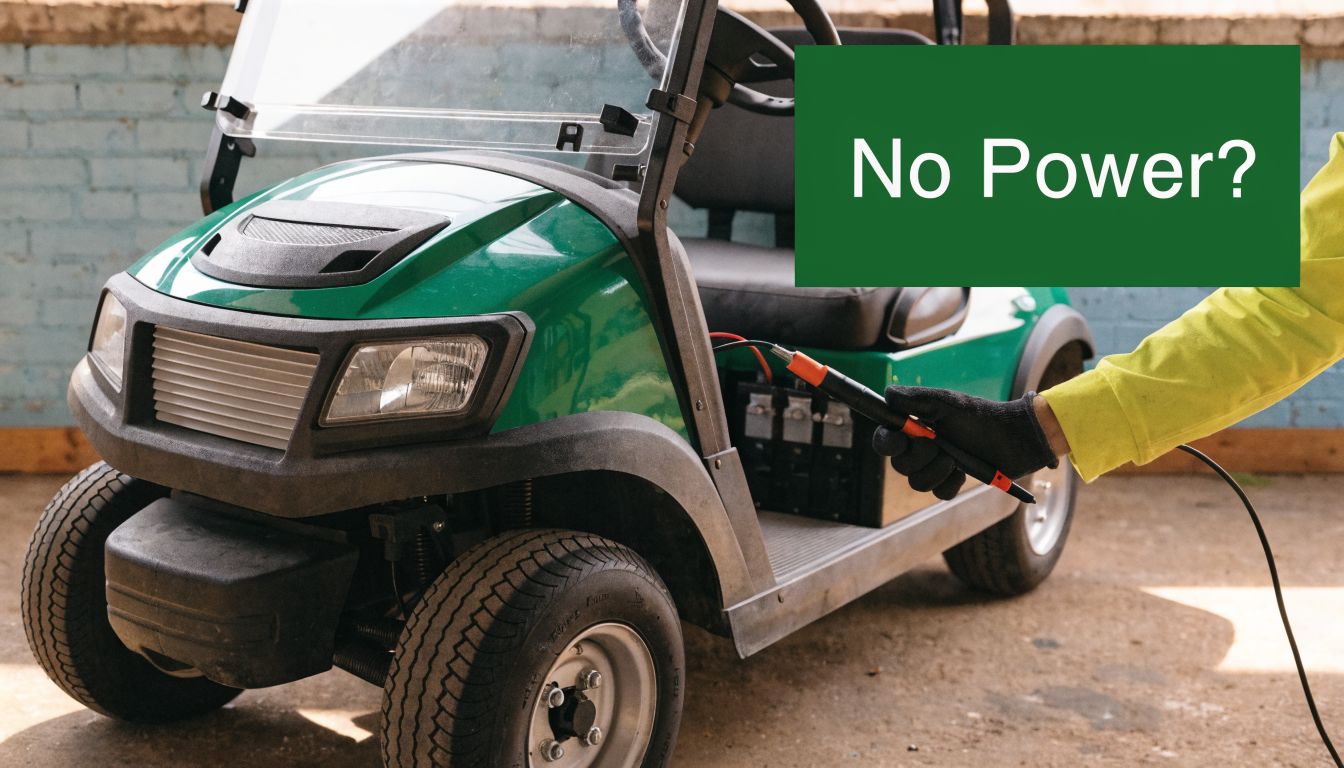
You load the clubs, turn the key, press the pedal, and the cart gives you nothing. Sometimes it's completely dead. Sometimes it clicks. Sometimes it creeps on flat ground and quits on a hill. To the owner, all of those feel like the same problem: my electric golf cart has no power.
That frustration usually leads to bad decisions. People order batteries because “it must be the pack.” Or they buy a controller because somebody online mentioned one. Or they pull the motor before checking whether the brakes are dragging. The expensive parts often get blamed first, even though many no-power faults start with a loose connection, a failed solenoid, or a battery pack that looks charged at rest but collapses when you ask it to work.
A golf cart is simpler than most owners think. Power starts at the battery pack, travels through cables and switching components, and ends at the motor. If you test that path in order, you can usually narrow the problem quickly and avoid replacing good parts.
Your Golf Cart Is Dead Now What
Most no-power calls happen at the worst time. The cart was “fine yesterday,” then this morning it won't move. Or it leaves the garage, crosses the driveway, and dies as soon as it sees a slight incline. That pattern matters. It tells you the cart may not be completely dead. It may only be failing when the system is under load.

If your cart still shows signs of life, that's useful information. A click, a buzz, a weak lurch, or reduced pull uphill all point in different directions. A cart that seems dead often isn't mysterious at all. It just needs a methodical check instead of guesswork.
Practical rule: Treat a no-power cart like a broken chain. Your job is to find the exact link that stopped passing power.
A lot of owners jump straight to the motor because it feels like the “main” part. In practice, that's rarely the first place I'd look. Start with the easy checks, then the battery pack, then the power path, then the control side, and only then the motor and deeper electrical faults. That's the same kind of step-by-step thinking that helps with golf cart troubleshooting basics in general.
Here's the mindset that saves time:
- Don't assume a full charge means healthy batteries: Resting voltage can fool you.
- Don't assume a click means the solenoid is good: It may energize and still fail to pass full power.
- Don't assume no movement means electrical failure: Mechanical drag can make a healthy cart act powerless.
That's the sequence that keeps you from buying parts you didn't need.
Start with Safety and Simple Checks
Before touching a wrench or meter, make the cart safe. Put it in Tow/Maintenance mode if your model has that function. Secure it so it can't roll. If you're working around battery cables, disconnect the main negative battery terminal before cleaning or moving anything.
Electric carts don't look intimidating, but battery packs can deliver enough current to create a nasty short. Rings, watches, loose tools, and careless probing cause more trouble than the original fault. If you're not comfortable around live electrical testing, stop before the voltage checks and bring in a technician.
The checks that solve a lot of “dead cart” complaints
Start with the things owners skip because they seem too obvious:
- Charging cord: Make sure the cart is fully unplugged. Some carts won't move if the charging system is still engaged.
- Run and Tow switch: Confirm it's firmly in Run. A bumped switch can mimic a major failure.
- Key switch: Turn it fully on and verify it isn't loose or intermittent.
- Forward and Reverse selector: Make sure it's engaged and not sitting between positions.
Those checks don't require tools, and they can save you an hour.
Look before you test
Lift the seat and inspect the battery area with good light. You're looking for signs that something is physically wrong before you start chasing voltage.
Check for:
- Loose battery cables: A cable can look connected but still move at the terminal.
- Corrosion: White or crusty buildup can interrupt current flow.
- Burnt insulation or heat marks: Heat usually means resistance at a connection.
- Broken small wires: Owners often focus on the large cables and miss the smaller control wiring.
If a terminal is dirty enough to make you question it, clean it before you trust any voltage reading taken through that connection.
Keep the first pass simple
At this stage, don't start condemning the controller or motor. What works is patience and order. What doesn't work is replacing parts because they're easy to blame.
A quick first-pass checklist looks like this:
- Secure the cart: Tow mode, wheels blocked, area clear.
- Confirm operating settings: Key on, Run selected, direction selected, charger unplugged.
- Inspect battery compartment: Corrosion, looseness, damaged cables.
- Check the obvious interruptions: Main fuse area, key switch condition, visible wiring faults.
If the cart still has no power after that, move to the battery pack. That's where most real diagnosis begins.
Inspecting the Heart of the Cart The Battery Pack
When an electric golf cart has no power, the battery pack is the first component that deserves real testing. Not because every problem is the batteries, but because every other part depends on stable battery voltage reaching it.
Start with a visual inspection before you put a meter on anything. Look at every cable end, every interconnect, and every terminal. Corrosion creates resistance. Loose hardware creates heat and voltage drop. A frayed cable can pass enough power for a meter reading but fail when current demand rises.

If your cart uses serviceable batteries, check fluid levels as part of the inspection. Low electrolyte can damage battery performance, but don't treat water level as the whole diagnosis. A battery can be properly filled and still be weak.
Resting voltage is only the first clue
Use a DC multimeter to check the full pack voltage, then test each battery individually. This tells you whether one battery stands out from the others. It also gives you a baseline before you test under load.
A lot of owners stop there, and that's where they get fooled.
A documented troubleshooting case on a 36-volt Club Car showed a cart that would barely move and fail on even small inclines. Responders noted that healthy 6-volt batteries should still read about 6.35 to 6.40 volts roughly one hour after a full charge, yet the pack in that case showed around 50.2 volts on the flat and dropped to 35 volts on an incline, which is a classic sign of battery weakness under load, not just low resting voltage (Cartaholics battery sag discussion).
That's the key idea. Voltage at rest is not the same as voltage while working.
What load-related failure feels like
Think of the battery pack like a water system. Pressure at a closed faucet may look fine. Open the faucet, and weak supply lines show up immediately. Golf cart batteries behave the same way. A tired pack can look acceptable while sitting still, then collapse when the motor asks for current.
Common clues that point toward load-related battery trouble:
- The cart moves on flat ground but struggles on hills
- It starts, then falls on its face when you press the pedal harder
- The pack voltage looks decent until the cart tries to drive
- One battery reads differently enough from the others to raise suspicion
That's why I prefer testing behavior, not just numbers on a resting cart.
Batteries don't earn a clean bill of health by looking charged. They earn it by holding voltage when the cart is asked to move.
A practical battery workflow
Use this order so you don't chase your tail:
| Step | What to do | What it tells you |
|---|---|---|
| Visual inspection | Check terminals, cables, corrosion, fluid level | Whether the problem may be connection-related |
| Pack voltage check | Measure total pack voltage | Whether the pack is broadly in the expected range |
| Individual battery check | Measure each battery one by one | Whether one battery is dragging the set down |
| Under-load observation | Watch voltage while trying to drive | Whether the pack collapses under demand |
If you want a more detailed walkthrough on battery evaluation, Caddie Wheel has a useful guide on how to test battery capacity in a practical way.
What works here is testing under the same condition that creates the complaint. What doesn't work is seeing a charged pack at rest and declaring the batteries “good.”
Tracing the Power Path Fuses Wiring and Solenoid
If the battery pack checks out well enough to continue, stop thinking about charge level and start thinking about power delivery. Current has to leave the pack, pass through the main electrical path, and reach the controller and motor. If it stops anywhere along that route, the cart acts dead.

A professional workflow starts with the battery pack and then moves to the main fuse, key switch, and terminals. One especially useful test is checking the solenoid. If full pack voltage reaches one large solenoid post but doesn't appear on the other large post when the solenoid is energized, the internal contacts have likely failed (Caddie Wheel DIY golf cart repair guide).
Start at the fuse and the big cables
The main fuse is there to protect the system, but to the owner it often looks like a mystery shutdown. Inspect it visually if accessible, and use your meter for continuity if needed.
Then trace the heavy cables by hand and by eye. Don't just glance at them. Follow each one from battery pack to solenoid to controller connection points.
Pay attention to:
- Loose lugs: A lug can seem tight until you put a wrench on it.
- Hidden corrosion: It often forms where the cable meets the terminal.
- Heat damage: Darkened insulation or melted boots usually point to resistance.
- Damaged cable routing: Pinched or rubbed cables create intermittent faults.
Use the solenoid click as a signpost
The solenoid is a heavy-duty relay. Press the pedal and it should engage. That click matters because it tells you part of the control circuit is alive.
Use this quick symptom guide:
- No click at all: The problem may be in the activation side, a switch, wiring fault, or the solenoid coil itself.
- Click, but no movement: The solenoid may be energizing but not passing power. Weak batteries can also produce this symptom.
- Buzzing or inconsistent engagement: That pushes suspicion toward downstream control or high-resistance issues.
Here's a visual walkthrough of that diagnostic thinking:
A simple way to test the solenoid
With the cart set up safely for live testing, check voltage at both large solenoid posts while the solenoid is energized. You're trying to answer one question: is power getting through?
A clicking solenoid isn't automatically a good solenoid. The sound only tells you the relay tried to close.
Owners save real money here. A bad solenoid is far cheaper and easier to deal with than a controller or motor. But you only know that if you test it, not if you guess.
Think in sequence, not parts
When I trace a no-power issue, I mentally break the path into short sections:
- Battery pack to main cable
- Main cable to fuse and key circuit
- Key circuit to solenoid
- Through the solenoid
- Onward to controller and motor
That sequence works because electricity has to travel through all of it. What doesn't work is replacing the part you happen to recognize first.
Advanced Diagnostics Controller Motor and Switches
Once batteries, main connections, fuse checks, and solenoid behavior stop pointing to an obvious fault, the diagnosis shifts from “is power available?” to “is the cart being told to use it?” At this stage, switches, controller inputs, the controller itself, and the motor enter the picture.

This stage trips up a lot of owners because the symptoms overlap. A bad controller can feel like a dead motor. A dragging brake can feel like weak batteries. A failed switch can make a good controller look bad.
Controller problem or motor problem
A useful clue from repair guides is symptom type. Electrical faults often show up as jerky starts, inconsistent speed, or total power loss, while another practical pattern is that if the cart buzzes but doesn't move, the issue shifts toward controller, motor, or electromagnetic brake faults rather than the simpler upstream causes already checked (Golf Cart Search symptom-based troubleshooting).
That doesn't mean you condemn the controller immediately. It means you verify inputs first.
Check whether the controller is receiving the signals it needs:
- Key switch input: If the key circuit isn't delivering power, the controller can't wake up.
- Forward and Reverse switch: A bad direction switch can interrupt operation or limit it to one mode.
- Throttle input: If the accelerator signal never changes, the controller won't command the motor properly.
- Brake interlock or micro switches: A small failed switch can stop the cart cold.
If you need a deeper look at controller-specific issues, this guide on golf cart controller repair is a practical next reference.
Don't miss false no-power caused by drag
This is the check many owners skip, and it matters.
Locked brakes or other mechanical resistance can make a cart seem electrically dead. A better way to separate electrical failure from mechanical drag is to check whether the cart rolls freely before replacing major parts (Vatrer Power on fully charged batteries but no power).
That one habit can save you from replacing a perfectly good motor.
Try this with the cart in the proper safe mode for moving it manually:
| Symptom | More likely direction |
|---|---|
| Cart rolls freely but won't drive | Electrical or control issue |
| Cart resists rolling by hand | Brake drag or mechanical resistance |
| Clicks but strains badly | Could be electrical weakness or drag |
| Buzzes without moving | Controller, motor, brake-related fault |
If the cart won't roll by hand, don't order a controller yet. Find out what's physically holding it back.
Why the distinction matters
A controller and a motor are expensive enough that guessing hurts. The same disciplined thinking used in troubleshooting residential electrical issues applies here too. Verify where power stops, confirm what the switches are doing, and rule out mechanical bind before you blame the high-cost components.
What works in this phase is narrowing the fault by behavior. What doesn't work is treating every “won't move” complaint as a dead motor.
Quick Fixes Maintenance and When to Call a Pro
By this stage, the fault is usually narrower than it first looked. Owners often fear a bad motor or controller, but the repair is frequently a dirty connection, a heat-damaged cable end, a weak battery pack that falls on its face under load, or a solenoid that clicks without carrying current.
The goal now is simple. Fix the confirmed failure, then do the small maintenance steps that keep the cart from coming back with the same complaint.
The quick fixes that often solve it
Use the test results to match the repair.
- Clean and tighten every high-current connection: One loose or corroded terminal can drop enough voltage to make the whole cart act dead.
- Replace damaged lugs or cables: If a cable end is swollen, green, burnt, or loose on the wire, cleaning alone is usually a temporary fix.
- Replace a failed solenoid: A solenoid can click and still fail under load. If full pack voltage reaches it but little or no voltage leaves under command, replacement is usually justified.
- Repair or replace a bad switch: Key switch, forward-reverse switch, tow-run switch, and pedal microswitch faults can all interrupt the control circuit.
- Free up brake drag or other rolling resistance: If the cart fought you when pushing it by hand, that drag must be corrected before you blame the electrical system.
That last point saves money. A cart with a dragging brake can feel exactly like a weak electrical cart, especially on takeoff or on a hill.
Maintenance that prevents repeat no-power problems
A few routine checks catch trouble early:
- Inspect battery terminals and hold-downs: Loose batteries and loose terminals create resistance, heat, and intermittent faults.
- Check water level if your batteries are serviceable: Low electrolyte shortens battery life and reduces output.
- Put a wrench on main cable connections: A connection can look fine and still be loose enough to cause voltage drop.
- Look for heat marks, melted insulation, and rubbed wires: Those clues matter more than shiny plastic covers.
- Pay attention to behavior under load: If the cart gets weak climbing hills, hesitates from a stop, or improves after charging but fades quickly, test the pack under load before ordering expensive parts.
That pattern matters because static voltage can lie. A battery pack may look charged at rest and still collapse the moment the motor asks for current.
When to stop and call a pro
Call a qualified technician if any of these apply:
- You are not comfortable testing live voltage
- You found battery voltage, but you cannot trace where it disappears under load
- The controller, motor, or harness needs tests beyond basic meter checks
- The fault is intermittent and only shows up while driving
- You suspect both electrical weakness and mechanical drag and need help separating the two
A good technician does more than swap parts. The right one will load-test the batteries, check voltage drop across the main path, and confirm the cart rolls freely before recommending a controller or motor.
If your goal is easier walking golf rather than repairing a vehicle, some golfers also consider purpose-built power assist options like Caddie Wheel, which motorizes a standard push cart instead of using a full golf cart electrical system.
Share:
Electric Golf Cart Has No Power? A Step-by-Step Guide
Refurbished Golf Buggies: Ultimate Buyer's Guide